Downloadable Files
You can download Delete Static Channels for free at the end of this product page.
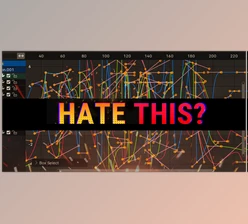
Too Many Curves, Too Much Chaos?
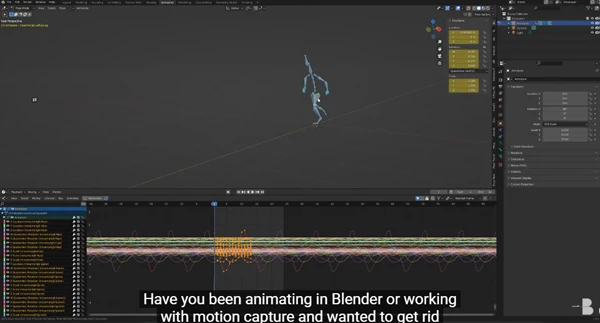
Have you ever found yourself in the Graph Editor in Blender looking at a number of F-Curves that you did not add, and that have no real function in your scene? Whether importing motion capture data or creating a new animation for one of your characters, it’s likely you have experienced a scene feature, F-Curves that have either one keyframe, or have multiple keyframes but no value change. They take up space. And since they don’t do anything, they just stress you out while animating.
What Is Delete Static Channels and Why Does It Matter?
At its core, Delete Static Channels is a Blender add-on designed to remove useless animation data that clutters your workflow.
What does “static” mean here?
A static F-Curve or keyframe is one that doesn’t affect the animation’s motion or shape at all. For example:
- A bone rotation channel with a single keyframe
- Multiple keyframes that all have the same value
- Auto-keyed data that never actually changes anything
Why removing them improves your results
- Cleaner Graph Editor → easier to read and edit animation.
- Faster workflow → less time hunting through irrelevant curves.
- Better focus → you work only on motion that actually matters.
Whether you’re cleaning up mocap data or refining hand-keyed animation, removing static data directly improves both speed and animation quality.
Meet the Professional Tool: Delete Static Channels
Delete Static Channels is a lightweight but powerful Blender add-on built specifically for animators who value clean data and efficient workflows. It doesn’t just delete blindly — it understands animation structure and respects your creative decisions.
Features
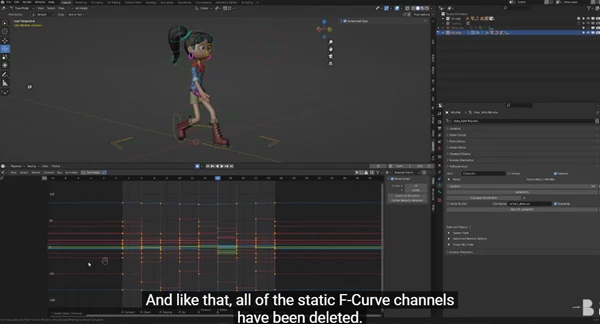
- Delete Static Channels: Automatically removes F-Curve channels that have no meaningful animation data.
- Delete Static Keys: Goes beyond full channels and intelligently removes redundant keyframes that don’t change the curve’s shape.
- Interpolation-Safe Cleanup: Unlike Blender’s Decimate command, this tool preserves your interpolation modes and curve behavior.
- Perfect for Dense Data: Ideal for motion capture, auto-keyed animations, and complex rigs with hundreds of channels.
Real-world impact
Animators using mocap data can drastically reduce curve density without losing motion quality.
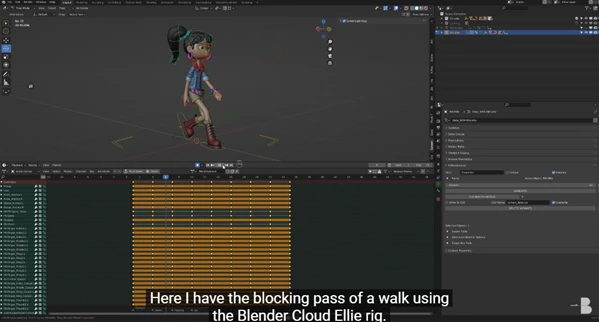
Character animators can clean blocking passes and focus purely on timing, spacing, and expression.
Pro Tips for Better Results
Here are a few practical tips to get the most out of Delete Static Channels:
- Run it early after importing the mocap data to start clean.
- Use Delete Static Keys before polishing to simplify curves while keeping motion intact.
- Combine with manual tweaks — less clutter makes fine animation adjustments much easier.
- Great for blocking — remove noise so your main poses stand out clearly.
These small habits can make your animations feel more natural, readable, and professional.
Final Thoughts: Clean Data, Better Animation
Delete Static Channels helps you remove what doesn’t matter, so your creativity can focus on what does. By cleaning unnecessary channels and redundant keyframes, this tool quietly improves every stage of your workflow — without changing your animation’s feel or quality. If you care about clean F-Curves, faster iteration, and stress-free animation editing, Delete Static Channels is absolutely worth trying.

Files Password : gfxplugin.com OR 123456