Downloadable Files
You can download Power Null for free from the bottom of this very product page.
A Faster, Smarter Way to Work with Nulls in After Effects
If you’ve ever worked in After Effects you’ve probably dealt with Null objects quite a bit. For so many motion design projects, Nulls just make the whole process easier.
I don’t think I need to tell you, creating all of those Nulls manually is slow and, well, boring.
Power Null completely changes the game when it comes to working with Nulls. With just a click, you can quickly add Nulls wherever you like, snap them into place, and link layers with lightning-fast ease.
If you create motion content in AE, this tool will dramatically improve your workflow.
What Is Power Null and Why Does It Matter?
Power Null is a professional tool for AE. It allows users to create and manage Null objects in a comp quickly through interactive controls.
You can forget about painstakingly creating a Null object, parenting it to layers, adjusting anchor positions, and so on. Power Null lets you take care of all of that with a simple click. It will snap your Null to any edge, corner, or anchor point in your layer.
Why this improves your results
More accuracy: Live snapping to edges, corners, and anchor points means cleaner rigs.
More speed: Fewer steps = faster setup.
More control: You decide exactly where and how your Null behaves.
For example, when rigging a character’s arm or controlling a camera move, placing a Null precisely at a joint or focal point can make animations smoother and more natural.
Meet Power Null – A Professional Tool Built for Speed
Power Null is a lightweight extension for designers wanting to create high-quality animations quickly. It supports all versions of After Effects from 2019 onwards and works seamlessly with popular workflow tools like KBar.
Features
100% live and interactive UI
See results instantly as you click or drag in the comp.One-click Null creation
Add a Null exactly where you click—no extra steps.Drag to position with precision
Move Nulls freely or snap them perfectly.Advanced snapping
Snap to edges, corners, anchor points, or the center of the comp.Instant parenting
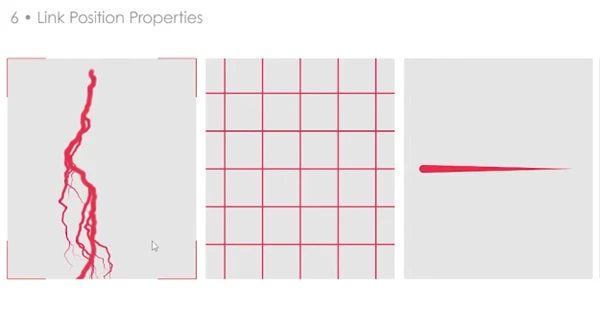
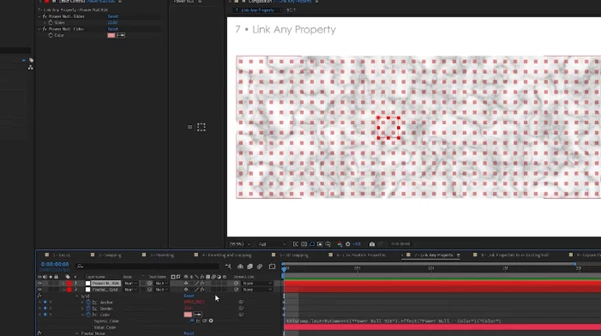
Selected layers are automatically parented to the new Null.Property linking
Pickwhip selected properties directly to the Null (or an existing one).Anchor point centering
Clean and consistent setups every time.Customizable names
Keep complex projects organized.Dockable panel & keyboard shortcuts
Fits naturally into any workflow.KBar support
Trigger Power Null actions with a single button.
Imagine rigging a UI animation, linking multiple elements to a central controller, or setting up camera controls—all in seconds instead of minutes.
Pro Tips for Better Results with Power Null
Use snapping for cleaner rigs: Snapping to anchor points is perfect for character joints and mechanical animations.
Name your Nulls early: Custom names save time in large projects.
Link properties selectively: You don’t need to parent everything—sometimes linking just Position or Rotation gives more natural motion.
Combine with keyboard shortcuts: Mapping Power Null to keys or KBar makes it feel instant.
These small habits can make your animations feel more professional and easier to tweak later.
Final Thoughts
Power Null is one of those tools that sound too good to be true but make your workflow a breeze. With so many features and its seamless integration with After Effects, it will help you create awesome animations quicker and easier than before.
Download Power Null today using the link below. All designers and animators who rely on Null objects should try it out. You’ll be amazed at how much better your After Effects projects will be!

Files Password : gfxplugin.com OR 123456