Downloadable Files
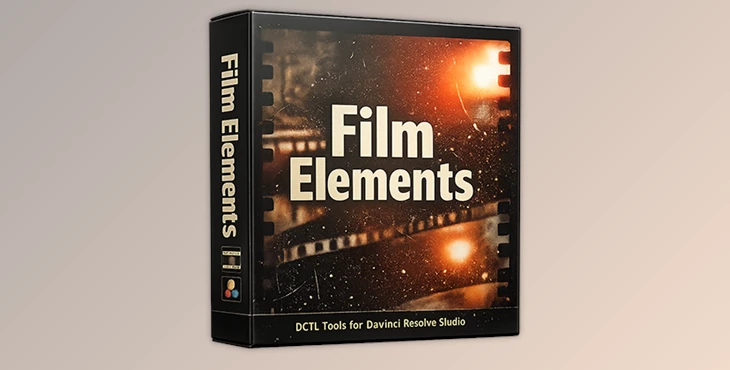
You can download Mononodes FILM ELEMENTS for free at the bottom of this page.
🎞️ Bring Real Film Character Back to Your Digital Images
Traditional film has qualities that digital images can never capture. The textures, halation, the imprecise borders, the organic motion… these qualities all combine to create a look that is alive. Mononodes FILM ELEMENTS is here to put those qualities back into your images.
If you’re a colorist, filmmaker, or video editor who loves the cinematic feel of scanned film negatives, this toolset invites you to rediscover those qualities—without leaving your grading software.
What Is Mononodes FILM ELEMENTS and Why Use It?
Mononodes FILM ELEMENTS is a suite of professional DCTL tools that capture the optical, photochemical, and mechanical processes that happen with real film. No fake overlays or effects here, just genuine film characteristics that allow you to work within the toolkit that defines how film acts through the lifecycle of image capture, processing, and playback.
Real-World Use Cases
Adding authentic film grain that reacts naturally to exposure
Recreating halation around highlights for a true film-negative look
Introducing subtle gate weave and flicker for analog motion
Enhancing realism with dust, dirt, and hair artifacts
Shaping images with optical vignettes, lens distortion, and edge blur
These features improve your results because they work with the image structure, not on top of it. The result feels cohesive, cinematic, and believable.
Mononodes FILM ELEMENTS - A Professional Film Emulation Toolkit
Mononodes FILM ELEMENTS is a versatile package that allows you to apply each element in its rightful stage in the image processing workflow. It’s a more intuitive process that is more efficient and far more realistic.
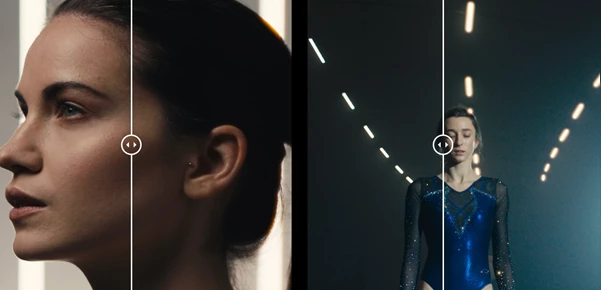
Features
Film Grain DCTL
Organic, non-repeating grain embedded into luminance, with balanced RGB correlation and resolution-aware scaling.Film Dirt DCTLS (Dirt Spots & Dirt Hair)
Realistic dust, debris, and fibers with full control over size, frequency, blending, and preview modes.Vignette & Vignette Edge
Optical-style falloff and directional edge shading with roundness, anamorphic stretch, and rotation control.Halation DCTL
Accurate red-orange light scattering around highlights, with adjustable size, hue, saturation, and threshold.Chromatic Aberration
Lens-based color fringing with independent RGB scaling, blur, and edge visualization tools.Edge Blur
Smooth, vignette-based edge softness that avoids harsh masks and preserves a cinematic roll-off.Lens Distortion
Natural radial and edge distortion modeled after real lens behavior.Gate Weave
Subtle or pronounced frame movement that mimics real film transport instability.Flicker
Frame-to-frame exposure variation inspired by projection and telecine processes.MTF (Modulation Transfer Function)
Advanced control over perceived sharpness and contrast across multiple detail bands.Reframe
Precision scaling, rotation, offset, and aspect ratio guides for flexible composition control.
Whether you’re emulating a Vision3 negative scan, adding texture to digital cinema footage, or giving archival projects a true analog feel, Film Elements adapts seamlessly to narrative films, commercials, music videos, and experimental visuals.
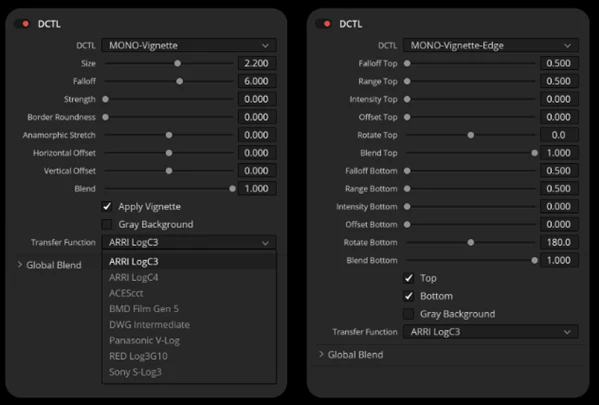
Pro Techniques & Tips for Best Results
Add Film Grain before any other effects.
Keep Gate Weave subtle.
Use Halation on high-contrast highlights for best results.
Use Edge Blur before adding grain – you want the grain texture to remain intact!
These subtleties add up to make an enormous difference when it comes to professional results.
A Film Look That Feels Authentic
Mononodes FILM ELEMENTS isn’t about nostalgia or replicating the look of analog film. It’s about using those characteristics to create a cinematic look!
If you understand how grain, motion, textures, and imperfections contribute to the nature of images and film, then Mononodes FILM ELEMENTS is for you! Download the demo, experiment with these tools, and give your images life again when the logic of film meets the detail of digital!

Files Password : gfxplugin.com OR 123456