Downloadable Files
You can download aiVideoGen for free from the end of this page.
Turn Text into Motion, Right Inside After Effects
Imagine making AI videos all inside After Effects. aiVideoGen lets you do that. No browser. No Imports Just type a prompt, click generate, and an AI video appears in your timeline. It’s impressive, modern, and a bit magical.
What Is aiVideoGen and Why Does It Matter?
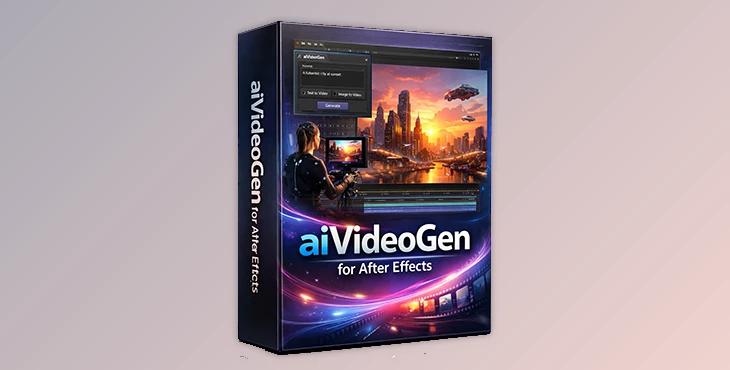
aiVideoGen is an After Effects panel that connects AE directly to powerful AI video models via Replicate.
It supports both text-to-video and image-to-video, all in one clean workflow.
Real-world uses you’ll instantly get:
Creating cinematic motion shots from a single prompt
Turning a still frame from your comp into animated footage
Rapid concept previews for ads, music videos, or social content
These features save time, reduce friction, and let you focus on creative decisions instead of technical steps.
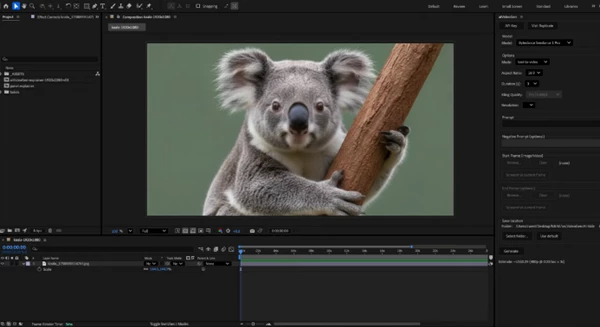
Meet aiVideoGen – A Professional AI Video Tool for AE
aiVideoGen by Clayton West is built for motion designers who want AI power without complexity.
It brings multiple top-tier video models directly into After Effects and automates everything around them.
Features
Direct AE Integration: Generate an AI video without leaving your composition
Multiple AI Models: Kling 2.1, Veo Fast, MiniMax Hailuo, PixVerse v5, WAN Fast, and more
Stage Snapshot: Use your current comp frame as an image reference with one click
Auto Import & Placement: Generated videos are downloaded, imported, scaled, and centered automatically
First & Last Frame Control: Feed timeline frames into supported models for better continuity
Smart Controls: Aspect ratio, duration, resolution, and quality adjust per model
Cost Estimator: See token costs before you generate
Helpful Alerts: Clear warnings for content blocks or low credits
Perfect for motion graphics, experimental visuals, AI-assisted storytelling, and fast ideation.
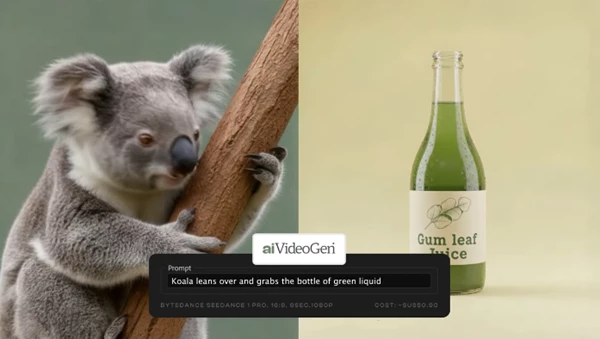
Pro Tips for Better AI Video Results
Start with short, clear prompts—then refine once you see results
Use stage snapshots from well-lit frames for more consistent output
Match your comp resolution to the target model to avoid unnecessary scaling
Try different models for the same prompt—each has a unique “style”
These small tweaks make AI footage feel more intentional and professional.
Is aiVideoGen Worth Trying?
AiVideoGen solves the biggest problem with AI video use—getting pulled out of your flow. You’ll stay in After Effects, making it fast and easy to integrate AI video into your workflow. For those wanting to really explore use cases, or even just “playing” with AI in your workflows, aiVideoGen really offers value. Definitely worth a look if you think AI video is something you want to integrate into your work in the future.

Files Password : gfxplugin.com OR 123456