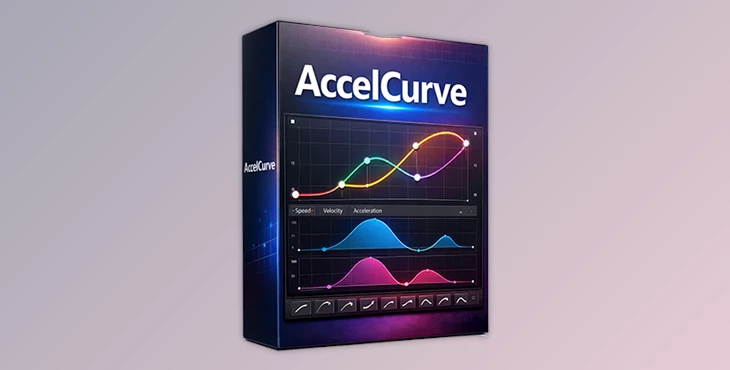
Downloadable Files
You can download AccelCurve for free from the bottom of this page.
🎯 Smooth Motion Starts with Better Curves
Animation lives and dies by its easing. Even the smallest timing issue can make motion feel stiff or artificial. AccelCurve is designed to fix exactly that problem—by giving you deeper control over easing curves in After Effects, far beyond the usual two-point limitation.
If you’ve ever felt that the Graph Editor was holding you back, this tool will instantly feel like a breath of fresh air.
🧠 What Is AccelCurve and Why It Matters?
AccelCurve is an After Effects easing extension that allows you to create, edit, and apply curves with three or more points. This means smoother transitions, more expressive motion, and far more natural acceleration and deceleration.
Why this improves your results:
- The motion feels organic
- Timing feels more realistic
- Complexity feels smooth and readable
Real-world examples:
UI animations with subtle overshoot and settle
Character motion with organic weight and flow
Logo reveals that feel premium instead of mechanical
🚀 Meet AccelCurve – A Professional Easing Tool
AccelCurve streamlines the entire easing workflow by combining curve analysis, editing, and reuse in one clean interface. It removes guesswork and repetitive manual tweaking from your animation process.
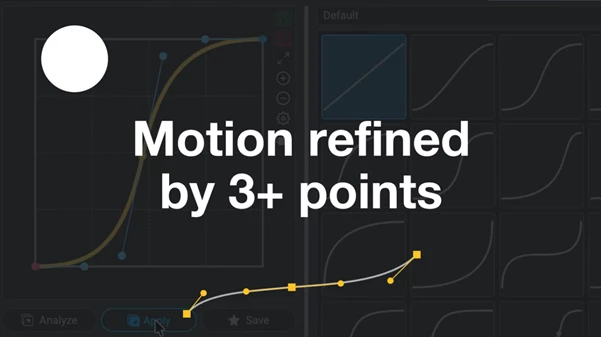
Features
Easing with 3+ Curve Points
Create advanced easing curves that go beyond simple ease-in and ease-out.Analyze & Apply in One Click
Automatically analyze easing from selected keyframes and apply it to others instantly.Automatic Mid-Keyframe Generation
When using multi-point curves, AccelCurve generates intermediate keyframes to preserve curve shape.Intuitive Curve Editing
Add midpoints with Shift-click and remove them with Alt-click for fast, precise control.24 Beautiful Ready-to-Use Presets
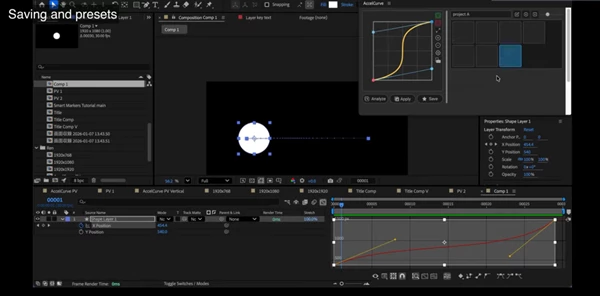
Includes professionally designed 3-point and 4-point easing curves.Custom Preset Management
Save, organize, rename, export, and import your own easing curves.Flexible UI Layouts
Switch between vertical and horizontal layouts and resize panels to match your workflow.Velocity & Acceleration Graphs
Visualize motion forces with acceleration graphs not available in native After Effects.
Practical impact:
Faster animation workflow
Consistent motion across projects
Higher-quality, cinematic movement
🛠 Pro Tips for Better Results
Analyze first, then refine
Use the Analyze & Apply feature to quickly match existing motion before customizing it.Use 3-point curves for realism
Small mid-curve adjustments can add weight and intention to movement.Save your best curves
Build your own easing library to maintain consistency across client projects.Watch acceleration, not just speed
Acceleration graphs help you avoid unnatural motion spikes.
These techniques are simple enough for everyday users but powerful enough for advanced motion designers.
✨ Final Thoughts
AccelCurve isn’t about style, it’s about real motion. AccelCurve unlocks multi-point easing, curve analysis and advanced visualization of motion.
If easing is always a bottleneck, consider giving AccelCurve a spin. It can dramatically improve the quality of your animation! Just play around with the curves!

Files Password : gfxplugin.com OR 123456