Downloadable Files
You can download Node Minimap for free at the end of this page.
Never Get Lost in Nodes Again 🎯
If you’ve ever opened a complex node setup in Blender and felt instantly overwhelmed, you’re not alone. Large node trees can quickly turn into a visual maze — endless frames, scattered nodes, and constant zooming in and out.
Node Minimap solves all that by providing you with an interactive clear minimap of your node tree so that you can always know where you are, what you need to do and how to do it without getting overwhelmed by even the densest of node trees.
What Is Node Minimap and Why It Matters
Node Minimap is a Blender add-on that displays a live, interactive minimap of your node tree directly inside all node editors.
Instead of endlessly panning and zooming, you can instantly understand the structure of your setup, locate important nodes, and navigate with ease.
Why this improves your workflow?
You see the big picture of your node tree at all times
Complex setups become easier to understand and debug
Navigation becomes faster and more intuitive
You spend less time searching and more time creating
Whether you’re working with Shader Nodes, Geometry Nodes, Compositor, or Texture Nodes, Node Minimap helps keep everything organized and readable.
Node Minimap – A Professional Blender Add-on
Node Minimap is a lightweight but powerful tool designed to make node-based workflows smoother, cleaner, and more enjoyable.
It doesn’t change how nodes work — it simply makes working with them far more comfortable.
Features
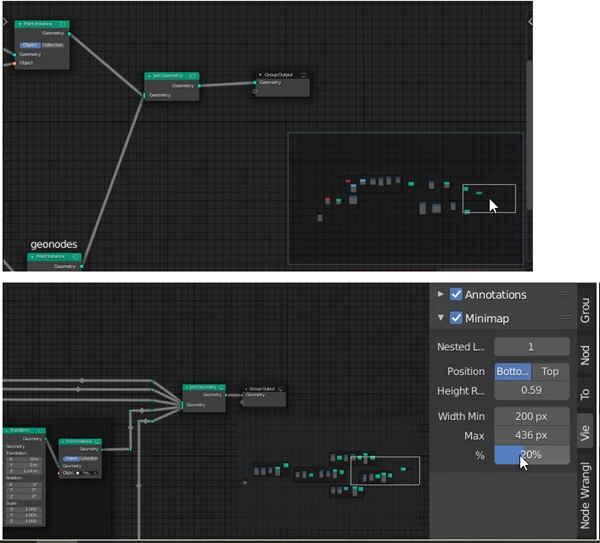
Interactive navigation with MMB
Quickly move around your node tree using the middle mouse button directly on the minimap.Compatible with all node trees
Works seamlessly across Shader, Geometry, Compositor, and every node editor in Blender.Node color by type
Instantly recognize different node types through clear color coding.Support for custom node colors
Your manually colored nodes remain visible and meaningful inside the minimap.Active & selected node highlighting
Easily track what you’re working on, even in dense node graphs.Nested frame level control
Reduce visual clutter by limiting how deeply nested frames are displayed.Fully customizable UI
Adjust minimap position, size, height ratio, and canvas colors to match your workflow.
Real-world use cases
Managing large Geometry Node systems
Debugging complex shader networks
Navigating heavy compositor setups
Teaching or reviewing node-based projects
Pro Tips for Better Results 🚀
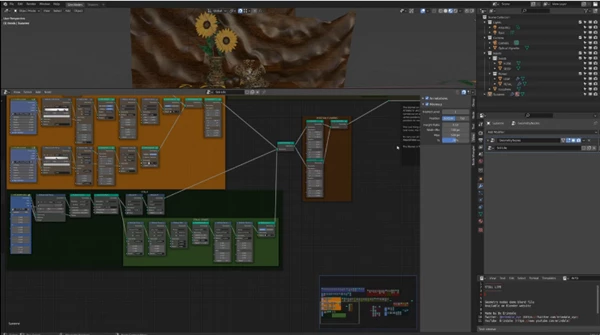
Use Nested Level Display wisely
Lower levels simplify massive node trees and help you focus on structure instead of details.Fix the minimap size
If you prefer consistency, set the minimum and maximum pixel size to the same value.Disable startup activation if needed
Perfect if you only want the minimap for complex projects.Match canvas colors to your theme
A subtle background improves readability without stealing focus.
These small tweaks can make Node Minimap feel like a natural part of Blender’s interface.
Small Tool, Big Impact
Node Minimap doesn’t want to reinvent Blender. It removes a major source of frustration with node-based workflows.
With increased situational awareness, less visual noise, and quick navigation, you can work with more comfort and confidence. If you use nodes in Blender at all, this add-on is a must-have.
Get it now—you’ll wonder how you survived without it!

Files Password : gfxplugin.com OR 123456