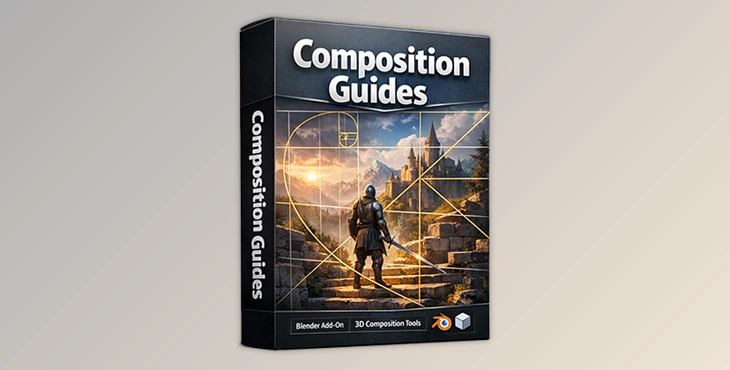
Downloadable Files
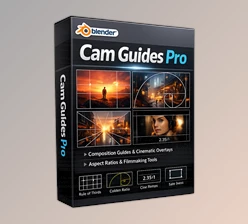
You can download Composition Guides for free at the end of this page.
🎯 Compose Like a Pro, Without Leaving the Viewport
You want your render to look “professional” and not “amateur”? You want to compose like a pro? Work on this hidden skill.
Good composition is the skill you can’t explain but instantly see in other renders.
Composition Guides is a quick Blender add-on to build awesome compositions using tried-and-true rules directly in your viewport. It’s a zero-effort tool to make composition techniques visible.
Render any environment, product, or still-life and see how to compose better.
Engage the guides, set your camera and you’ll see how big of a difference it makes.
🧠 What Is Composition Guides and Why It Matters
Composition Guides is a viewport overlay system that displays industry-standard composition rules directly over your Blender scene. Instead of relying on intuition alone, you can align subjects, lights, and focal points using proven visual frameworks.
Why this improves your results:
- Natural eye movement
- Balanced views
- No guesswork
- Intentionality
Real-world use cases:
Cinematic renders: Align characters or key props using the Rule of Thirds or Golden Ratio
Product visualization: Keep focus centered and balanced for clean, commercial shots
Environment art: Use diagonals and harmonic armature to add depth and flow
Photography-style renders: Frame shots exactly like a real camera composition
These guides transform abstract “rules” into visible, actionable tools — right where you need them.
🧩 Meet the Tool: Composition Guides for Blender
Composition Guides is designed to be clean, fast, and non-intrusive. It works seamlessly in both Camera View and regular Viewport Perspective, making it useful at every stage of your workflow.
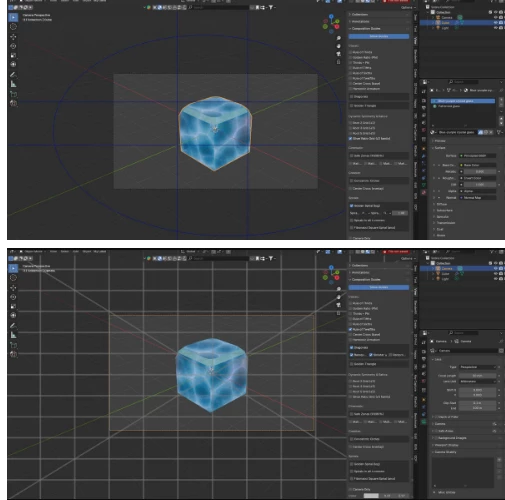
✨ Features
Real-time viewport overlays drawn directly in the 3D View
Multiple composition systems, including:
Rule of Thirds
Golden Ratio
Fifths
Golden Spiral
Golden Triangle
Diagonals
Harmonic Armature
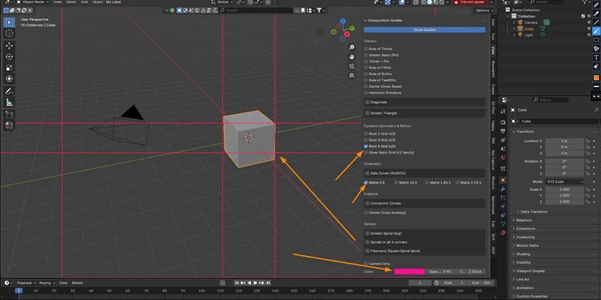
Instant toggles to enable or disable individual guides
Customizable visuals (color, opacity, line thickness)
Multiple guides at once for advanced compositions
Optional center cross for precise alignment
Golden Spiral direction control
Lightweight and performance-friendly
Compatible with Blender 3.6+
Practical impact:
You can quickly test different composition styles on the same scene, compare results, and lock in the strongest framing — all without rendering or leaving the viewport.
🎓 Pro Tips for Better Results
Check out these practical tips for getting the best outcome with Composition Guides:
- Use incremental composition skills before using all the guides. Don’t use all guides at once.
- Use the Golden Ratio for character-driven narratives and organic stories.
- Use the Rule of Thirds for products and social media scenes.
- Use Diagonals + Light Direction to depict depth.
- Use lower opacity for subtle guide assistance.
- Change line thickness if you have a high-resolution screen.
Think of the guides as a silent mentor — they suggest, not dictate.
🚀 Final Thoughts
Composition is a crucial storytelling framework for every render. Composition Guides make it visible while helping you produce balanced, uniform products.
By using the best, well-known composition rules right from your viewport, you’re going to save yourself a lot of time.
If you care about how models are framed, consider this one of those quiet solutions that elevate every single one of your scenes.
Try out all the settings and various guides to see which work best for your scene.
👉 Wait — don’t forget to gain access to Composition Guides at the bottom of this page! It’s free.

Files Password : gfxplugin.com OR 123456