Downloadable Files
You can download Despill Maestro for free from the end of this page.
Fix Color Spill Like a Pro
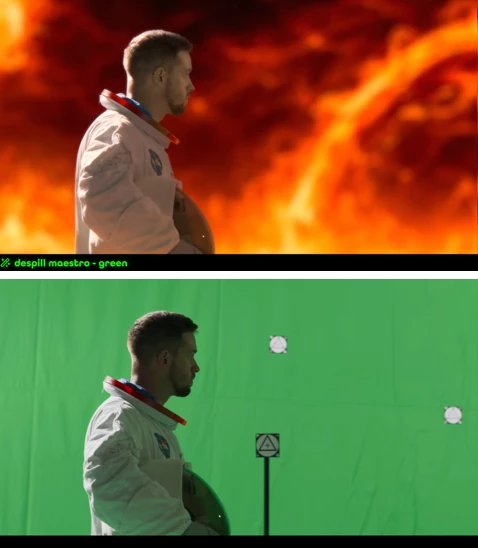
Ever had a color spill that ruined everything? Like green from a chroma key screen or some color flickering on skin or clothes? It’s a nightmare. Not with Despill Maestro, though, as it’s straightforward and makes it easy to keep your footage professional and clean—other than what you want to correct.
What is Despill Maestro and Why You’ll Love It
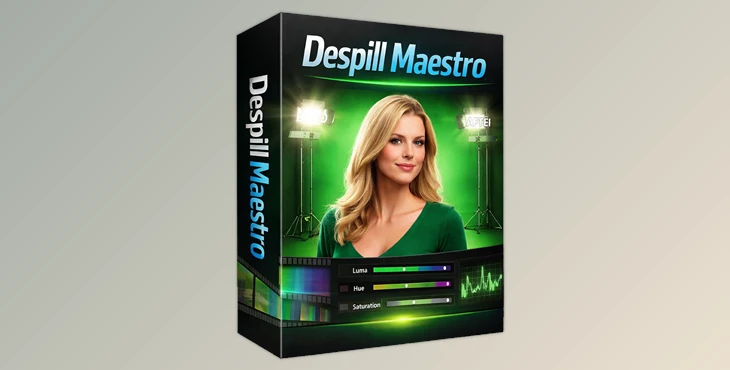
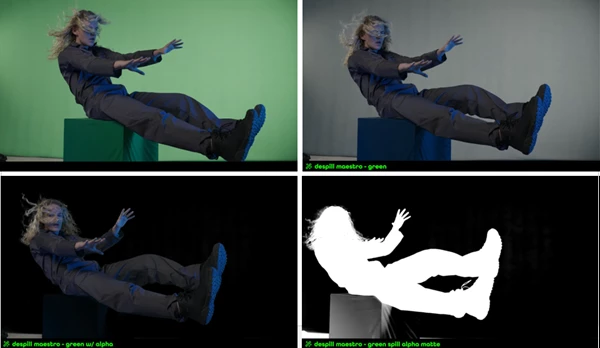
Despill Maestro is a color spill suppression plugin for After Effects and Premiere Pro. It allows you to suppress color spill without losing your keyed elements. It’s the color-cleaning brush that knows what to leave.
Features:
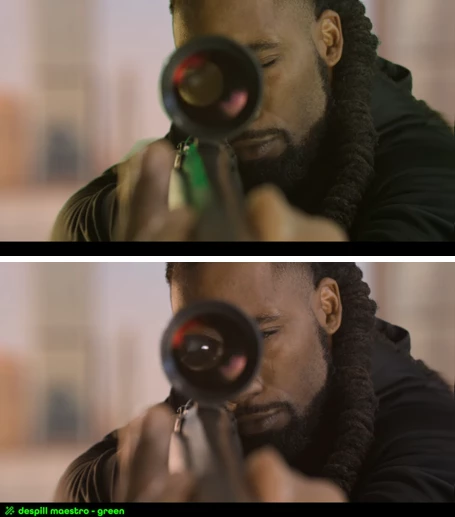
- Skin Tones: No more unnatural skin tones.
- Wardrobe Colors: Protect every single hue no matter the lighting.
- Despill Settings Aggressiveness: Control levels of aggressiveness to protect textures.
This means seamless composites, color grades, and post-production work done in record time.
Features That Make Your Life Easier
Advanced Algorithms
Choose from 10 specialized algorithms, each designed for different spill scenarios—from simple averaging to skin-tone preservation. Fine-tune suppression, softness, expansion, and desaturation to match your footage perfectly.
Color Replacement
Replace the removed spill with a color of your choice. Add warmth, coolness, or custom hues while keeping luminance intact—perfect for stylistic or corrective tweaks.
Color Protection
Safeguard important colors using Luma, Hue, and Saturation ranges. Skin tones, wardrobe, and other critical elements stay untouched while spill is removed.
Alpha Generation
Generate alpha channels directly from spill removal for precise masking. Use adjustable softness and thresholds to isolate areas cleanly and refine composites effortlessly.
GPU-Accelerated Performance
Works with 8/16/32-bit footage and provides real-time previews of spill maps, alpha channels, and protection masks—speeding up your workflow dramatically.
Pro Tips for Better Results
- Start Subtle: Apply gentle despill first, then refine for aggressive correction.
- Use Protection Ranges: Carefully set Luma, Hue, and Saturation ranges to avoid affecting skin or wardrobe.
- Experiment with Algorithms: Each clip may need a different algorithm—play around to find the perfect match.
- Alpha Channels Are Your Friend: Use them for selective adjustments to make your spill correction precise and professional.
Wrap-Up: Why You Need Despill Maestro
Now, you don't have any excuse for unwanted color spills. With Despill Maestro, everything that's important is protected—skin, wardrobe, and important hues in your footage—but you have the ability to correct any spills that need fixing. Whether it’s a minor issue or slightly aggressive, this will make your post-production workflows fly by.
Don’t let color spills ruin your post-production. Grab a copy of Despill Maestro today!
 Despill Maestro Clean Unwanted Color Spill by aescripts (v1.0.3 for Win, Mac).rar (Size: 50.9 MB - Date: 3/28/2026 1:01:12 PM)
- Despill Maestro Clean Unwanted Color Spill by aescripts (v1.0.2 for Win, Mac).rar (Size: 50.9 MB - Date: 3/25/2026 11:24:58 AM)
- Despill Maestro Clean Unwanted Color Spill by aescripts v1.0.1 (Mac).rar (Size: 7.0 MB - Date: 2/5/2026 1:10:46 PM)
- Despill Maestro Clean Unwanted Color Spill by aescripts (Win-v1.0.1).rar (Size: 46.5 MB - Date: 1/31/2026 11:57:01 AM)
- Aescripts - Despill Maestro v1.0.0b (Win).rar (Size: 2.3 MB - Date: 1/25/2026 4:00:41 PM)
Files Password : gfxplugin.com OR 123456