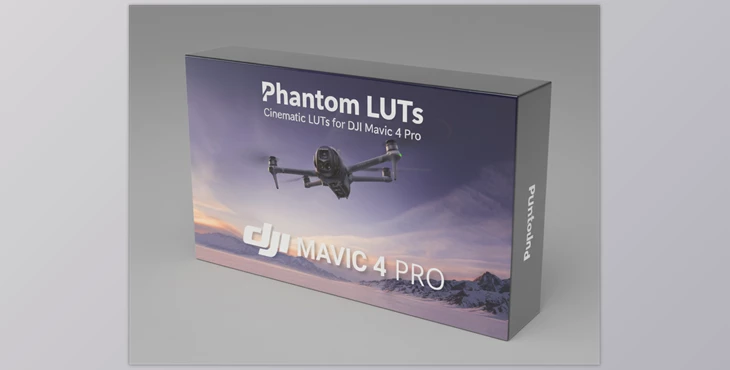
Downloadable Files
You can download the Phantom LUTs product for free at the bottom of this page.
Transform Your Mavic 4 Footage Instantly
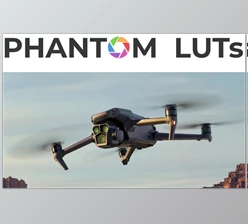
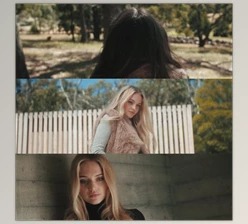
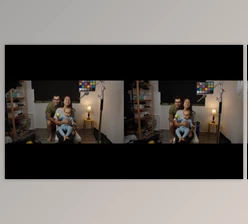
If you’ve ever felt that your Mavic 4 Pro footage looks a bit “flat” or unnatural straight out of the camera, you’re not alone. That’s exactly why Phantom LUTs were created! These cinematic LUTs give your drone footage the stunning color and natural skin tones of an ARRI Alexa, plus some creative flair for artistic grading. With Phantom LUTs, your D-Log or D-Log M clips can go from looking dull and lifeless to being a breathtaking piece of cinematic film in seconds.
What Are Phantom LUTs and Why They Matter
Phantom LUTs are cinematic color grading Look-Up Tables designed specifically for the DJI Mavic 4 Pro. These easy-to-use, versatile tools instantly transform the colors and tones of your footage, letting you see new looks!
Here’s why you need them!
- Excellent Color Science: Mimics ARRI Alexa 709 color science for skin tones that are accurate and realistic.
- Creative LUT Variations: Includes a total of 4 different color grading variations in the ARRI 5-Pack and 6 different nostalgic film stock variations in the Film 6-Pack.
- Excellent Baseline for Color Grading: Instantly forms the foundation for great cinematic colors and tones, minimizing the time spent adjusting colors in your clips.
Imagine if you spent a full day capturing breathtaking drone footage over golden fields at sunset, but instead of needing to spend the next 24 hours adjusting each clip’s colors and tones, it instantly gained the warmth and tonal balance of a cinematic film? With Phantom LUTs, that can be your reality!
Features That Make Phantom LUTs Stand Out
ARRI LUT 5-Pack
- Neutral: Balanced, faithful color reproduction.
- Tungsten: Warm, indoor-friendly tones.
- Ice Blue: Cool cinematic vibe.
- Jamaica: Slightly tropical, vivid punch.
- Utopia: Creative, dreamy colors for artistic shots.
Film Look 6-Pack
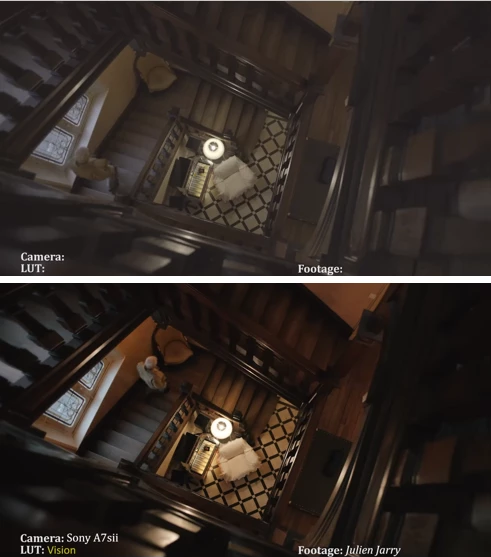
- Vision (Kodak Vision 5274): Classic cinematic feel.
- Eastman (Kodak Eastman 5247): Soft and vintage tones.
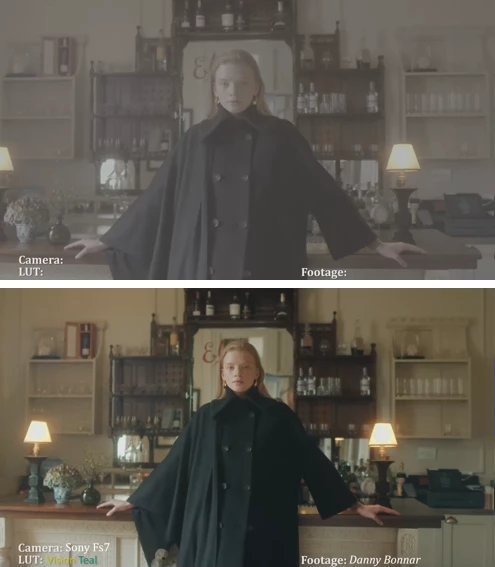
- Vision Teal (Kodak Vision 5274): Teal-tinged cinematic style.
- Eastman RM: Nostalgic Eastman variation.
- Eterna (Fuji Eterna 8563): Smooth, subdued contrast.
- Bleach (Fujifilm Super F 8552): Dramatic bleach bypass effect.
Box Contents
- 65 High-Resolution Editing LUTs (D-Log & D-Log M)
- Legacy variations for older Sony gamma curves
- Wide Dynamic Range Pre-LUTs
- Vivid Finishing LUTs for more punch
- Detailed ReadMe PDF with recommended settings
Each LUT is crafted to give smooth highlights, rich shadows, and natural colors — perfect for any lighting scenario, whether bright daylight or low-light interior shots.
Pro Tips for Using Phantom LUTs
- Start with Correct Exposure: LUTs work best when footage is properly exposed — highlights shouldn’t clip, and shadows shouldn’t be crushed.
- Mix & Match: Combine the base ARRI LUT with creative variations to find your unique style.
- Use the Pre-LUTs: For extra dynamic range, start with the Wide Dynamic Range Pre-LUT before applying your main look.
- Subtle Finishing Touches: Adjust saturation and contrast slightly after applying LUTs to avoid over-stylized footage.
Even if you’re a beginner, these steps help make your Mavic 4 footage look professional and cinematic without complicated color grading techniques.
Why Phantom LUTs Are Worth It
Phantom LUTs aren’t just about making your footage “look nicer.” They set a “cinematic” color science standard for your Mavic 4 Pro clips that saves hours of laborious color grading. They work in the same way the professionals use the ARRI Alexa color science as a standard, complete with creative and retro, nostalgia-inducing options.
From travel vlog footage to cinematic landscapes and even personal film projects, Phantom LUTs make every clip look high-quality, professional, and engaging.
So grab your Phantom LUTs and explore the different looks to elevate your drone footage – your Mavic 4 Pro will appreciate it!

Files Password : gfxplugin.com OR 123456