Downloadable Files
You can download Docma Freistellen for free at the end of this page.
A Faster, Smarter Way to Remove Backgrounds
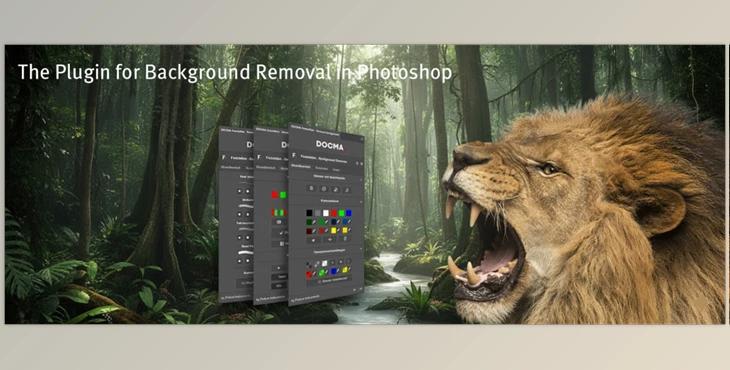
Removing backgrounds in Adobe Photoshop can be daunting—even though it has excellent tools, it’s often a drag to find the right one when you need it. That’s where Docma Freistellen comes in.
This UXP extension (Photoshop version 22 or greater) takes an experience-based, cumbersome process and makes it a seamless and intuitive journey you’ll be comfortable with right from the start.
What Is Docma Freistellen and Why Is It Important?
Docma Freistellen is a professional background removal extension that does all the mask and selection heavy lifting while preserving the quality you require.
What does this look like in real-world examples?
- Pulling a model for an advertisement without a blowout edge
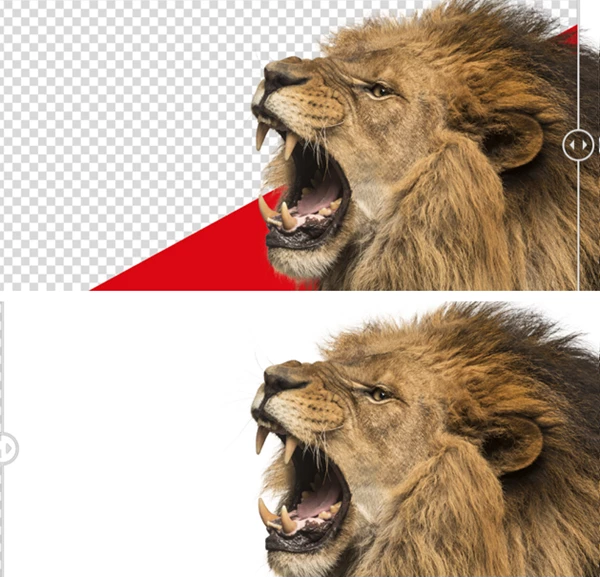
- Masking hair or fur from an intricate background
- Making complex masks for compositing and artistry
Instead of fumbling through menus or relying on half-remembered keyboard shortcuts, everything you need is neatly laid out for you. This not only saves you time, but improves the quality of your work by encouraging deeper thought about the task at hand while you mask.
Meet the Tool: Docma Freistellen by Picture Instruments
Developed by Picture Instruments in cooperation with Photoshop expert Olaf Giermann, this plugin captures a complete professional workflow in one compact interface. Olaf, a leading editor at Docma, works with background removal daily—and Docma Freistellen is built directly on his real-world techniques.
Features
- One-click background removal to get instant starting results
- Quick access to essential masking tools, clearly structured and easy to switch
- Contrast layers you can create and adjust in seconds.
- Color contrast masks for precise edge control
- Split-screen masking, so you edit the mask while previewing the final image.
- Dodge & Burn presets to refine edges and transitions.
- Special hair and fur brushes for areas with little or no contrast
- A complete, proven workflow based on Olaf Giermann’s professional experience
Whether you’re working on commercial photography or creative digital art, these features remove friction from the process and let you focus on quality.
Pro Techniques & Practical Tips
- Start with the 1-click removal, then refine—don’t aim for perfection in the first step.
- Use contrast layers early to reveal hidden edge problems.
- Switch on split-screen mode to avoid over-editing the mask.
- Combine Dodge & Burn presets with hair brushes for soft, realistic transitions.
- Work gradually: small adjustments add up to a more natural final cutout.
These techniques are easy to apply—even if you’re not a Photoshop power user.
Final Thoughts: Why Docma Freistellen Is Worth Your Time
Docma Freistellen doesn’t try to replace Photoshop—it unlocks it. By putting expert knowledge, smart structure, and the right tools in one place, it dramatically speeds up background removal while improving consistency and quality.
If background masking is part of your workflow—even occasionally—this plugin can quickly become something you won’t want to work without. Try it, explore its features, and see how much smoother your Photoshop workflow can feel.

Files Password : gfxplugin.com OR 123456