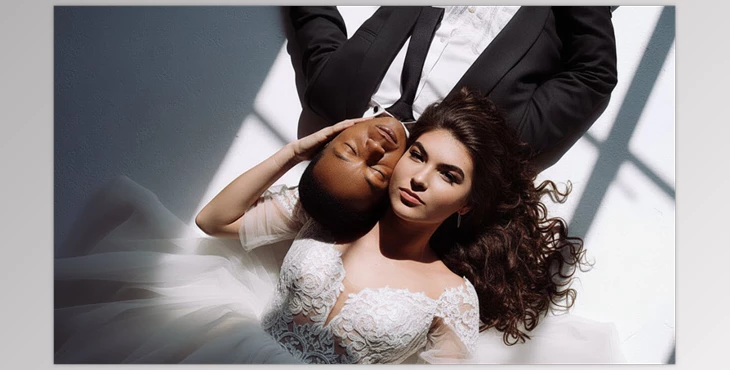
When Photo Editing Wears You Out
Have you had a chance to try the Eden Strader Presets? Do you know how exhausting it can be when, after a long day of shooting, you have hundreds of photos to edit?
Adjusting each photo individually, correcting the lighting, making skin tones look natural, and ensuring all images share a consistent style… it takes a lot of time!
We all look for a quick and reliable way to keep photos looking as real as they did when shot, without spending hours in front of the computer.
What Are Presets and Why Do You Need Them
Presets are like ready-made instructions for Lightroom that let you change the look of your photo with a single click.
- Photo too bright? A preset can soften the light.
- Shooting in a dark room? Presets correct colors and contrast.
- Want to maintain your own style? Presets provide a good starting point.
Instead of manually adjusting every parameter, presets help you achieve professional and natural results faster.
How We Worked Without Presets
Before presets, the editing process was a labor of love. Every photo needed to be adjusted separately for light, color, and contrast. We relied on base Lightroom adjustments and spent painstaking hours getting the images as we wanted them. A day’s worth of shooting could take hours of editing!
The main problem was that the results were never consistent—each photo looked slightly different. And when you had to adjust everything yourself, your personal style was limited, and fatigue set in. Sometimes, it felt like you were doing endless repetitive work, and your creativity suffered.
Eden Strader Professional Presets: Everything in One Collection
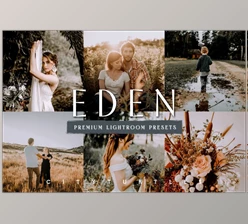
Now picture a collection that simplifies and speeds up the process of shooting with presets… Eden Strader Presets that are made for wedding shooters, honed in on skin tones, light, and the vibe of your images.
What Eden Strader Presets Offers
Supports All Lighting Conditions
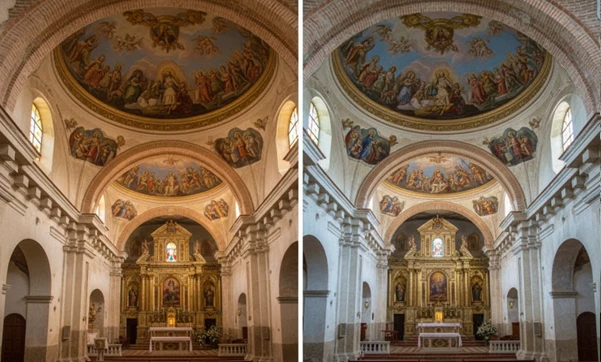
Whether it’s harsh sunlight, dim indoor lighting, sunset, or golden hour, these presets adjust your photos perfectly.
No more spending hours on each photo’s lighting and contrast—the preset knows exactly what to do!
Realistic and Natural Skin
One of the biggest problems for photographers is skin appearing either too bright or unnatural.
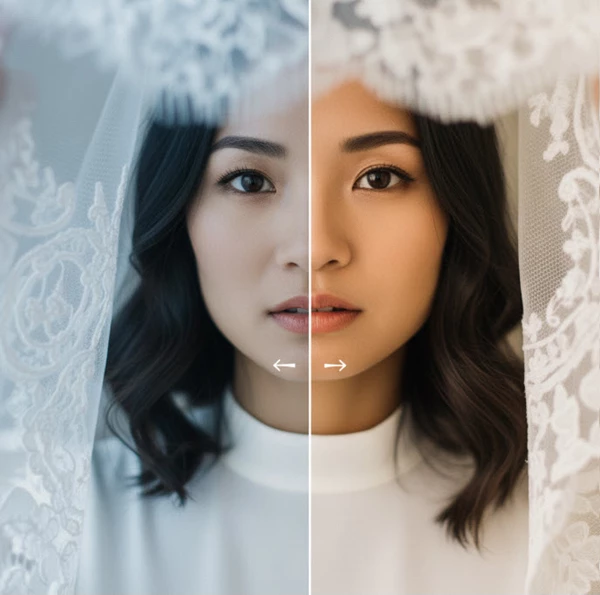
These presets keep skin tones realistic and lively without looking artificial or plastic.
Fast and Customizable
With one click, your photos are transformed and ready for further editing. You can still adjust details like lighting, contrast, and colors to match your own style.
This way, your personal style remains intact, while editing becomes much easier.
Why These Presets Are Worth It
- Halve Your Editing Time: You’ll be able to cull a wedding in 50% less time, so instead of spending hours stuck at your laptop, you can get back to creating and thinking about your next shoot.
- Consistent Results: All photos stay sharp and true-to-color, even in varying lighting conditions, preserving warmth and natural feeling.
- Compatible with all Lightroom Versions: Works with Lightroom Classic, Lightroom CC, and even the mobile version.
- Customizable to Your Style: Presets serve as a starting point—you can tweak colors, shadows, and brightness to make every photo match your personal style.
In short, Eden Strader presets are like a professional assistant by your side: they handle all lighting conditions, keep skin tones natural, and multiply your editing speed without affecting your personal style. With this collection, you can focus on creativity and capturing real moments instead of spending hours on manual adjustments.
Practical Tips for More Professional Results
Using presets is simple, but following a few small tips can make the results truly professional and natural.
Correct the Base Lighting of Your Photo
Check the exposure before applying a preset. If your image is too bright or too dark, no preset will save you. Get the lighting sorted first to ensure accurate, natural colors.
Use Presets as a Starting Point, Not the End
Presets are amazing, but you don’t always have to apply them as-is. After applying a preset, you can adjust brightness, contrast, or color temperature to perfectly match your style.
Try Different Versions of Each Preset
Most collections, including Eden Strader, have different versions of each preset for harsh light, soft light, sunset, etc. Experimenting with versions will yield your most natural fit.
Combine Multiple Presets
Sometimes, you might layer parts of one preset to another, like the color from one and the brightness from another. This makes your style more personal and unique.
Small Changes, Big Impact
After applying a preset, slightly tweak sliders: shadows, highlights, clarity, or color saturation. These small adjustments make photos look more natural and professional without taking much time.
Think About the Mood and Feel of Your Photo
Presets are tools, not a replacement for your creative vision. Always consider the emotion of the photo and whether the preset changes enhance it. This way, your photos remain both professional and personal.
By following these tips, presets become a true tool for speeding up your workflow while improving quality. Spending a little time experimenting shows that photo editing becomes faster, and your personal style is preserved in every shot.
Why You Should Definitely Take a Look
Presets like Eden Strader Presets can simplify the lives of wedding photographers. It saves time from adjusting every picture because it’s all preset up with a click of a button. The colors are still true to life, the skin is still clear and colorful, the contrast and light have the desired feel, your style is still maintained, and things don’t look “fake” or like a generic preset.
If you’re looking for something to save you time and that will make your pictures look professional, start with Eden Strader Presets. You can edit them with minor adjustments to add your touch to every photo, and you’ll have a completed gallery in no time. Overall, with this preset, you won’t have to experience the exhaustion from tons of editing so that you can get back to what matters – creativity and authentic wedding moments.

Files Password : gfxplugin.com OR 123456