Why Do Photos Never Turn Out Exactly the Way We Want?
Have you had a chance to try the Balearic Pack? We all want our photos to have a certain mood—sunsets with that romantic Mediterranean vibe, or colors that are soft and creamy. But when you view your photo on a laptop, sometimes the colors look flat, the contrast too strong, or the tones cold.
Even if you’ve spent hours working with standard tools like Lightroom and ACR, achieving that warm, pleasant feeling can take a lot of time—and sometimes the results don’t even look natural.
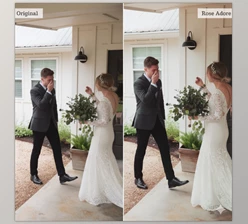
Before Presets
Before ready-made presets existed, getting the exact color and mood you wanted wasn’t easy. Photographers and designers had to manually adjust lighting, contrast, and color tones, using standard Lightroom and ACR tools to correct each photo.
Even minor changes could take hours, just to find the right curves and color adjustments that made the photos resemble what you had in mind.
But these methods had a few major problems:
- Time-consuming: They required a lot of manual work, and the final result often looked uniform or slightly artificial.
- Difficult to achieve warm, natural colors: Getting colors like a Mediterranean sunset was challenging and demanded experience and patience.
So even professionals could spend hours without reaching the desired mood and atmosphere.
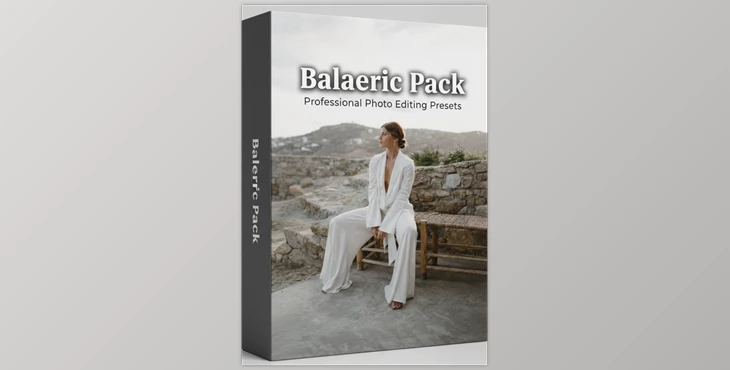
Nicola Dixon x Dawn Charles Presets: Balearic Pack
Imagine the Balearic Pack, a pack of presets that does all of this with one click – no more stressing about colours, no more stressing about lighting, no more hours of tweaking curves, contrast, and colour grades just to achieve a result – you can achieve from nothing, to professional looking, instantly.
Key Features and Benefits of the Presets
Balearic Pack is more than just a few color adjustments. Their goal is to let you edit photos quickly, professionally, and with a distinct mood, without spending hours on it.
1. Six Stunning Color Presets
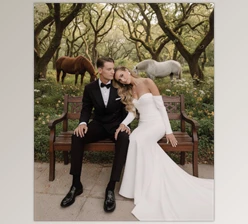
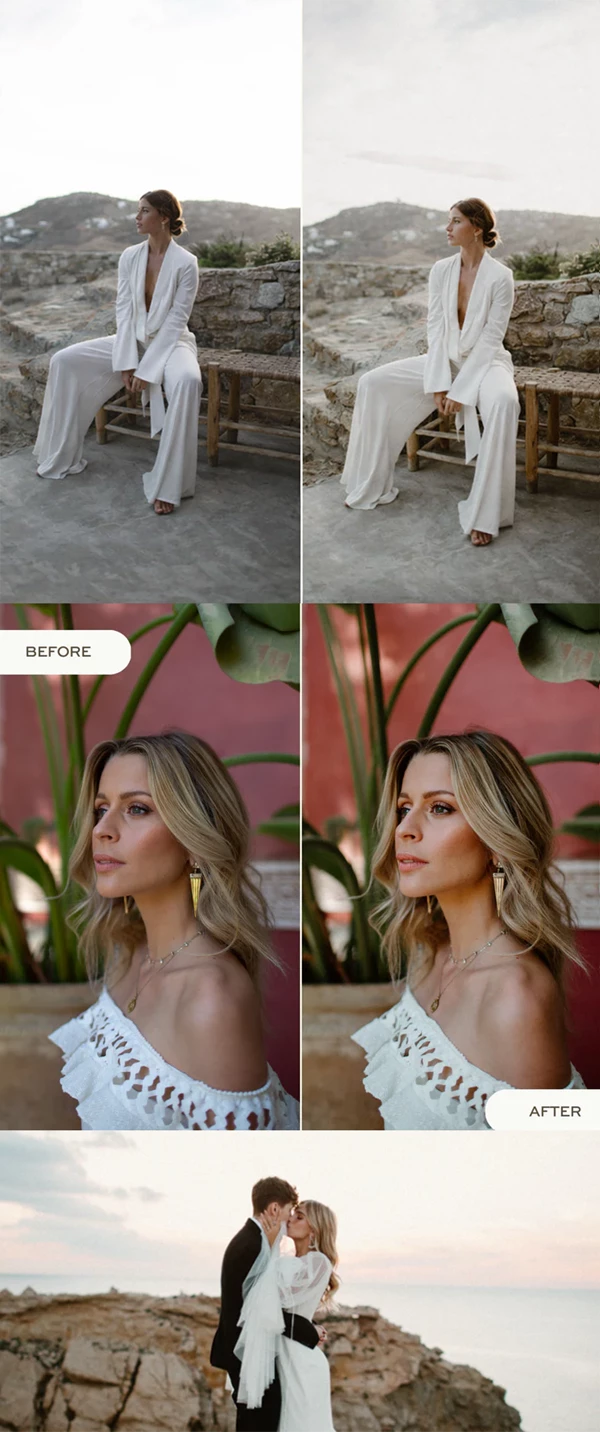
These presets add warm, creamy, and soft brown tones to your photos. Images that once felt flat, cold, or lifeless now gain natural light and the warmth of the sun.
- Ideal for urban photography: Buildings and streets look more vibrant, wall colors and city lights appear more natural.
- Ideal for nature and beach scenes: Sunlight and shadows look natural, while sand, trees, and sky become soft and warm.
- Ideal for sunsets and sunrises: Photos that were once dull or cold now resemble Mediterranean postcards, with gentle sunsets and pink, orange, and creamy tones.
In other words, with these presets, you no longer need to spend hours adjusting curves and color settings to achieve that warm and pleasant feeling.
2. Two Professional Black & White Presets
These presets turn your photos black and white—but not in a flat or artificial way.
- Balanced contrast: Maintains depth and makes the image visually appealing.
- Preserved details: Lines, textures, light, and shadows remain clearly visible.
- Stylish and professional: Photos look elegant without needing hours of black-and-white adjustments.
Simply put, whether you want portraits, urban shots, or landscapes, these presets enhance image quality and add a professional photography feel.
Compatibility
- Lightroom Desktop & ACR: Simple installation and quick use. Just import the preset files into Lightroom or ACR and apply them to your photos. No technical complications or additional plugins required.
- Quick Guide & Tutorial: The product includes an installation guide and a short tutorial video, making it easy even for beginners to edit their photos like a pro.
In the end, Balearic Pack lets you unleash your creativity without editing limitations, save a lot of time, and ensure your photos always look consistent, professional, and attractive.
How to Use Presets Better
Applying a preset does most of the work, but a few simple professional tips can make the final result look even more natural and appealing:
- Adjust light and contrast: After applying a preset, tweak Exposure, Highlights, and Shadows slightly for a more natural look and better detail.
- Enhance colors: Boost colors slightly with Vibrance and Saturation for a lively, appealing image.
- Create a personal style: Use HSL, Split Toning, or Curves to make the color tones exactly how you like.
- Test on different photos: Presets may produce different results on various images; try a few to find the best combination.
- Combine presets: You can mix two presets or adjust their intensity to achieve the exact mood you want.
- Maintain consistency for a collection: For a project or gallery, select one or two main presets so all photos look cohesive and professional.
- Leave small details untouched: Sometimes it’s better not to alter textures or architectural lines to keep the photo natural.
Following these simple tips, even if you have little editing experience, you can achieve a professional, consistent result and make the most of your presets.
Why It’s Worth Trying
The Balearic Pack allows you to quickly and easily elevate your photos to a professional level, without hours of struggling with color, contrast, and lighting settings. With a single click, your photos gain warm, natural, and harmonious vibes, like Mediterranean sunsets with soft, appealing colors. Even if you’re not an experienced editor, these presets ensure that you end up with a polished and consistent look across your images.
Besides saving time, these presets are excellent tools for developing a personal and unique style. With minor tweaks, you can adjust colors and tones exactly to your taste, making your photos more attractive and professional.
If you want less time spent, higher quality, and a consistent look for projects, social media, or galleries, these presets make the process simpler and your photos more eye-catching.

Files Password : gfxplugin.com OR 123456