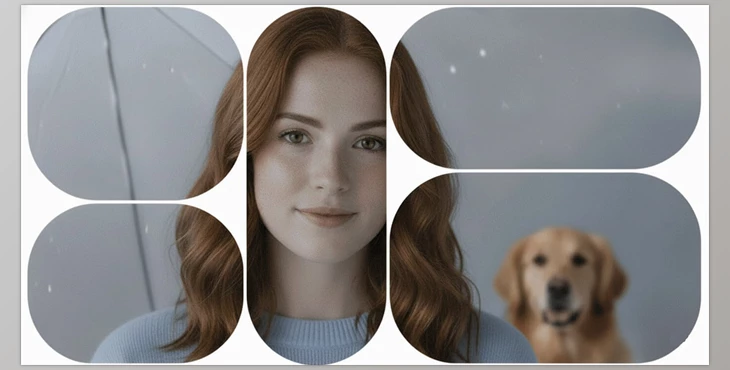
Why Has Video Splitting Always Been a Headache?
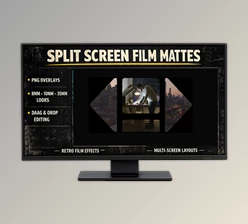
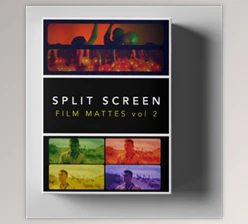
Are you aware of the Split Screen Mattes DCTLS? Have you ever wanted to display multiple videos side by side and create a professional collage? Or compare two or more scenes without clutter and with organized precision?
This is where we all get stuck - you either have to spend days in Fusion or use PNGs, which means every change is another headache. So I decided to take a simple look at modern methods to understand how to create dynamic, beautiful, and easily adjustable split screens.
Main Definition and Applications: Split Screen and DCTL
Split Screen is when you have several videos in a single frame at the same time and control the placement and size of each part. This technique is common in music videos, ads, and movie trailers.
Fusion in DaVinci Resolve is a node-based way to combine several layers of video using masks and effects, but it’s labor-intensive because each adjustment has to be done individually.
DCTL (DaVinci Color Transform Language) is a magical tool that performs all mathematical calculations for masks and panels in real-time, letting you adjust the shape, number of cells, spacing, and corners using just sliders.
Practical Uses
- Comparing multiple film scenes in a single frame
- Displaying multiple camera angles in video projects
- Creating music videos and motion graphics collages
- Showcasing products or different features in commercials
These features speed up editing and animation, and produce professional results without the headache.
When Everything Was Manual: The Struggles of Split Screen
Before advanced tools existed, creating split screens was tedious and time-consuming. Each method had its own challenges:
Fusion Page in DaVinci Resolve
- This method allowed arranging multiple videos side by side using nodes and masks.
- But any small change, like moving a cell or resizing, required adjusting everything manually.
- A large number of cells meant hours of dragging, adjusting, and calculating spacing. One tiny mistake could ruin the entire grid.
Pre-made PNG or Overlay
- Some editors used pre-made images or PNG files for splitting.
- The main problem? These files were static: the number of cells, sizes, and spacing couldn’t be changed.
- Even changing the project resolution or aspect ratio required creating the same PNG again.
Simple Layering on Edit Page
- Another approach was layering multiple videos and manually cropping or masking them.
- This could work for a few simple videos, but for professional projects or many panels, it was completely impractical.
- All spacing, corners, and alignment had to be manually calculated and adjusted, making errors likely, and any minor change meant redoing the work.
The core issue of all these methods
The main problem was that they were both time-consuming and inflexible. Even simple projects could take hours, and the smallest change—like adding a panel or changing resolution—meant starting over. Mistakes like one misplaced cell or incorrect spacing could ruin the layout and require rework. Simply put, creating a professional split screen used to feel more like an engineering project than a creative and enjoyable task.
Product Introduction: A Professional and Flexible Solution
Now imagine a tool that does all the hard, tedious work for you and creates split screens in an instant, and just requires you to manipulate a few sliders to get the appearance and layout of the videos you desire.
Split Screen Mattes DCTLS is exactly that tool, allowing you to create professional projects in no time with ease.
Key Features
Three ready-to-use layout styles:
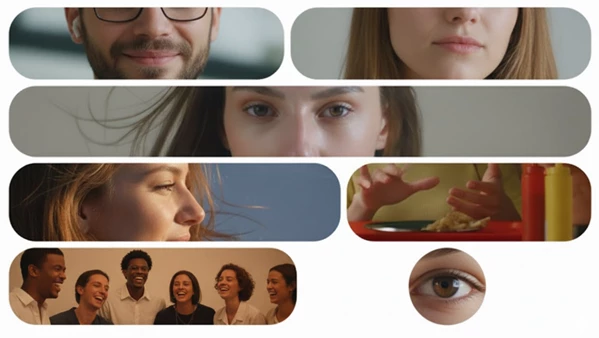
- Structure: Organized rows with full control over the number of panels, spacing, and corners; perfect for grids and neat, structured collages.
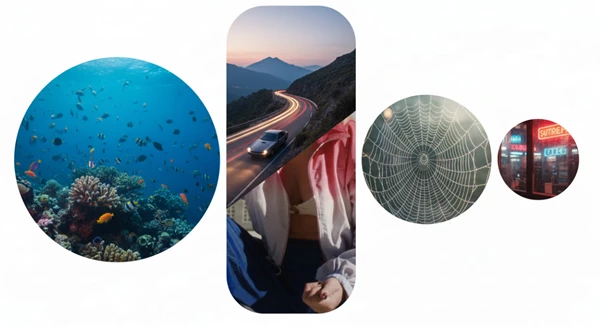
- Organic: Smooth, natural layouts that feel unpredictable and dynamic; ideal for music videos and creative edits.
- Steady: Geometrically balanced layouts suitable for commercial projects, ads, or any work requiring a polished, professional look.
Precise real-time controls:
- Adjust the number of cells and spacing between them
- Change panel shapes to rectangle, circle, or triangle
- Control Chaos and Waviness for a natural, varied layout
- Flip and rotate layouts without manual intervention
Real advantage:
- All operations happen without Fusion or pre-made PNGs, directly on the Color Page.
- Fully resolution-independent; layouts adapt automatically if project size or aspect ratio changes.
- Infinite combinations and layouts can be generated with a few sliders—no rework or separate files needed.
For example, imagine an 8-camera music video that needs to display all angles simultaneously. Without Split Screen Mattes DCTLS, preparing this project could take an entire day. With this tool, you can create an accurate, beautiful, render-ready layout in minutes.
Pro Tips and Techniques
To make your layouts more natural and engaging, here are a few simple tips:
- Chaos and Waviness: Increasing these slightly makes cells feel less rigid and adds natural movement. Great for music videos or creative projects.
- Focus Panel in Structure: Highlight a key panel without disrupting the rest of the layout. Very convenient for directing attention.
- Shape Combinations: Mix circles, triangles, and rectangles for dynamic, lively collages instead of rigid, monotonous grids.
- Seed: A small “magic” option that generates completely new combinations each time, even if other settings remain the same. Perfect for creating multiple variations of a layout.
Using Split Screen Mattes DCTLS and following these simple tips makes your projects feel alive, natural, and professional.
Why It’s Worth Experiencing
Split Screen Mattes DCTLS is an incredibly fast, professional tool for laying out your multi-screen video needs.
Forget about grid layouts in Fusion or the very rudimentary PNGs that are available for free. Split Screen Mattes DCTLS is all dynamic and real-time, and even a novice can create a clean professional layout without having to spend hours tweaking and re-rendering.
If you want fast, flexible, and pro-looking results in your projects, you definitely should consider this as a game-changer. Everything from collages for music videos to commercials and film reviews, you can lay out like never before. In a nutshell, you should try this method for not only speed but also increased creativity and freedom.

Files Password : gfxplugin.com OR 123456