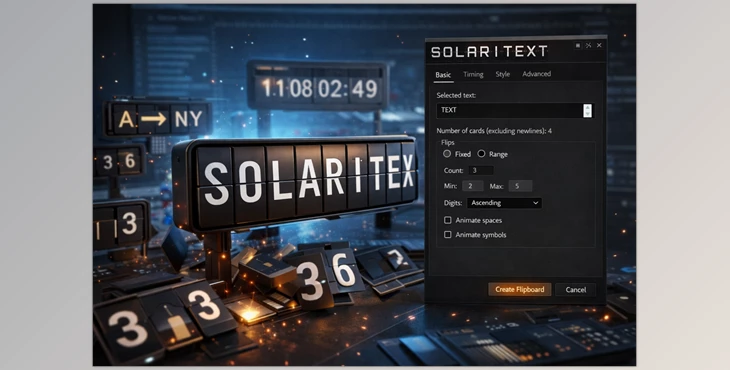
When Texts Come to Life…
Do you have prior experience with the SolariText Plugin? Imagine you want to create an animation where texts appear with mechanical, three-dimensional movement—just like the old airport or train station flip boards. The cards rotate one by one, letters and numbers move like a real machine, giving your project a retro, vintage feel. Often, we look for an easy way to make texts or numbers change naturally and engagingly, without spending hours building cards or animating every movement manually.
You might be thinking: “Well, I can animate the layers one by one.” But when the project grows longer, when there are multiple texts, or when you want a countdown or multi-line text, you quickly realize that this process is time-consuming and complex. Adjusting card spacing, flip speed, and the correct order of display can be exhausting, and the result rarely looks natural and professional. Fortunately, there’s a simple and fast solution that automates all of this professionally—without the hassle and hours of work!
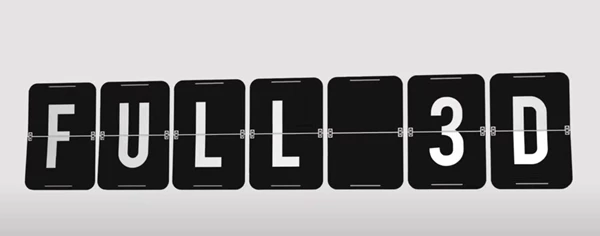
What Is a Mechanical Flip Board?
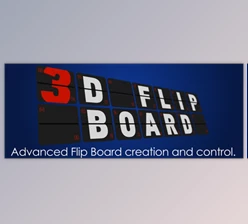
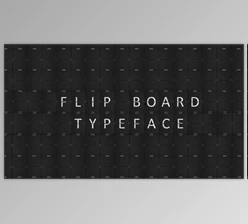
A mechanical flip board is the very thing that displays flights or trains: cards rotate sequentially, revealing letters and numbers. As the cards move, they make a “flip” sound, just like the classic boards, creating a realistic feeling.
Practical Uses:
- Headlines and Intros: Texts appear in an engaging, lively way.
- Countdowns and Timers: Numbers are displayed one by one with a flip movement.
- Information Boards: Adds a classic, mechanical feel to your project.
- Retro or Mechanical UI: Perfect for user interfaces with a vintage, attractive vibe.
Why does it matter? Because these natural, mechanical movements make animations more professional and captivating, giving viewers a sense of real interaction.
When Everything Is Done Manually…
Now imagine building these flip boards without any special tools. You would have to:
- Create each card individually, giving each card its own text or number.
- Animate every card movement manually so letters or numbers appear sequentially.
- Rebuild or make complex adjustments for changes in order or speed.
- Use general scripts or plugins, which often have limited features, and complex projects still take a long time.
Problems With This Approach:
When everything is manual, you quickly realize how time-consuming and exhausting it is. Imagine several long boards or multi-line, multilingual texts; even a small mistake in card order or spacing makes the whole animation look unnatural. Changing flip speed or display order after building is nearly impossible—any small edit requires a lot of time and patience. Simply put, manual work feels like turning a complex machine piece by piece, with something likely to jam at any moment.
SolariText: One Click to Bring Your Board to Life!
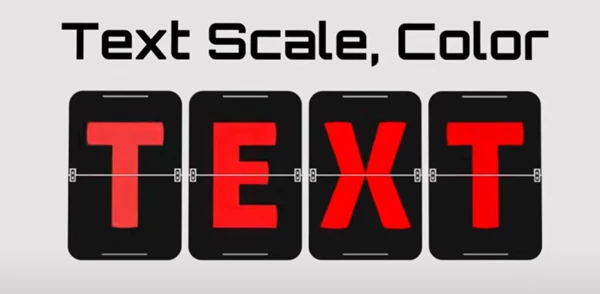
Here’s where SolariText comes in: a simple and professional After Effects script that converts your text into a fully editable, animated 3D flip board with a single click. No more building cards manually, animating by hand, or worrying about future edits. Everything happens automatically and quickly.
How It Works and What It Gives You:
One Click, and It’s Ready
- Select your text, and a complete board is instantly created.
- Cards flip like real boards, revealing text one by one.
- No need for images, pre-made cards, or extra assets.
Easy and Flexible Editing
- After creation, you can adjust flip speed, card spacing, display order, and movement angles.
- Even if you need changes minutes later or in a large project, everything is easily editable.
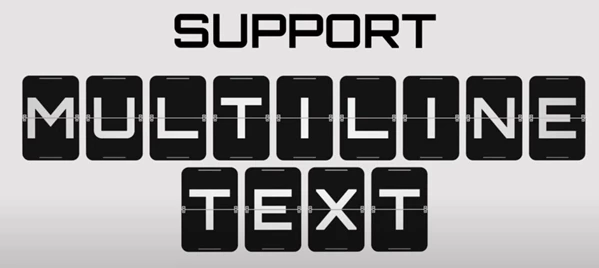
Multi-Line and Multi-Language Support
- Long or multi-line texts? No problem.
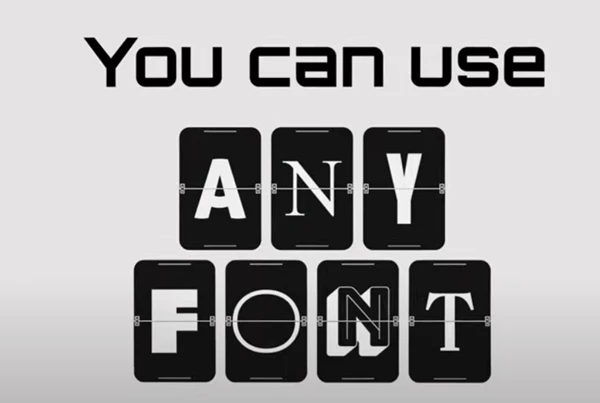
- Supports multiple languages, including Persian and special characters.
Professional Animation Control
- Want cards to flip in sequential numbers? Start with empty cards? Or display cards in a custom order? All of these are fully controllable.
- Multiple flip modes are available to match the style of your project.
Real and Tangible Uses
- Video Headlines and Intros: Texts appear with mechanical movement, making projects look more professional.
- Countdowns and Timers: Numbers flip one by one naturally and entertainingly.
- Digital Information Boards: Like airport and train boards, but digital and customizable.
- Retro and Mechanical Projects: Gives an authentic and professional feel for vintage or mechanical-style projects.
Save Time and Boost Creativity
Everything is automated, so your time goes into designing and real creativity—not hours of manual work.
Any change, big or small, is hassle-free.
Simply put, SolariText is like a wizard for your texts: one click brings boards to life, everything is editable, and your projects become faster, more professional, and more dynamic.
Professional Yet Simple Tips
Even with a professional tool, simple tips can make a big difference in the final result. Here are some best practices for using SolariText:
- Use Advanced Animation Controls:
Adjust flip speed, card order, rotation angles, and card spacing. Randomizing flip speed slightly can make the movement feel more mechanical and natural. - “Start With Empty Cards” or “Show Initial Text” Modes:
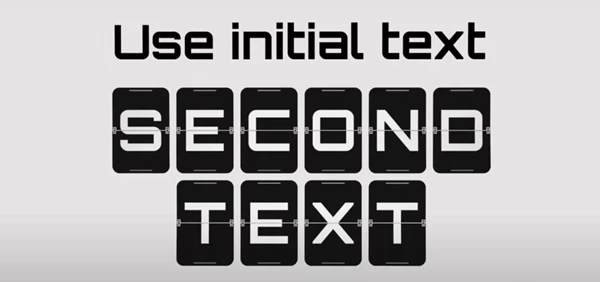
Use these for a more engaging text entry. “Start with Empty Cards” means the board begins blank, and cards appear one by one. “Show Initial Text” ensures the main text is visible first, with subsequent flips adding smooth, professional motion. - Sequential Numbers for Countdown or Serial Numbers:
Perfect for countdowns, seat numbers, or any numeric series. Cards move precisely and quickly without manually entering each number. - Keep Boards Editable After Creation:
Even when the project is finished, you can still change text, speed, or card order. No need to rebuild everything for minor edits or new animations.
Combining these simple tips makes your boards look more natural, engaging, and professional—without tedious or complicated work.
Bring Your Boards to Life!
In short, Split-Flap Boards are an amazing way to bring text and numbers to life in your projects. As cards move one by one and text appears with mechanical flips, animations feel realistic and captivating, like a real board in front of the viewer. With a professional tool, there’s no need to spend hours making cards or animating – it’s all automated, editable, and controllable with regard to speed, order, and flip modes!
The end result – quicker, more dynamic, and professional-looking projects that are real fun for the audience. Whether you want a countdown, an information board, or a catchy headline for your video, everything is easy, flexible, and fully customizable. SolariText lets you focus on real creativity and design, instead of technical headaches, producing projects that both you and your audience will love.