The Color That Feels
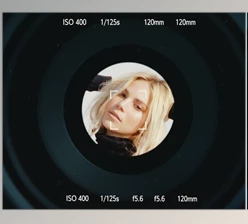
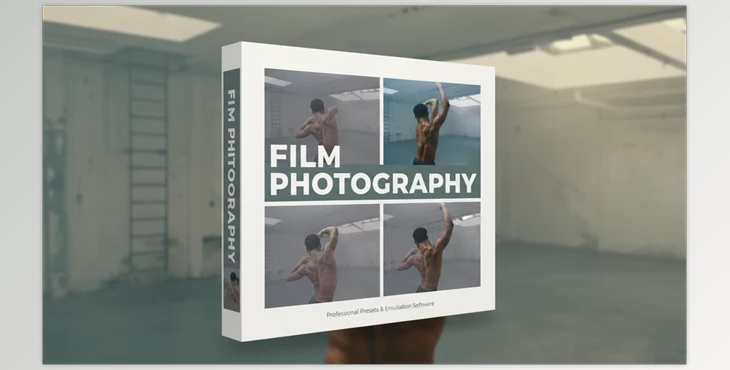
Have you had a chance to try the Film Photography? Imagine after hours of photography or videography, everything is ready, and you want your project to have a real and distinctive vibe. When you look at your photos or videos, something feels missing—the nostalgic, cinematic feeling that old films give. You want your audience to be immersed in that atmosphere, as if a real story is being told.
But when you try to tweak colors, contrast, shadows, and exposure manually, it takes ages - and the results aren’t always what you expect - colors appear flat and desaturated, shadows look fake, and the cinematic feel you were after disappears.
Now imagine an easy and quick 1-click solution to apply that same look to your image or video. No hours tweaking, layering, tool juggling. Just 1 selection, a simple LUT or preset - Your image now exhibits that beautiful nostalgic look with the click of a button
Old Methods: Hours of Struggle
Before LUTs and Presets, changing the color and lighting of a photo or video was a time-consuming and exhausting mission. Truthfully, if you wanted your photo or video to have a classic cinematic feel, you had to spend hours in the software, tweaking every single detail manually.
For example:
- Using Curves and Levels in Photoshop or Premiere
You would try to get the tonalities right, align shadows, and highlights. Every small move in color could ruin the entire scene! - Using Color Wheels and Hue/Saturation in DaVinci or Final Cut
There was a lot of trial and error to make colors look natural and cinematic. A tiny change in one channel could make the whole image look unrealistic. - Complex Scenes
You had to create masks and layers, coordinating everything so each scene looked correct and nothing appeared artificial.
The worst part of the old ways was that it was painstakingly complex, and you had to spend a lot of time getting it perfect. You had to tweak each individual color, shadow, and highlight, you had to create layers and masks, and do a million trial and errors to get any kind of scene right. Even people who were skilled at this could not always perfectly recreate the feeling from older films because no two scenes were the same, and any slight alteration could change everything. It also took a lot of experience and focus, and one tiny mistake could render hours of work useless. Color grading was, before LUTs and Presets, a long journey of trials and tribulations.
Film Photography: Classic Film in One Click
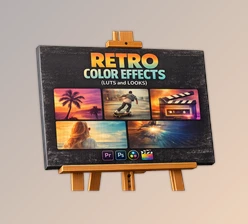
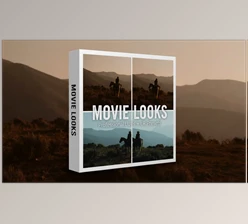
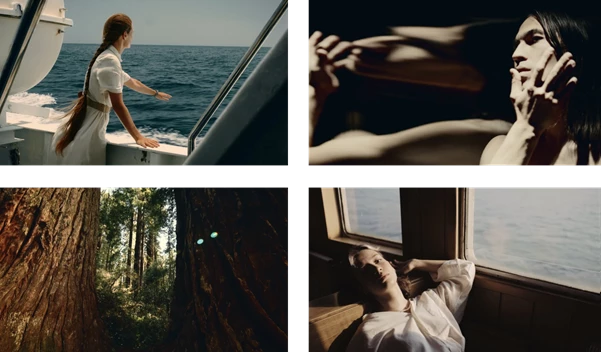
This is where Film Photography LUTs and Presets truly shine, making working on photos and videos easy and enjoyable. Simply put, this product is a ready-made package of colors and effects that brings the mood of classic, cinematic films to your images without hours of manual tweaking.
What exactly does it offer?
- 14 Different Ready-Made Color Styles
Each style has its own unique mood, from natural and warm tones to creative, vintage-inspired color variations.- Quickly test and see which style fits your photo or video best.
- One-Click Application
Just apply the LUT or Preset to your image, and all colors, contrast, and shadows adjust automatically.- No more struggling with Curves, Levels, or Hue/Saturation, and no need to create layers or masks.
- Compatible with All Popular Software
Lightroom, Photoshop, Premiere, DaVinci Resolve, Final Cut, CapCut—even mobile apps.- No matter what tool you’re using, it always works.
- Authentic Classic Film Feel
Colors are natural and warm, shadows precise, and tonalities cinematic.- Even a simple photo or video instantly looks professional and captivating.
- Saves Time and Energy
No more spending hours on color and lighting adjustments.- Focus shifts to creativity, storytelling, and artistic effects, not fixing color details.
In short, this product provides a fast, easy, and professional way to give your photos and videos a cinematic feel—something that used to take hours of effort and experience is now ready in a single package.
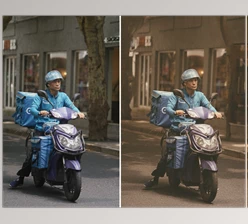
Before:
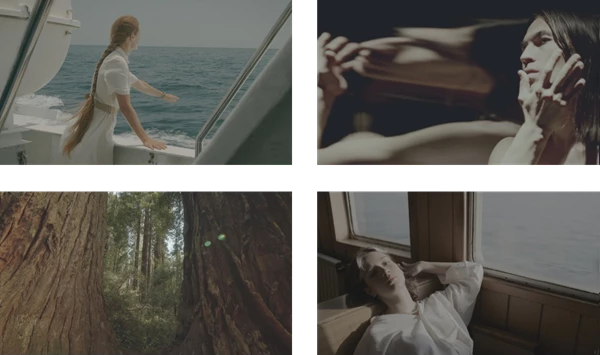
After:
Pro Tips for Better Results
Now that you want to take your work to the next level with LUTs or Presets, here are a few simple tips that make the difference between a good image and a truly stunning one:
- Set Exposure and White Balance Correctly
Before applying a LUT or Preset, ensure your photo or video is properly exposed, and the whites are accurate. When exposure and white balance are correct, colors appear more natural and cinematic, and the LUT effect works better. - Adjust LUT Intensity
Most software allows you to control the strength of a LUT.- Apply a Preset lightly for a subtle, natural vibe, or increase it for bold, cinematic colors and tonalities.
- This gives you creative freedom to craft exactly the mood you want.
- Combine Multiple LUTs with Masks or Effects
For a unique, creative result, combine LUTs or use masks to affect only certain parts of the image.- This simple step can transform an ordinary photo or video into a distinctive work of art.
- Small But Impactful Details
A slight tweak in Contrast or Saturation after applying a LUT can make the image feel more natural or vibrant.- For videos, apply LUTs to each scene individually, making tiny adjustments to color and light to ensure consistent cinematic quality throughout the project.
In short, even with a ready-made LUT like Film Photography, a few simple tweaks can elevate your image to professional quality, delivering the authentic classic or cinematic film feeling you’re aiming for—without spending hours.
Fast, Captivating, Cinematic
With Film Photography LUTs and Presets, there’s no need to spend hours manipulating every single color and light setting in software. Projects are ready faster, photos and videos gain a captivating cinematic feel, and even without professional experience, the result is visually stunning and polished.
The nostalgic, classic film vibe is easily conveyed, without worrying about images looking flat or artificial.
With just one click, a simple photo or short video gains a new mood, freeing your creativity to focus on storytelling, scene composition, and artistic effects—not color and light adjustments.

Files Password : gfxplugin.com OR 123456