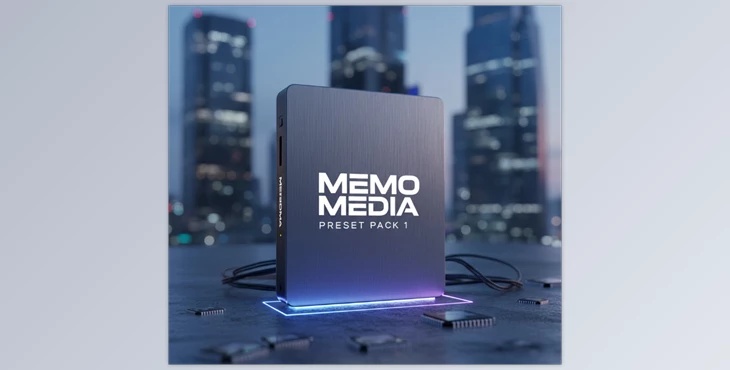
When Photo Editing Eats Up Your Time…
Are you familiar with using the MEMO MEDIA PACK? Have you ever had a good photo — the lighting isn’t bad, the composition is fine — but no matter how you tweak the sliders in Lightroom, that special mood in your mind just doesn’t come out?
Most of the time, the issue isn’t skill; it’s that you don’t have the right starting point for your edit — a place where your workflow is faster, and colors appear more vibrant and professional.
Traditional Editing in Lightroom: Full Freedom, But Time-Consuming
When we go into Lightroom without presets, everything is essentially in our hands. You start from scratch and move each slider exactly where you think it should be. This method is excellent for learning and full control, but in practice, the editing process usually goes like this:
- Manually adjusting Exposure, Contrast, Highlights, and Shadows to balance the image lighting
- Correcting White Balance based on visual guesswork or experience, especially in mixed lighting
- Diving into the HSL panel and spending lots of time controlling skin tones, greens, blues, or dominant colors
- Trial and error between Vibrance and Saturation to bring colors to life without overdoing it
- Multiple Undo actions and Before/After comparisons because the result still doesn’t match the desired feel
This process might be fun for a single photo, but when you have many images, it becomes a different story.
The Real Challenges of Manual Editing
Traditional editing without presets is flexible and gives you full freedom, but it has several serious limitations:
⏱ Time-Consuming
Every photo requires individual attention, which means hours of work for an average project.
🎨 No Consistent Style
Even if you’re a professional, maintaining a consistent color signature across different photos isn’t easy.
🧠 Decision Fatigue
Do I want the skin tone warmer or neutral? How much contrast? This mental strain gradually shows.
📦 Impractical for High-Volume Projects
Event photography, commercial projects, or continuous content creation become extremely draining with this approach.
MEMO MEDIA PRESET PACK 1: A Professional Starting Point for Any Edit
This is why MEMO MEDIA PRESET PACK 1 is so useful.
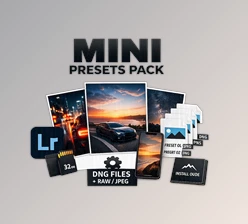
The pack includes 10 professional Lightroom presets designed not to replace creativity, but to create a solid, reliable foundation — what’s called a Base Edit.
Instead of starting from a raw, undefined photo, these presets establish the general direction of your edit from the beginning, allowing your main energy to focus on details and final personalization.
Smart Combination for Different Lighting Conditions
The presets in this pack are purposefully divided into two categories:
🔦 Off-Camera Flash Presets
These 5 presets are for photos with controlled lighting, such as:
- Studio photography
- Portraits with external flash
- Fashion or commercial projects
In these presets:
- Contrast is clean and controlled
- Skin tones remain natural
- Highlights are managed without burning
☀️ Natural Light (No Flash) Presets
The other 5 presets are designed for unpredictable, real-world lighting situations, such as:
- Street photography
- Lifestyle shots
- Outdoor portraits
These presets help soften light, make colors more vibrant, and give the final image a natural feel.
Compatible with Sony Color Science
An important note: this pack is designed based on Sony Color Science, meaning:
- Colors, especially skin tones, render more accurately
- Photos require less aggressive correction
- Better consistency across images in a project
Of course, this doesn’t mean it’s limited to Sony; it provides a reliable color foundation for most RAW files.
Modern Colors, Without Overdoing It
The main focus of MEMO MEDIA PRESET PACK 1 is on:
- Vibrant but controlled colors
- Clean contrast
- A modern, contemporary feel
There’s no exaggerated color or Instagram-style preset vibe. The result is an edit that is both visually appealing and professional.
Faster Workflow, More Enjoyment
The goal of these presets is simple: reduce technical hassles and allow more focus on creativity.
By applying the right preset:
- Editing time is significantly reduced
- The overall style of the photo is defined from the start
- The editing process becomes smooth and enjoyable instead of tedious
In short, MEMO MEDIA PRESET PACK 1 acts as a smart starting point in your editing workflow — a tool that makes the editing path clearer and faster without imposing an exaggerated style. Covering different lighting conditions, modern color grading, and a reliable color base, these presets help your edits stay consistent, professional, and hassle-free — exactly what you need to maintain quality without sacrificing speed.
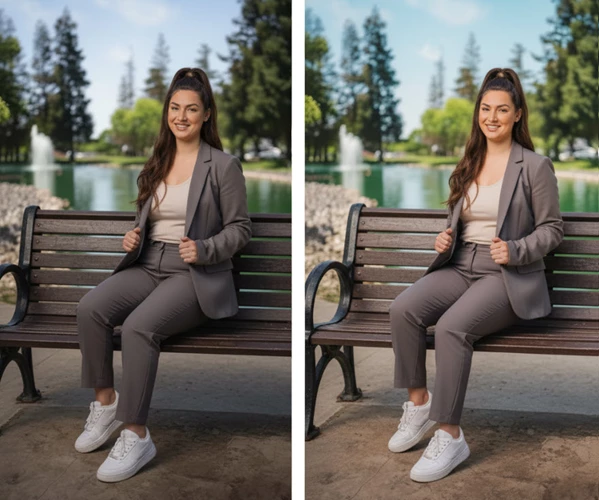
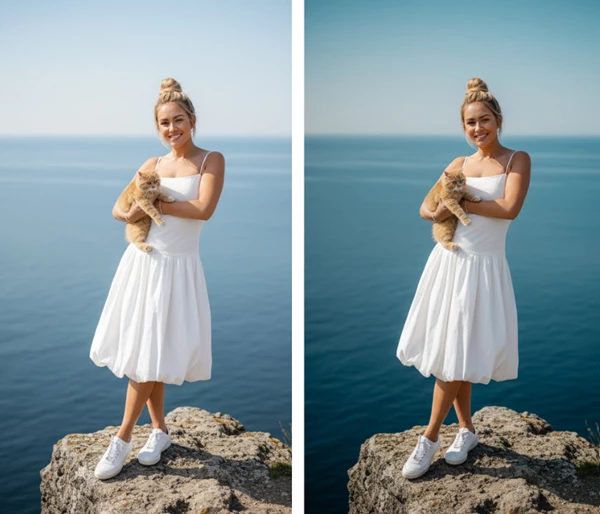
How to Use These Presets Like a Pro
Presets are only presets if you know how and when to use them. A few small changes can make a quick, average edit into something professional and eye-catching:
- Always change Exposure and White Balance on every photo after applying a preset; these two have the most influence on something that looks naturally good.
- Do not leave preset strength at 100%; 60-80% more often than not will be a softer, more professional approach.
- Think of the preset as a Base Edit before adding your own flair via HSL, Tone Curve, or Contrast.
- Alternate between Off-Camera Flash and Natural Light presets; sometimes the "wrong" preset works better than the "right" one.
- Always check Before/After before the edit is complete to ensure colors are not vibrant/unrealistic.
- When working with a series of images, go with one "base" preset and only adjust for exposure on each to maintain overall style.
These few tips ensure that presets are not something like a ready-made filter, but instead, a professional stepping stone to your own variations and improvements.w.
Summary: Faster Workflow, Better Style
The main purpose of MEMO MEDIA PRESET PACK 1 is to smooth the editing path. Instead of starting with a raw, confusing file, you begin with a calculated color base and set the right direction for your image from the start.
This means your energy and focus go toward details, mood, and personal signature, rather than wrestling with initial settings.
If you're an editor, someone looking for a consistent and dependable color story, or someone who wants to achieve more professional results in less time, these presets are a game changer for your work flow—not as an effortless solution—but as a savvy jump off point for efficiency, continuity, and accessibility of speed and better quality at the same time.

Files Password : gfxplugin.com OR 123456