When Photo Editing Becomes Tedious
Are you familiar with the workflow of The Refined Edit Lightroom Presets? Have you ever finished a photo session with a ton of shots and wanted them all to have a polished, cohesive look? Portraits, nature shots, or even a small event… they all need to share a similar vibe so that when you view them together, it feels like a single story is being told.
But as soon as you start adjusting colors, lighting, and contrast individually, the problems begin: one photo looks slightly cold, another is too dark, or the lighting in some shots is harsh. Hours pass, and in the end, even after all your effort, the results may not match the vision in your mind.
It’s like baking a cake, but every time you try to decorate it, one color doesn’t turn out right, making everything feel uneven. And when you have a large number of photos, fatigue and stress only add to the challenge.
What Do You Do Without Presets?
Without presets, editing each photo becomes a truly tedious process. You have to:
- Manually adjust every light, color, and contrast setting. Each photo tells its own story, and getting it right may take hours of sliding sliders.
- Create a unique style for each shot. One photo is slightly warmer, another cooler, one brighter… then spend even more time making them look consistent.
- Accept that some photos may never perfectly match the rest. Even after all your efforts, certain images can feel out of place, preventing a consistent style.
In short, without presets, editing turns into a time-consuming, exhausting task full of risk—especially when working with large sets of photos. It can feel like an endless race that never ends!
The Refined Edit Lightroom Presets: A Professional Editing Assistant
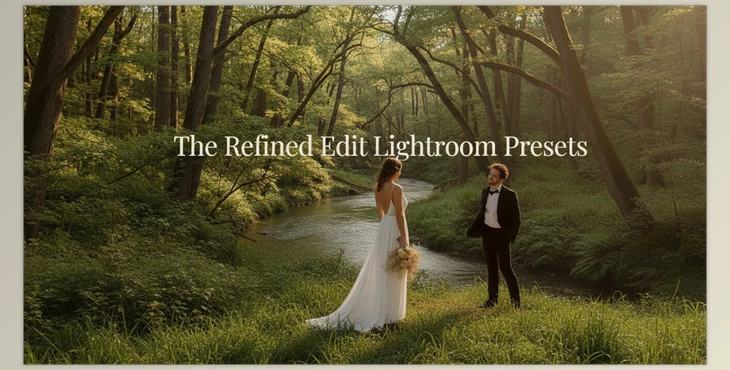
The Refined Edit Lightroom Presets is a collection of XMP presets for Lightroom Desktop that simplifies and professionalizes the photo editing workflow. Instead of manually adjusting lighting, color, contrast, highlights, and shadows, a single click gives your photos a distinct, cohesive look.
Details and Features:
12 Color Presets:
- Harmoniously adjust lighting and contrast without making the photo look artificial.
- Add warm or cool undertones to create a specific mood—luxurious, soft, or subtly bright.
- Correct skin tones, skies, and backgrounds to appear natural and appealing.
Result: Portraits, nature shots, or lifestyle images gain a professional, polished, and consistent appearance.
3 Black & White Presets:
- Convert color photos to high-depth black and white.
- Control exposure and contrast to evoke a classic, storytelling feel.
- Perfect for portraits, weddings, or any project that requires a strong emotional impact.
Installation Guide + Personalized Training:
- Step-by-step instructions to install presets in Lightroom.
- Learn how to tweak each preset to maintain natural and personalized results.
- Even beginners can start quickly and edit photos without confusion.
Practical Example:
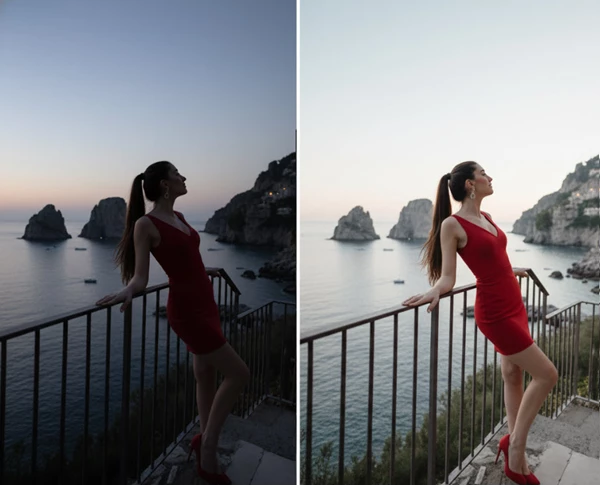
Think about a picture with a dark feel and not quite realistic skin colorations. Using a preset:
- Light and shadow are set automatically
- Skin tone is naturalized and warms up
- All undertones are softened and made work-appropriate across the board
And you do this with one click instead of spending hours doing it.
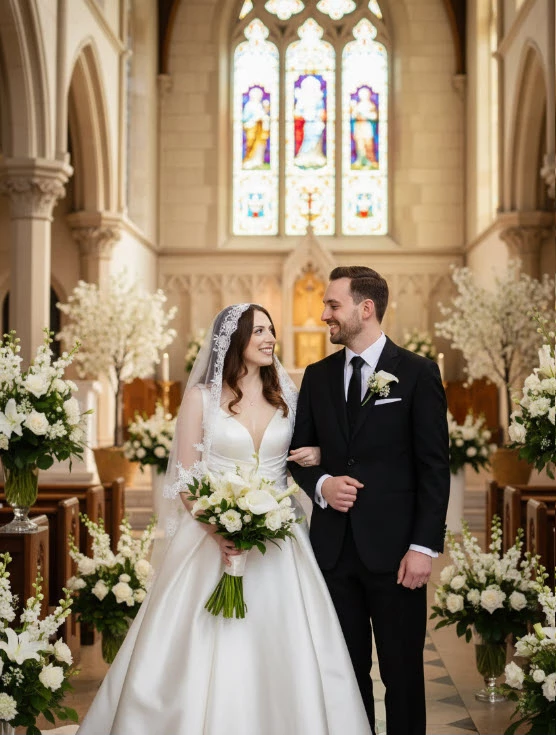
Moreover, if you have a collection of images, they all get the same look and feel which is critical for weddings, portraits, lifestyle collections.
Small but Practical Tips
Presets offer a fast and easy start, but a few small tips can make the results look much more natural and professional:
- Presets are just a starting point: After applying a preset, slightly adjust lighting, contrast, and colors to keep photos natural and polished.
- Maintain consistency across a set: Apply the same preset to all photos for a unified style and tone, but fine-tune small details like highlights or shadows for each image.
- Mix color and black & white: Some photos can remain in color while others are black & white, adding storytelling depth and interest.
- Refine details after applying a preset: Even the best preset may need minor tweaks to skin, skies, or backgrounds for a more natural look.
- Creativity and personalization: Adjust undertones, light intensity, and style according to your taste so each project has a unique appearance.
By following these tips, presets not only save you time but also give your photos a professional and natural look.
Hassle-Free Editing with Professional Help
With The Refined Edit Lightroom Presets, photo editing is no longer tiring or time-consuming. With just a few clicks, your images become soft, appealing, and consistent—no more wasting hours on manual adjustments.
Even for large collections like weddings or diverse portraits, all your photos will have a consistent style and tone, giving your project a professional appearance.
Moreover, these presets add a personal signature to your work. A few adjustments here and there provide different undertones and lighting that make it feel like your style, and your photos can all look exactly how you wanted them to. Anyone from novice to experienced can feel like they're getting professional results immediately, and their work all has a unified feel and look.

Files Password : gfxplugin.com OR 123456