When Photo Editing Becomes a Nightmare…
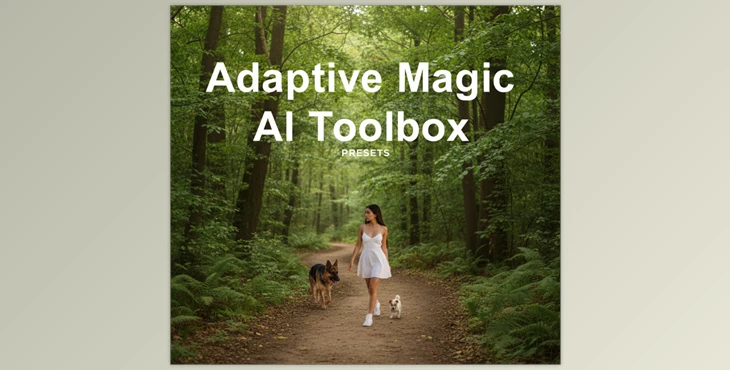
Have you had any experience using the Adaptive Magic AI Toolbox? We all want our photos to look exactly like we imagine them in our minds; however, editing is a nightmare! You jump into Photoshop or Lightroom, you create the masks, you adjust the lighting and color, and then—by the time you're done—you still feel like something's wrong and your time was just wasted.
Wouldn’t it be great if there were an easy way? Something that could fix everything with a single click, make your photo look natural and appealing, and let you create your own style. Something that turns photo editing into a fun and creative task, instead of a tiring and frustrating experience!
What is an AI Preset? Why Is It Cooler?
An AI preset is basically a smart filter that understands each part of your image and edits it accordingly. You no longer need to spend hours creating masks or manipulating different areas of the photo separately. Unlike traditional presets that apply the same changes across the entire image, AI presets work intelligently and purposefully.
For example, it can:
- Make skin and eyes look natural and appealing, without feeling artificial.
- Enhance skies and backgrounds to make your images vibrant and detailed.
- Adjust lighting and depth automatically, giving your photo a professional feel.
A real example:
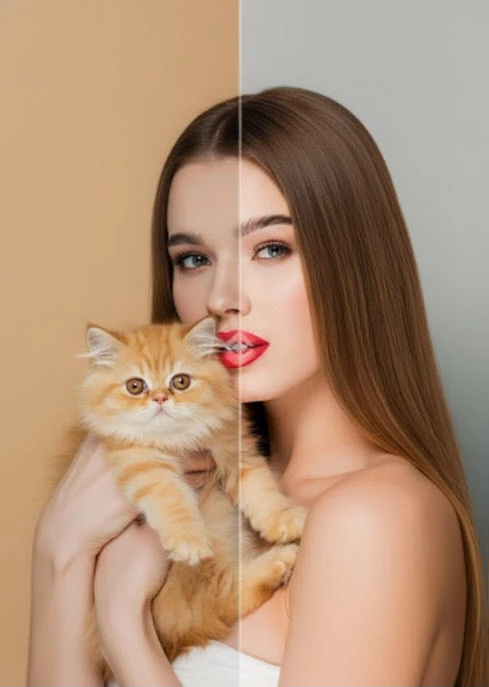
With a single click, a portrait can have sparkling eyes, smooth and natural skin, and an attractive background—without ruining any part or spending hours editing. It saves time, delivers professional results, and gives you more creative freedom.
What Did We Do Before?
Before AI presets entered the scene, editing a good photo was a real hassle. You had to sit in Photoshop or Lightroom, create manual masks for skin, eyes, or sky, and adjust the light, color, and contrast of each section separately.
And that was just the beginning!
Hours of trial and error were needed to get a natural and appealing result. Even professionals sometimes got frustrated. If you were a beginner, it was easy to feel discouraged and give up on some photos. In short, photo editing used to be time-consuming, tiring, and sometimes discouraging.
Now We Have Adaptive Magic AI Toolbox!
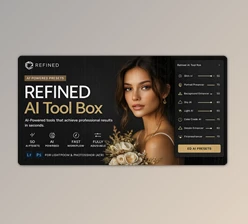
This is where AI presets like Adaptive Magic AI Toolbox come in, making everything much easier. You no longer need to spend hours in Photoshop or Lightroom manipulating each part of your photo. This product is actually a complete bundle of 4 AI preset collections with over 230 ready-to-use presets, each with a unique purpose:
1. Portraits – AI Adaptive Portrait Retouching
This collection is designed for portraits and faces. With it, you can:
- Make eyes sparkle and look attractive.
- Smooth and natural skin without it looking artificial.
- Whiten teeth naturally.
- Subtly and professionally refine facial lines and contours.
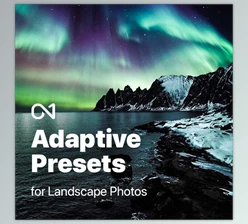
2. Landscapes – AI Adaptive Landscapes
If you have nature or landscape photos, this collection helps you:
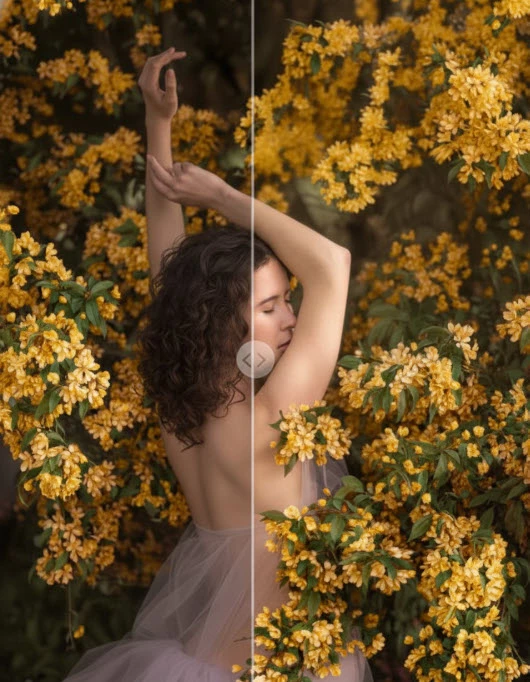
- Make skies and backgrounds clear and dramatic.
- Precisely and professionally adjust light and colors.
- Enhance depth and balance between the subject and background.
3. Subjects – AI Adaptive Subject Enhancement
This collection focuses on details and emphasizes subjects. You can:
- Highlight or soften key areas of your photo.
- Enhance important elements without altering the entire image.
- Make subtle or dramatic changes to make the subject stand out.
4. Atmosphere & Mood – AI Adaptive Atmosphere & Tools
This collection is designed to create a captivating mood and atmosphere:
- Add artistic fog, focus, and lighting effects.
- Change the photo’s vibe, e.g., creating a warm, dramatic, or dreamy atmosphere.
- Add light, fog, and atmospheric effects with a single click for a natural result.
A portrait that usually takes 2 hours to edit can be ready in under 30 minutes with these presets, with details even professionals admire! In short, the Adaptive Magic AI Toolbox makes fast, professional, and creative editing possible with one click, eliminating tedious trial and error.
Pro Tips to Make Your Work Easier
When applying an AI preset to your image, a few simple tips can make the result look more natural and professional:
- Combine presets: You can apply multiple presets to a single image and control their intensity with sliders. For example, one preset for skin, one for eyes, and one for the background. The result is a natural, professional-looking photo where everything is harmonious, not a rigid, artificial filter.
- Focus on details: Before applying a preset, take a close look at your subject and eyes and define them. This way, the AI knows exactly where to make adjustments, producing a more natural and appealing result.
- Adjust intensity: All presets have a slider for controlling effect strength. From subtle changes to dramatic transformations, everything is in your hands.
- Be creative and experiment: Presets are a great opportunity to change the style and mood of your photo risk-free. You can add fog, adjust lighting, or create a dramatic feel—all with one click and without ruining the image.
Following these tips makes photo editing easier, faster, and more professional, giving you full control over your style and creativity.
Why You’ll Love It
AI Presets really will save you time and make your photos more professional. You can be a novice and still generate images that look like someone worked on them for hours on end! No more time-consuming and complex adjustments, or worrying about how it will turn out.
The Adaptive Magic AI Toolbox makes everything easy, but also allows you to do whatever you want to edit to become a true artist and creator. You can establish your style, your vibe, and feel, and have images that align with your envisioned end product. So, AI Presets make editing fun, fast, and artistic—nothing will frustrate you ever again!

Files Password : gfxplugin.com OR 123456