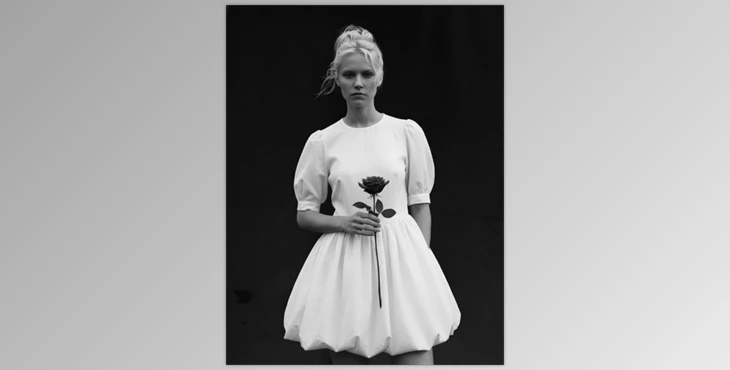
When Colors Distract…
Have you ever explored Alex Hutchinson Presets? Sometimes, instead of helping, colors just create noise. The viewer’s eye keeps jumping between colors, and the essence of the image gets lost; neither the right emotion is conveyed, nor the light noticed, nor the story behind the frame understood. Especially in portraits or emotional shots, colors can steal focus from the gaze, facial expressions, and the mood of the image.
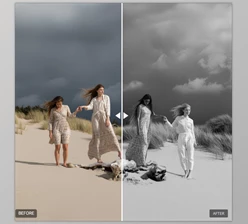
This is why black & white is a godsend. Once the color is stripped away, the photo gets its life back and focus shifts to light, contrast, texture and feeling. This is not to say that all black & white conversions are good—converting a photo to black & white haphazardly can make it just as dull—but using the right tools to make a black & white conversion can transform a photo into something with depth, significance and even memorability.
What Does Professional Black & White Mean and Where Is It Used?
Professional black & white is not just about removing color. It actually involves consciously controlling light, contrast, and tonality to guide the viewer’s eye. When color disappears, the image has to speak through light, shadow, and texture—and when this control is done correctly, the result can be far deeper and more impactful than the color version.
Main Applications of Professional Black & White
The main applications of professional black & white are seen in areas where focus and emotion matter more than color:
Portraits
Attention goes directly to the gaze, facial expression, and skin texture without colors distracting.
Artistic and Conceptual Photography
The message of the image is conveyed more clearly, and the concept becomes more transparent.
Motion Graphics and Video
Creates a cinematic, minimal, and serious atmosphere that enhances narrative.
Branding Projects
Black & white can build a strong, memorable, and trustworthy visual identity.
Ultimately, this approach allows the image to speak clearly even without color, making its impact more lasting.
When We Go Black & White Without a Preset…
Without professional tools at hand, you usually have to adjust everything manually. You might think that just converting a photo to Black & White in Lightroom or Photoshop is enough—but in reality, achieving a professional black & white is a completely different story. Without presets, you often spend hours adjusting light, contrast, and tonality to achieve the image you envision.
Common Methods
- Converting a photo to Black & White in Lightroom or Photoshop
- Manually adjusting Contrast, Highlights, and Shadows
- Using the Channel Mixer or Curves for precise tonality control
- Testing software default filters and choosing the best option
Problems Without Presets
- Results are often flat and lifeless
- Achieving a unique, distinctive style is time-consuming and exhausting
- Reproducing the same style on different photos is difficult
- Simulating the feel of film or a real lens filter is almost impossible
That’s why, often during editing, we feel: “Something’s missing, but I don’t know what!”
This is exactly where presets and professional tools can make the biggest difference.
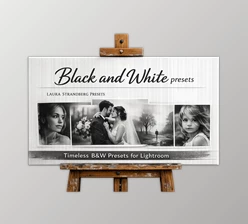
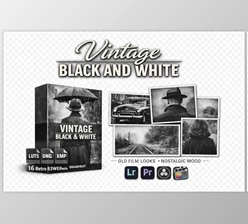
Alex Hutchinson Presets: A Tried-and-Tested Black & White Collection
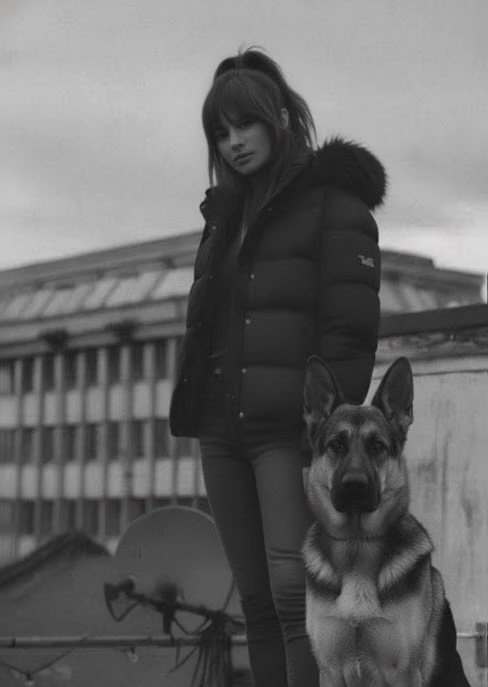
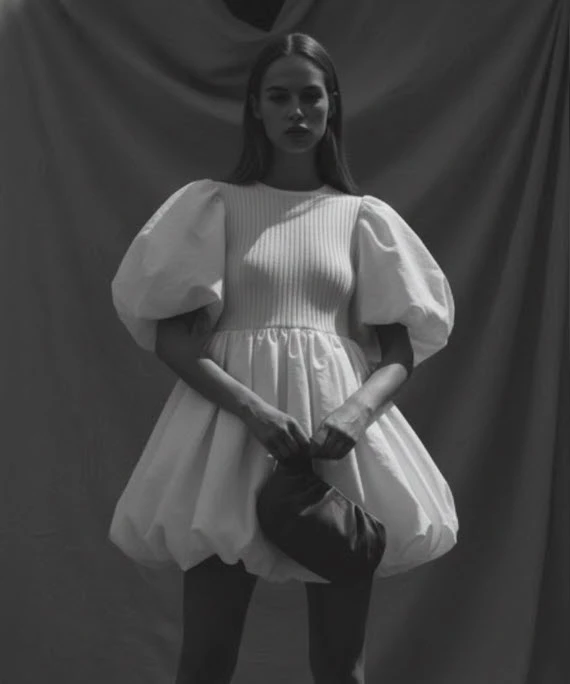
Alex Hutchinson Presets - Lightroom & ACR BW Preset Pack is a signed Black & White preset pack that has been used in professional projects for over 6 years, with the creator’s experience clearly reflected.
In fact, all the black & white images you see in the creator’s portfolio were made with these presets, so you can be confident that the results are proven.
Main Features
- 8 Unique Presets: Each preset has a distinct style, from high contrast and bold to soft and gentle.
- Classic Lens Filter Simulation: Recreates the feel of professional photography filters.
- Inspired by Analog Black & White Film: Adds the nostalgic and natural feeling of old films.
- Precise Control Over Details and Skin: Some presets enhance skin texture and freckles, while others soften the image for a gentle, smooth effect.
Each preset is like a unique tone that can give a different mood to your photos without spending hours on manual adjustments.
With Alex Hutchinson Presets Pack, you can create professional and versatile black & white images—from portraits to artistic photos and video projects—quickly and easily.
How to Use It More Professionally
Using presets is simple, but a few small tips can make the results look much more natural and professional. These tips help your photos and frames remain both personal and unique while getting ready quickly:
Tips for Better Results
- Adjust Exposure After Applying Preset: Even the best presets sometimes need minor light adjustments to look natural.
- Choose the Right Preset for Portraits: For face shots, softer contrast presets usually look more natural and pleasing, showing skin details beautifully.
- Consistency in Motion Graphics and Video: When applying a preset to a video sequence, use a single preset for the entire sequence to maintain a cohesive look.
- Combine with Mild Grain: Adding a small amount of noise or grain adds a film-like texture and enhances visual appeal.
- Presets Are a Starting Point, Not the Final Step: After applying a preset, you can still tweak settings like Contrast, Highlights, or Shadows to achieve the exact feeling you want.
Following these tips ensures that the result is not only professional and natural but also fully personal and unique, maintaining your style in your images.
When Black & White Comes Alive
Professional black & white that is good does not take the life out of something. It exposes the soul and the ultimate better emotion more pronounced and takes the viewer's eye exactly where it needs to go. When light, shadow, and detail are placed where they're supposed to be, the image talks all the more loudly and pungently even without color for a more noticeable emotion.
Alex Hutchinson Presets, with its variety and the experience behind it, helps you achieve professional results faster, maintain a cohesive visual style across all projects, and focus the viewer’s attention on the details and emotions you want seen.
If you work with photos, videos, or motion graphics and want your work to carry more emotion, these tools are truly worth trying.

Files Password : gfxplugin.com OR 123456