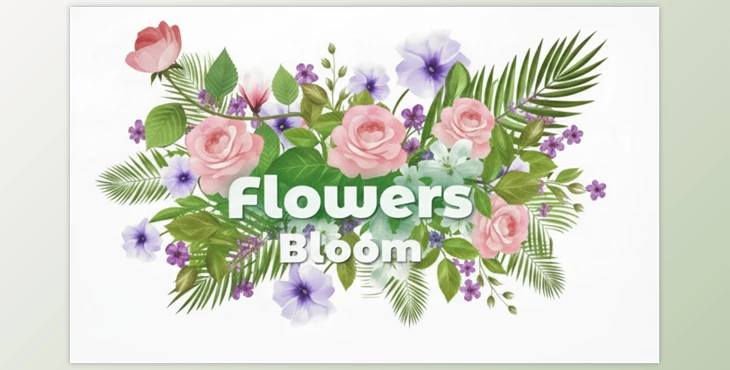
When Flowers Grow by Themselves! 🌸
Have you had any experience using the After Effects Flowers Bloom? Imagine you have a video scene and want flowers and bushes to grow naturally. Without the right tools, this task can take hours, and the final result may never look realistic. For motion graphics and animation projects, having a simple and engaging way to create animated flowers can make all the difference.
Before Professional Tools 😅
Before professional studios for flower and bush growth existed, motion graphics and After Effects designers had to create every detail of plant growth manually. There were a few main methods, but each had its own challenges:
Using Shape Layers and Masks
- Flowers, stems, and leaves were drawn using Shape Layers or masks.
- Each leaf or flower had to be individually drawn and colored.
Problem: This method was extremely time-consuming, and creating complex details—like gradual stem growth or leaf bending—was nearly impossible.
Manual Animation with Keyframes
- To animate flower growth, stem scaling, and leaf movement, everything had to be controlled with keyframes over time.
- Every stage of growth needed to be precisely adjusted to look natural.
Problem: Controlling the details was difficult, and the smallest change in timing or object position required long adjustments.
Using Limited Plugins
- Some plugins could simulate flower and plant growth, but they usually had major limitations: few templates, low customization, or unnatural appearance.
Problem: Designers had to struggle between plugin limitations and their desired results.
The Main Challenge
- All these methods were time-consuming and exhausting.
- Results often looked unnatural and repetitive.
- Changing scenes or creating new compositions was tedious.
- Controlling small details like growth speed, leaf direction, or color harmony was very limited.
In short, before professional tools, achieving natural flower growth in After Effects was more like a complex, manual task than a quick and enjoyable process.
After Effects Flowers Bloom Studio: Everything Ready 🌷
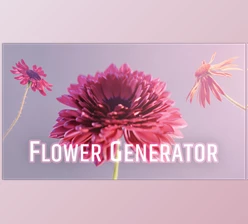
After Effects Flowers Bloom is a complete studio for After Effects that puts everything you need to create growing flowers and bushes right at your fingertips. No more spending hours with keyframes and shape layers to make a single flower!
What’s Included in This Studio?
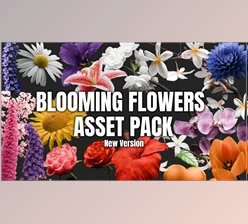
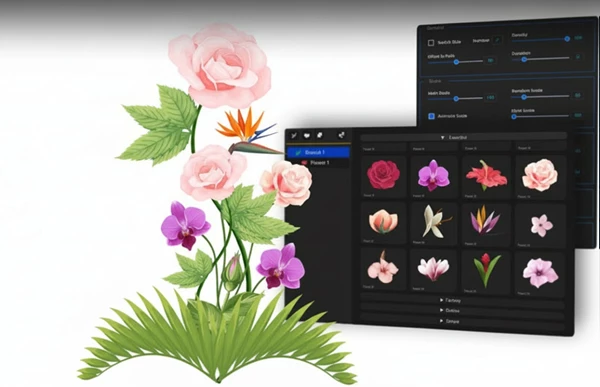
- Animated Stems and Flowers: Over 66 stems and 160 animated flowers in multiple categories.
- Varied and Animated Leaves: About 125 leaves and 55 animated leaves that sync perfectly with the flowers.
- Ready-to-Use Templates: More than 30 templates you can instantly use in your projects, saving time.
Why This Tool Is Amazing
Create Millions of Combinations
Just by combining stems, flowers, and leaves, you can create endless shapes and arrangements. Every time you have a new garden or scene, you don't have to start from scratch.
Full Control
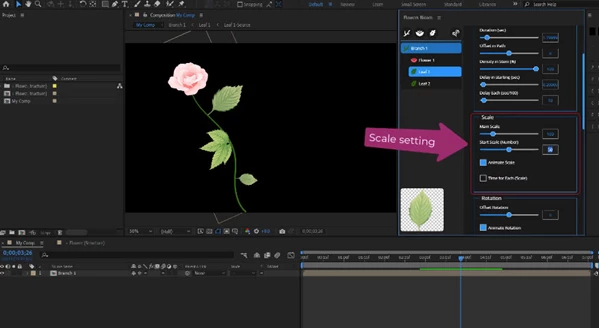
Color, size, growth speed, flower and leaf direction… everything is in your hands! Build your scene exactly as you imagine.
Templates Speed Up Projects
Open them, tweak a little, and your scene is ready. Perfect for ads, motion graphics, or educational videos that need fast delivery.
With this studio, there are no more limits from traditional methods or weak plugins. Everything is fast, easy, and natural.
Getting Professional with Simple Tips ✨
If you want your flower animations to look natural and professional, a few simple tricks can make your work much more appealing:
Combine Multiple Templates
One template is good, but combining several makes your scene incredibly natural and diverse.
For example, place different flowers and stems with varied sizes and directions to create the feel of a real garden, not a digital scene.
Randomize Growth and Size
Not all flowers should be the same size or grow at the same speed. Slight differences in height, stem angle, and growth speed make the scene lively and natural.
You can even rotate leaves slightly for an organic feel.
Match Colors and Leaf Details with the Scene
Harmonize flower and leaf colors and brightness with your project’s background and lighting.
Flowers that are too bright or dull won’t look natural. Small adjustments make the scene more realistic.
Use Internal Controls for Smooth, Gradual Movement
The tool lets you adjust flower growth gradually.
It’s better for flowers to grow slowly and naturally rather than popping up suddenly. This makes the animation smooth and appealing.
Play with Camera Angles
Even the camera angle can change the scene dramatically.
A close-up on a flower or a wide shot of the entire garden alters the mood and depth, making the project look more professional.
Don’t Forget Small Movements
Slight leaf shakes or subtle stem bends add a lot of detail.
These small touches make the scene feel alive and natural, not artificial.
Flower Growth, Project Growth 🌼
With After Effects Flowers Bloom for growing flowers and bushes in After Effects, you no longer need to struggle for hours with keyframes and shape layers. You save time, your scenes become more natural and lively, and your creativity is fully unleashed. With a few clicks, you can grow flowers and leaves and give them natural movement, without exhausting yourself with tiny details.
After Effects Flowers Bloom acts like a professional assistant, handling the hard and time-consuming work for you, allowing you to focus on storytelling, composition, or scene design. The result? Stunning, natural, and professional scenes ready for ads, motion graphics, or educational videos, without wasting hours of your time.

Files Password : gfxplugin.com OR 123456