Blender - Animated Render Border:
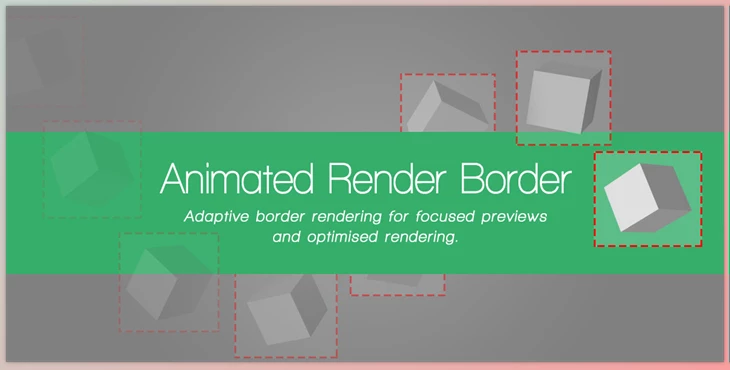
Blender - Animated Render Border is an effective add-on that automatically adjusts the render border region during animation. If you've ever wanted to render something in a unique spot of your animation, but wanted to be careful not to waste rendering efforts, this add-on is for you!
This add-on adjusts the render border region according to what's selected and being animated. Each time you animate something and render it, this add-on dynamically changes the render region on a frame-by-frame basis. No need to waste time rendering things you cannot see or empty backgrounds (or transparent areas). This works especially well if you're animating lots of things in a scene and want the render border to keep adjusting around the different locations.
Some great features of Blender - Animated Render Border:
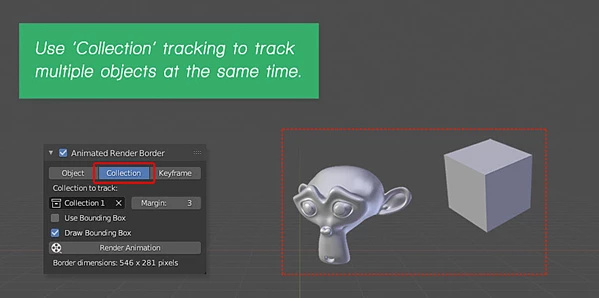
- Animates render region based upon selected objects/collections; can be manually keyframed as well!
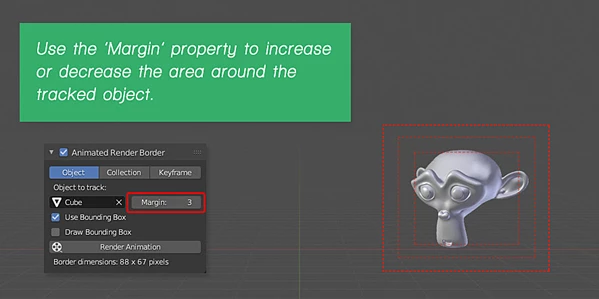
- There's a margin property that can be adjusted to ensure space around tracked items.
- Tracked items can either be tracked or use a quick bounding box version.
- Works with Meshes, Texts, Curves, Lattices, Armatures, Bones, Surfaces, and Meta objects.
- Use bounding box mode for items generated by modifiers.
- Works in 2.8 and above, as well as 2.74 and 2.79.
There are some limitations, however. Use image format only and no panoramic camera lenses. Otherwise, this tool is incredibly useful for those trying to save rendering time when animating!
"Blender - Animated Render Border" Samples:
Blender - Download Animated Render Border 3.0.7 from the below link now!

Files Password : gfxplugin.com OR 123456