Aescripts - States:
The States plugin fills a major gap in motion design and editing by helping After Effects users with ease of revisions and explorations. When Clients want to see a different style or a designer is trying other options, usually they need to create a separate comp or save the file as something else to avoid destroying the progress, which leads to bloated projects. States changes all of that by allowing one to create and transition between different "states" in a single composition without having to replicate or excessively save files.
Benefits include:
- Experimentation: Non-destructive testing and switching between composition states are easy and reliable.
- Revision Management: All possible designs can live within one file, eliminating the need for two versions of the same project on a hard drive.
- Preview Performance: States respond like native properties, so preview doesn't slow down like project thinking or expression fixes.
- Client Changes: Adjust colour, motion and layout and keep composition intact when done to avoid adding unnecessary blends to compositions.
- Client Interactivity: Easily allow clients to keep track of ideas, revisions and comps without losing info in the process.
It works like a snapshot system for compositions where users can essentially save a state and revert to it easily, fostering an organised, easy-to-use and experimental composition for refined feedback cycles.
Who Would Use This?
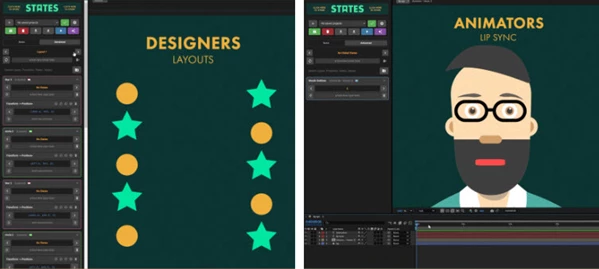
- Visual Designers: Customise layouts, colours, typography styles without duplicating any comps. Present clients/team members with clear options.
- Animators: Compare various timing, styles, or entire motion systems and have easy access without clutter.
- Lip Sync/Character Animators: Save multiple lip sync attempts and acting choices to switch on a dime between different animated states.
- Templators & MOGRT Builders: Attempt different variations for templates all within one project to ease editor handoff.
States helps anyone using After Effects work as if they have multiple timelines all in one comp without the hassle of having to duplicate anything.
How to Use States
- Save Any Property Value: Any property in After Effects can be saved as a State, whether it be position, rotation, colour, keyframe values, etc. Save a property with the intent of experimentation and see what creations emerge in different states.
- Combine Multiple Values into Layer States: Multiple properties can be saved in conjunction as a Layer State, so animation settings can be switched without impacting anything else in the comp.
- Build Full Project Styles from Layer State Variations: Mix and match several Layer State variations to create whole Project Styles without needing to duplicate comps for variances.
Everyone in After Effects can rely on States for a cleaner project experience so that they can focus on experimentation and speed.
"Aescripts - States" Samples:
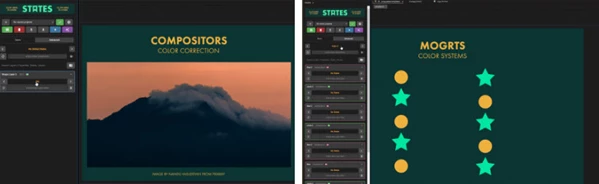
Aescripts - Download States 1.0.0 from the below link now!

Files Password : gfxplugin.com OR 123456