Blender - AutoCam:
The Blender - AutoCam offers simple yet complex functionality for the artist needing access to camera control for a cinematic feel within the Blender game engine, but not wanting the cleanup that comes after natural filming.
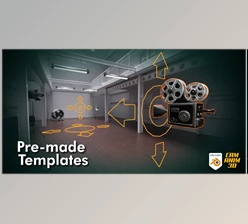
This plugin provides the means to record and transform camera movements into paths, allowing artists to obtain exactly what they need without breaking the flow of creativity. This is a go-to tool for fixed camera rigs or animated paths.
Some great features of Blender - AutoCam:
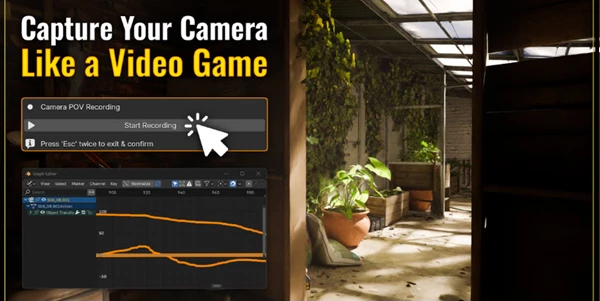
- Record POV Camera Movements: Move around with WASD as if you're in-game and record your intended camera movements for future application.
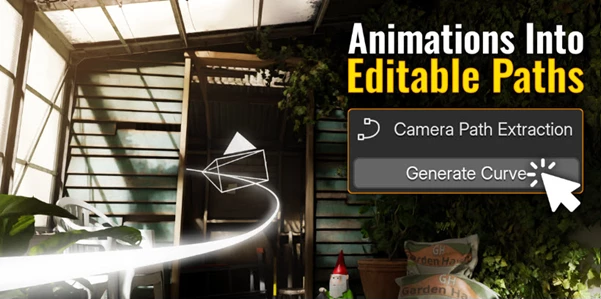
- Transform Recorded Movements to Paths: Easily create a new Bezier, Poly, or NURBS curve from your recorded camera movements to clean things up.
- Create a Camera Rig with One Click: One button click creates a camera rig with user controls and tracking support.
- Control and Keyframe Speed: You can animate the speed of the auto camera rig going forward, stopping, or playing backward; it's keyable.
- One Click Cleanup: With one click, all AutoCam data in the scene can be deleted for easy cleanup.
"Blender - AutoCam" Samples:
Blender - Download AutoCam 2.0.6 from the below link now!
 Blender - AutoCam v2.0.6.rar (Size: 70.2 KB - Date: 1/5/2026 1:21:45 PM)
- Blender - AutoCam v2.0.5.rar (Size: 64.3 KB - Date: 12/27/2025 12:55:11 PM)
- Blender - AutoCam v2.0.4.rar (Size: 61.7 KB - Date: 10/21/2025 2:38:21 PM)
- Blender - AutoCam v2.0.2.rar (Size: 58.6 KB - Date: 9/22/2025 10:28:41 PM)
- Blender - AutoCam v2.0.0.rar (Size: 53.2 KB - Date: 9/3/2025 1:13:53 PM)
Files Password : gfxplugin.com OR 123456