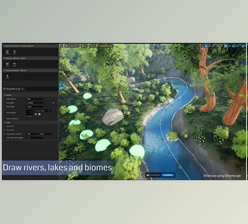
Blender - Baga River Generator:
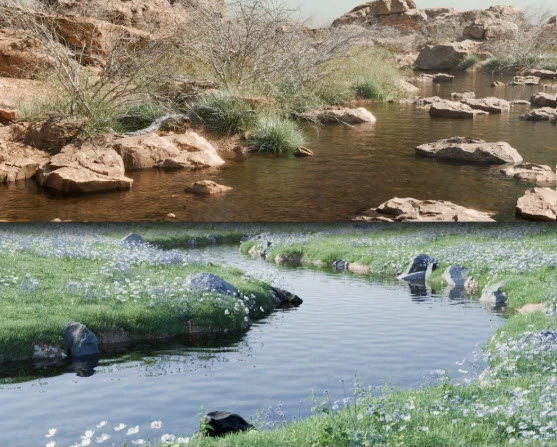
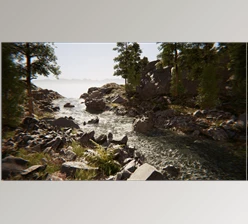
Blender - Baga River Generator allows a user to create breathtaking river landscapes within the Blender viewport without any hassle. Users can preset and customize rivers and select from one of four selected river preset environments.
The tool comes with more than thirty readily available assets, which enhances its effectiveness and ease for its users. With a simple command to access the pie menu, a user selects a preset and begins working on their river scene.
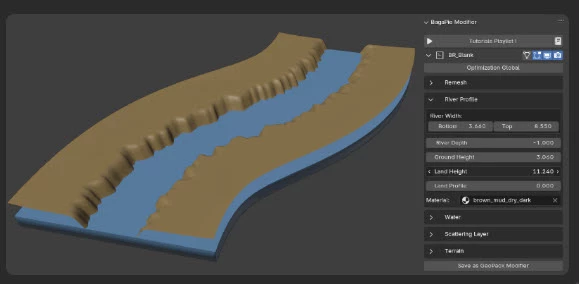
This tool fulfills every need a user might have for custom-made rivers. Customization ranges from river shapes, scattering layers, and asset distribution on the river. Animated features of water significantly improve realism. However, animations are only possible with still water, without any foamy, choppy turbulence effects. Users can create and save unique personalized presets to ensure that their one-of-a-kind creations can be used in future projects. This is made possible through the BagaPie GeoPack, which enables users to save and duplicate layers.
For users to operate the Baga River Generator, it is a prerequisite for them to have the BagaPie GeoPack installed through Blender’s preferences. As noted, this tool works with Blender version 4.2 and newer, and it is intended for the Cycles and EEVEE render engines. The vegetation is static; however, the overall capabilities offered by the add-on are an excellent benefit for users who want to achieve realistic river system simulations in Blender. It is recommended that users adjust the seed values from a bird’s eye view for the best outcome.
"Blender - Baga River Generator" Samples: