Blender Market - Armature Tools:
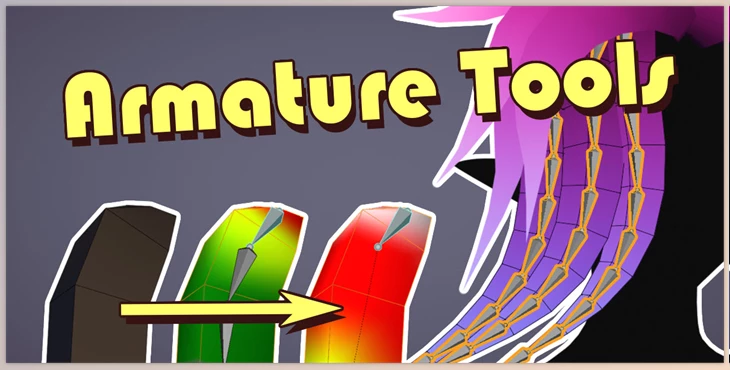
The Armature Tools add-on improves the efficiency of bone generation and editing for hair meshes, simple tails, and similar structures.
It makes the creation of bone chains easier by automating weight matching with a mesh’s bone’s topology. This add-on also automates the switching of mesh and armature modes to improve workflow efficiency. Furthermore, it incorporates bone deletion, weight transfer as primary, and several mesh preparation functions for simpler rigging and animating procedures.
Some great features of Blender Market - Armature Tools:
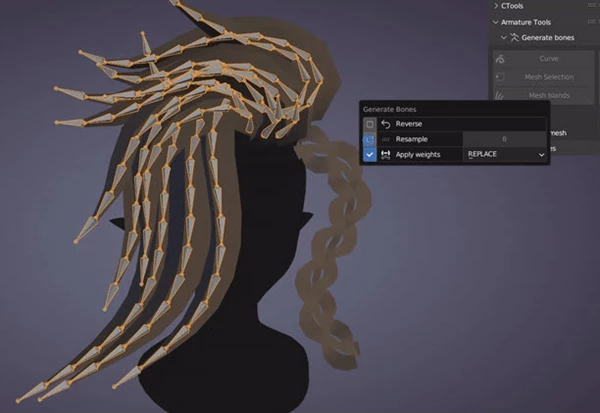
- Bone Generation: These functions will create a chain of bones for a specific set of vertices with the option to keep or replace weights.
- Mesh Island Detection: Associates bone chains assigned to separate mesh islands.
- Curve Support: Generates bone chains for Bezier, Nurbs, and Path curves (no weight painting).
Bone Editing:
- Remove/ dissolve bones with weight transfer to the parent.
- Reverse and resample generated bone chains.
- Apply Automatic brackets weight separation before merging.
- Bone and armature custom naming.
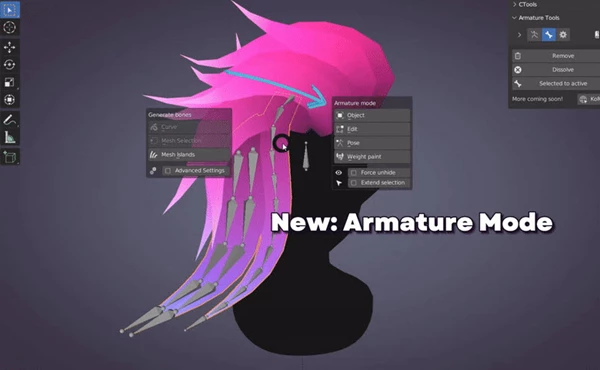
- Armature Mode: Automatic detection of connected armatures and meshes helps in switching between object, edit, pose and weight paint modes seamlessly.
- Software Approach: Optimization of 3D model through ‘Remove Doubles’ option which refines edges and modifies the mesh topology.
- Transfer Weights: Activates enable movement for designated body parts with previously assigned weights.
- Selection Mode: Automatically assigns armature to respective model in preparation for weight painting or to ‘adj pose’ after pair has been modelled.
"Blender Market - Armature Tools" Samples: