Aescripts - Deep Comp v1.0:
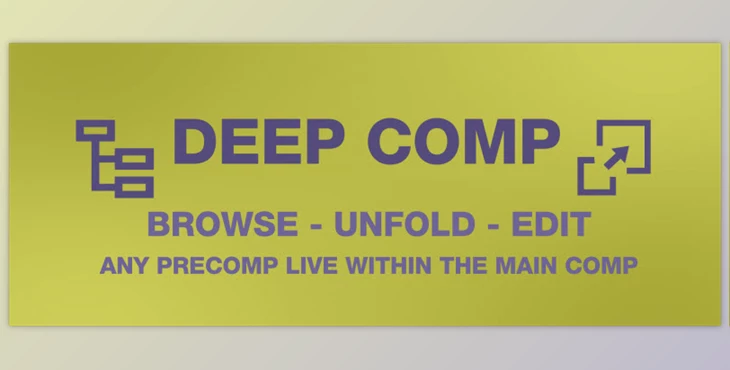
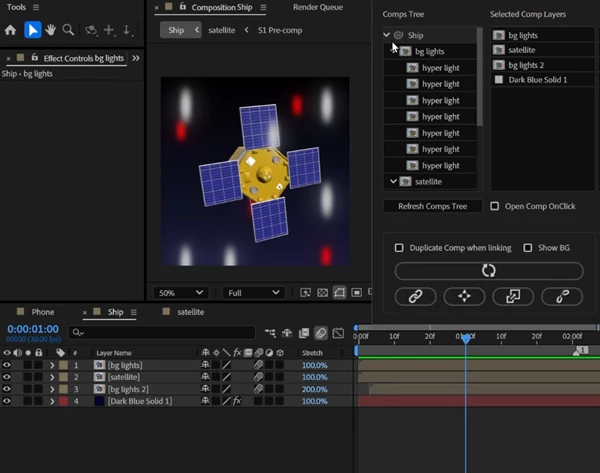
The tool can improve workflow productivity by letting users move, mute, and solo pre-comps at any node in the composition tree.
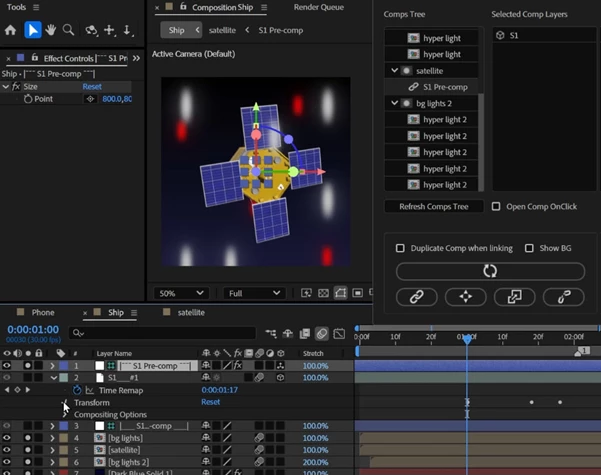
The application also allows the unfolding of the pre-comps in the main composition window to provide real-time editing quips with feedback.
Some great features of Aescripts - Deep Comp:
BROWSER FUNCTIONALITIES
- Navigate Pre-Comps: Open any pre-comp within the composition tree from the main comp.
- Solo Pre-Comps & Layers: Solo any pre-comp or layer at any level in the tree, and other layers can be muted.
- Disable / Enable Pre-Comps & Layers: Mute pre-comps and unmute them when required.
- Temporary Alpha Checker Layer: Create an alpha channel checker layer for pre-comps to preview transparency.
UNFOLD FUNCTIONALITIES
- Unfold Selected Pre-Comp: Unfold any pre-composition within the main composition to work on its layers.
- Live Editing with Instant Feedback: Edit unfolded pre-comp layers in live mode without changing compositions.
- Add / Remove Layers & Effects: Change the content of an unfolded pre-comp directly.
- Duplicate Unfolded Pre-Comp: A copy of unfolded pre-compositions can be created at the project level for usage.
UNFOLD / FOLD PRE COMPS
- Unfold for Live Editing: When a pre-comp is unfolded, layers can be worked on for live feedback from the application.
- Fold Back: When the work is done, pre-comps can be returned to their original form.
NAVIGATION THROUGH AE PROJECT COMPS
- Display Sub-Comps Tree: Select the main composition and hit refresh; it will reveal the list of all sub-comps.
- Open Comps with One Click: Opening any sub-comp is as simple as clicking on it.
SOLO & DISABLE COMPS / LAYERS SHORTCUTS
- Disable / Enable Comps: Hold “Alt” (or “Option” on Mac) and right mouse click to turn a composition on/off.
- Solo Comps: Left double-click to solo a composition.
- Unsolo Comps: Right mouse click.
- Enable / Disable Layers: Hold “Alt” (or “Option” on Mac) and left-click to turn a layer on/off.
- Enable All Layers: Hold “Alt” (or “Option” on Mac) and right mouse click.
- Solo / Unsolo Layers: Left-click on the layer to solo or un-solo.
- Enable & Unsolo All Layers: Right-click.
ADDING LAYERS & EFFECTS
- Modify Elements: Assign, unassign, or group layers, masks, effects, etc.
- Update Button: Make the elements work inside the composition as intended by dynamically applying changes.
"Aescripts - Deep Comp" Samples:
Download Aescripts - Deep Comp 1.0 from the below link now!

Files Password : gfxplugin.com OR 123456