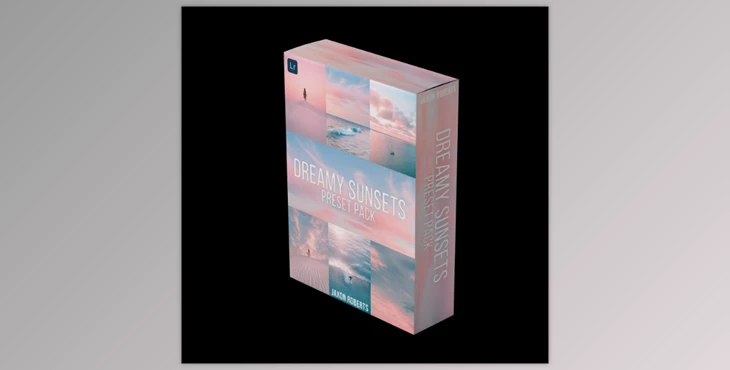
Jaxon Roberts - Dreamy Sunsets - Preset pack:
What’s Included:
A Collection of 25 Lightroom Presets
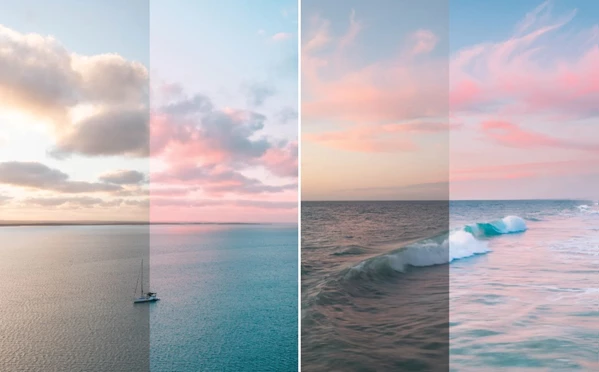
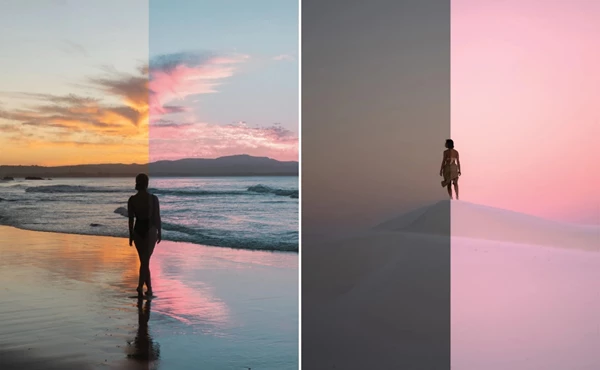
These presets aim for that dreamy, soft look typical of sunsets and sunrises. They are available for both Mobile and Desktop versions of Lightroom.
Video Guides
- Learn and follow through the entire process of applying the presets with our video tutorials.
Installation Instructions
- Both Mobile and Desktop versions have guides detailing how to apply and install the presets correctly.
Best For: (Not limited to)
- Beach Photos
- Everyday Drone Photography
- Sunrises
- Sunsets
How To Install:
Desktop:
- Unzip the folder
- Open Lightroom and navigate to the Develop Tab.
- Go to the Presets section of the Lightroom.
- Select Import and All Presets and Import.
Mobile:
- Download a free unzipping application.
- Unzip the folder and navigate to the Mobile folder.
- Open the.DNG files individually with Lightroom.
- Open the image, and the preset will automatically be applied.
To save the preset:
- Click on the three dots on the right corner.
- Click Create Preset and set a name.
This pack seeks to simplify how you edit photos so you can create stunning sunset and sunrise images on both desktop and mobile devices!
"Jaxon Roberts - Dreamy Sunsets - Preset pack" Samples:
Download Jaxon Roberts - Dreamy Sunsets - Preset pack from the below link now!

Files Password : gfxplugin.com OR 123456