Aescripts Markers Pro:
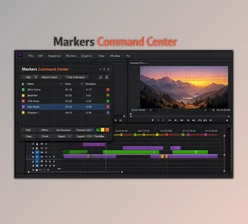
The content highlights various functionalities for managing markers in Adobe Premiere Pro, allowing users to work more efficiently.
Some great features of Aescripts Markers Pro:
- Adding Markers: Users can add markers to entire selections, in and out points, or individual clips.
- Moving and Changing Color: Markers can be repositioned or have their colors changed.
- Copying, Pasting, and Deleting: Users can cut, copy, paste, and delete markers as needed.
- Limiting Actions: Actions can be restricted to specific markers, in and out points, or set relative to the playhead (before, after, or both).
- Offsetting Markers: Users can offset markers by frames or seconds and align them to the playhead.
- Marker Behavior Control: For markers whose start or end is outside the selected range, special behavior can be controlled.
- Marker Presets: Up to five markers presets can be saved for quick access.
- Custom Undo/Redo: A tailored undo/redo functionality is available for marker actions.
Overall, these features enhance workflow efficiency by providing granular control over marker management in Premiere Pro.
Download Aescripts Markers Pro v1.1.1 from the below link now!