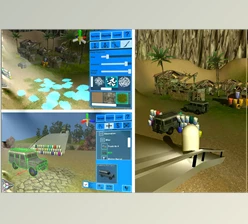
Unity asset - GSpawn - Level Designer v3.2.8.3:
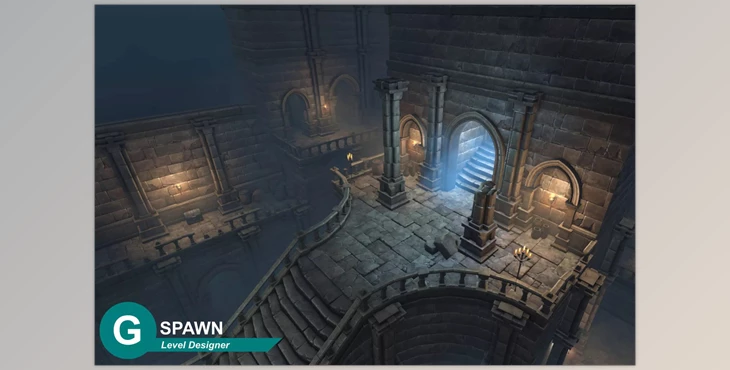
GSpawn - Level Designer is an innovative software seamlessly integrated within the Unity Editor, designed to breathe life into your environments through its extensive feature set and intuitive interface.
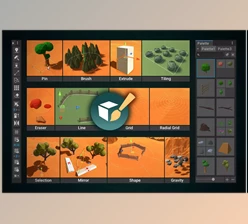
Some great features of Unity asset - GSpawn - Level Designer:
- 3D Tile Rules: Easily create ramps and platforms with rule-based 3D tiling.
- Decoration Rules: Extract decoration information from demo scenes for quick placement of props and decor.
- Curve Spawn: Spawn objects along curves, allowing for the creation of fences, forests, and more. Edit, move, rotate, duplicate, and insert control points with multiple lanes, padding, randomization, and jittering.
- Modular Snapping: Snap modular prefabs to a grid, facilitating the creation of multi-story environments with object-to-object snap functionality.
- Modular Walls: Design modular walls with or without inner and outer corner detection, along with pillar support.
- Physics Spawn: Real-time or instant spawning with options for drop height, drop radius, and rotation randomization.
- Props Spawn: Easily align props along axes, embed them in surfaces, and apply offsets. Drag spawn functionality, prefab randomization, and scale/rotation randomization are also included.
- Rotate and Scale Objects with Mouse: Intuitively rotate and scale objects using mouse inputs.
- Prefab Replacement: Quickly swap prefab instances within the scene.
- Object Groups: Organize scene elements into groups for better management.
- Prefab Management: Efficiently organize prefabs into libraries, with options for copying/moving between libraries and creating library profiles.
- Scatter Brush: Randomize rotation and scale, control volume radius, and ensure axis alignment with slope checks and spawn chances.
- Tile Tools: Utilize integer patterns to create interesting tile layouts, with fill modes, height modes, prefab randomization, and terrain object projection.
- Mirroring/Symmetry: Supports mirroring along up to three mirror planes simultaneously.
- Selection Tools: Use various selection tools such as rectangle, selection segments, and selection box for precise editing.
- Transform Gizmos: Manipulate objects using move, rotate, scale, and universal gizmos.
- Extrude Gizmo: Extrude objects with ease for added depth and dimension.
- Erase Tools: Effortlessly erase objects with cursor, 2D, and 3D erase brushes, along with erase masks.
- Configurable Shortcuts: Customize shortcuts for a personalized workflow.
With a host of additional features, GSpawn - Level Designer offers a comprehensive toolkit for creating dynamic and immersive environments in Unity.
Download Unity asset - GSpawn - Level Designer v3.2.8.3 from the below link now!