Downloadable Files
You can download the Auto-Rig Pro Addon for free at the bottom of this very page.
Meet the Tool That Saves You from Re-Rigging Nightmares
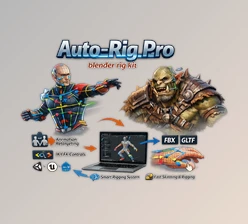
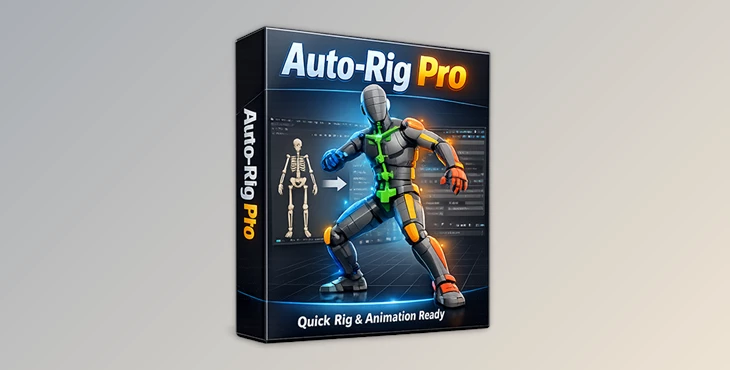
If you’ve ever opened a character file and realized you’d have to rebuild the entire rig from scratch… you know the pain. Hours of adjusting bones, fixing weights, setting up IK/FK, and testing controllers—again. This is exactly where Auto-Rig Pro Addon (with its Quick Rig extension) changes the game. Instead of re-rigging already rigged characters, you can transform almost any existing skeleton + mesh into a fully functional Auto-Rig Pro control rig in minutes. Controllers ready. IK/FK ready. Weights preserved. Animation supported. It’s fast. It’s practical. And honestly, it feels a little magical the first time you use it.
What Is It and Why Does It Matter?
At its core, Auto-Rig Pro Addon is a professional rigging system for Blender that helps you convert and optimize character skeletons for animation. The Quick Rig extension takes this even further. It allows you to:
- Turn an existing skeleton into a full Auto-Rig Pro armature
- Preserve original weights
- Generate IK/FK systems automatically
- Retarget constraints and shape key drivers
- Support baked animation
Why This Improves Your Results
Here’s why these features aren’t just “nice to have”:
- Weight preservation means you don’t lose skinning quality.
- IK/FK generation gives animators flexibility and cleaner motion control.
- Constraint retargeting saves setup time in complex rigs.
- Animation baking ensures compatibility and workflow safety.
Imagine importing a Mixamo or DAZ character and converting it into a fully animation-ready production rig—without rebuilding everything manually. That’s real workflow acceleration.
A Professional Rigging Upgrade
The Auto-Rig Pro Addon with Quick Rig extension is designed to make character rig conversion smooth, fast, and production-friendly. It supports a wide variety of skeleton structures—even those with non-standard bone axes.
Features
Here’s what makes it powerful:
- Preserve & Convert Modes
- Preserve Mode: Keeps the original armature intact and binds it to controllers.
- Convert Mode: Generates a complete Auto-Rig Pro armature compatible with editing and export tools.
- Automatic Limb Detection
- Select the first bone (like a shoulder or thigh) and add a limb instantly.
- Auto-fills bone blanks and axes (with manual adjustment if needed).
- Supported Limbs
- Spine (2–6 bones)
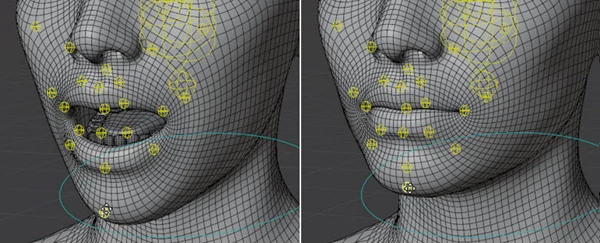
- Head & Neck (up to 10 neck bones + facial bones & shape keys)
- Arms (with twist bones, optional shoulder, 3–4 phalanges)
- Legs (with twist bones, optional 3-bone leg setup for creatures)
- Orphan Bones Support
- Facial bones
- Clothing or prop bones
- Unusual tweak/twist bones
All automatically inserted into the rig hierarchy.
- Built-in Mapping Presets
- Realillusion Character Creator
- DAZ
- Human Generator
- Mixamo
- Unreal Mannequin
- VRoid
- Shape Key Driver Retargeting
- Constraint Retargeting
- Custom Mapping Preset Import/Export
- Automatic Arm & Leg Angle Correction
- Optional Neck Twist Rotation
- Weight Overrides for Special Skeletons
Real Workflow Example
Let’s say you import a Mixamo character for a cinematic project. Normally, you’d spend hours restructuring the rig for professional animation control. With Auto-Rig Pro Addon, you:
- Add limbs.
- Verify bone settings.
- Choose Preserve or Convert.
- Click “Quick Rig!”
Done. You now have a clean controller-based rig ready for production-level animation.
Pro Tips for Better Results
Here are a few friendly tips to get the most out of it:
1. Double-Check Bone Axes
Auto-detection works well, but complex skeletons sometimes need manual correction. Always verify before generating the final rig.
2. Use Preserve Mode First
If you're unsure, start with Preserve Mode. It’s safer and keeps your base skeleton untouched.
3. Take Advantage of Weight Overrides
If deformation looks off, use weight overrides to manually match bone weights correctly. This is especially useful for custom creatures.
4. Watch Out for Perfectly Straight Limbs
The automatic angle correction helps avoid IK direction problems—but always preview the pose after generation.
5. Save Mapping Presets
If you frequently work with DAZ, Unreal, or VRoid characters, export custom presets to speed up future projects. Small habits like these make your rigs cleaner and more reliable.
Final Thoughts: Why It’s Worth Your Attention
Rigging is one of the most technical—and time-consuming—parts of character animation. The Auto-Rig Pro Addon dramatically reduces that workload. Instead of rebuilding rigs, you upgrade them.
Instead of fighting bone hierarchies, you standardize them.
Instead of wasting time, you focus on animation. It doesn’t replace skill—it enhances your workflow. If you regularly work with imported characters, game-ready assets, or mixed pipeline models, this tool can genuinely speed up your production process and keep everything animation-ready. Give it a try, explore the Preserve and Convert modes, and see how much smoother your next character project feels.
 Blender - Auto-Rig Pro Quick Rig v1.27.21.rar (Size: 92.8 KB - Date: 2/21/2026 10:55:25 AM)
- Blender - Auto-Rig Pro Quick Rig v1.27.10.rar (Size: 87.1 KB - Date: 10/27/2025 1:19:38 PM)
- Blender Market – Auto-Rig Pro Quick Rig v1.26.46.rar (Size: 72.7 KB - Date: 12/19/2024 1:01:04 PM)
- Blender Market – Auto-Rig Pro Quick Rig v1.26.39.rar (Size: 64.3 KB - Date: 10/17/2024 1:45:53 PM)
Files Password : gfxplugin.com OR 123456