Aescripts - Tweaks: Introducing "Tweaks" for After Effects: A powerful toolkit for manipulating paths, shapes, and layers. This comprehensive toolset simplifies intricate processes, allowing you to focus on creative nuances like duration, property adjustments, and keyframe customization.
User Interface: The UI is divided into two rows of 2 tabs: Points/Paths, Shapes/Layers, and Polymorph and Spreaders. Each tab offers a list of features with detailed documentation through the "Tool Tips" option.
Tab Polymorphers: The PolyMorphers offer a user-friendly way to morph shapes with global Proximity and Sensitivity Controls and various Easing functions.
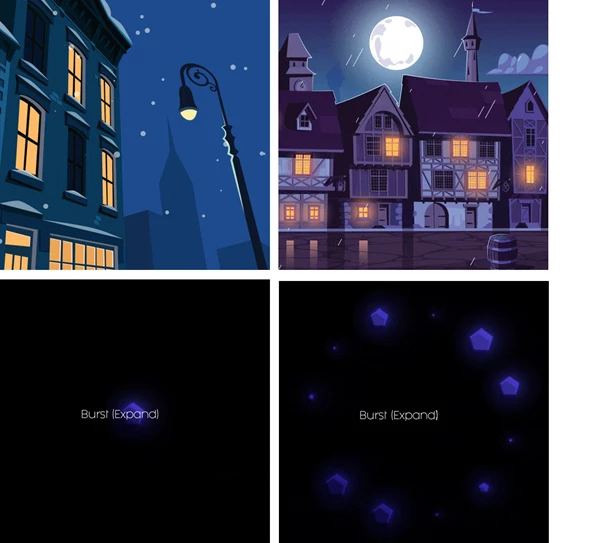
PolyMorpher: Classic:
- Smooth transitions between two layers.
- Automatic guide layer generation with markers for control.
- Threshold and Tolerance Adjustments.
PolyMorpher: Intricate:
- Numerous-shape morphing approach.
- Guide layer with markers for control.
- Threshold and Tolerance adjustments for complexity.
PolyMorpher: Legacy:
- A geometrical approach to morphing.
- Automatic guide layer creation with essential controls.
PolyMorpher: Explosion:
- The stunning explosion-like transition between layers.
- Guide layer with markers for control.
- Threshold adjustment for intensity.
Tab Points-Paths: Granular control over paths with features like "Complexifier," "Tornado," and "Simplifier" for various path manipulations.
Swallower:
- Create complex animations involving shape deformations.
- Guide layer with sliders for control.
Breeze / Zephyr:
- Manipulate path points with adjustable sliders.
- Guide layer for control over frequency, speed, damping, and more.
WaveCraft:
- Generate sine wave animations along paths.
- Guide layer with sliders for frequency, amplitude, phase, and speed.
Simplifier:
- Reduce complexity in paths.
- Guide layer for horizontal position control.
Complexifier:
- Add complexity to paths.
- Guide layer with controls for projection and complexity.
Catch Points Curved:
- Manipulate path points and tangents with a guide layer.
- Guide layer for attraction strength control.
Repulse Points/Repulse Points Bezier:
- Repel path points from a guide layer.
- Guide layer for repulsion strength control.
Flames:
- Create a fire effect along paths.
- Guide layer with sliders for threshold, speed, seeds, attraction intensity, and noise.
Vacuum:
- Create stretching or compressing effects.
- Guide layer for tension control.
Tornado:
- Arrange layers in a tornado-like pattern.
- Guide layer with frequency, height, width, orientation, and speed controls.
Important Note: Certain features may require manual input for optimal results, such as setting the first vertex for smoother animations.
Tab Shapes/Layers: Manipulate layers with features like "Layers Spinner," "Faux Depth," and "Hi! Bye!" for various layer animations.
Layers Spinner:
- Rotate layers around a guide layer.
- Guide layer for rotation control.
Faux Depth:
- Add depth to layers with controls for scale, delay, decay, and blur.
- The guide layer is for scale factor and blur control.
Hi! Bye!:
- Create magnetic attraction and repelling between layers.
- Guide layer for attraction strength and direction control.
Carousel in Depth:
- Arrange layers in a carousel pattern.
- The guide layer has controls for orientation, scale, and tracking.
Repulsion/Magnetism:
- Simulate natural forces between layers and a guide layer.
- Guide layers for repulsion and magnetism.
6. Re-drop Shadow:
- Manipulate the Drop Shadow effect with guide layer controls.
- Guide layer for drop shadow direction, distance, and softness.
Spreaders: Distribute layers with dynamic spacing, elasticity, and rotation controls in various patterns.
Spread as Rect, Circle, Triskle, Cross, Spiral, Pyramid, X, Hexagon, Heptagon, Octagon, H/I, T:
- Spread layers in different shapes with customizable controls.
Upward:
- Simulate the physics of objects being lifted.
- Guide layer with sliders for speed, gravity, traction, stiffness, elasticity, wind, swing, and damping.