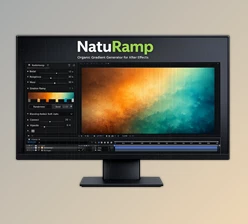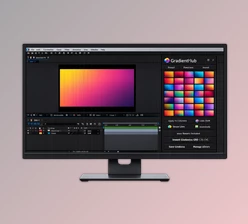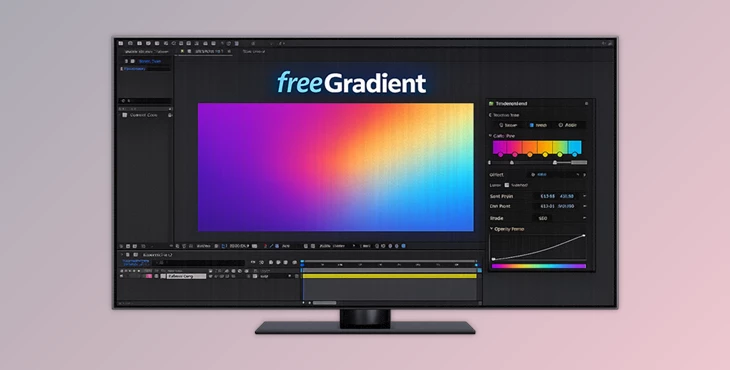
Downloadable Files
You can download freeGradient for free at the bottom of this page.
Bring Your Gradients to Life 🎨
Have you ever felt limited by the default gradient tools in After Effects? Sometimes you just want more control — smoother transitions, more colors, better animation options. That’s exactly where freeGradient shines. This advanced gradient tool gives you creative freedom inside After Effects. Whether you’re designing motion graphics, background visuals, title animations, or UI elements, freeGradient makes building and animating gradients smoother, faster, and far more flexible. If you love adding depth and dynamic color to your projects, this tool will definitely spark your curiosity.
What Makes a Gradient Powerful?
The basic idea of a gradient is a smooth transition between colors. But there’s so much more you can do with it when you have control over the details. An advanced gradient system lets you:
- Multi-colored complicated ramps
- Animate the flow of color
- Control direction, scale, and movement
- Statistically blend it with the original layer
Why does this matter? Better gradients mean:
- More cinematic backgrounds
- More modern UI designs
- More dynamic motion graphics
- More professional-looking compositions
Instead of flat, static color transitions, you get movement, depth, and visual energy — all of which instantly elevate your final result.
Meet the Professional Tool: freeGradient
freeGradient is an advanced gradient tool created specifically for After Effects. It was created to expand on the creative limits of traditional gradient systems and give creators full control over how their gradients look and move. With freeGradient, creating, customizing, and animating gradients just got a whole lot easier, more flexible, and visually impressive.
Features
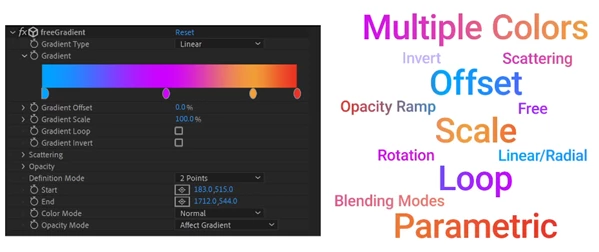
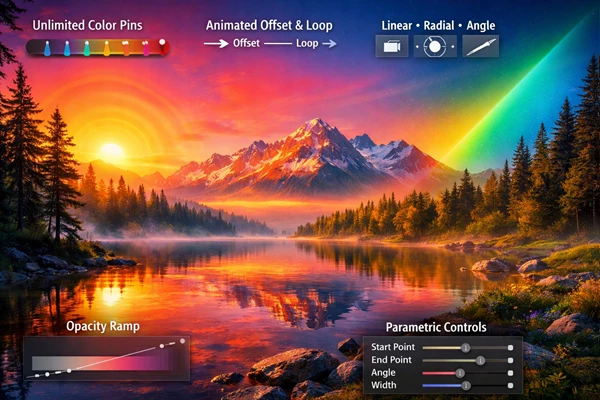
🎨 Unlimited Color Ramp
Unlike basic gradient tools, freeGradient allows unlimited color pins. That means:
- You can create complex multi-tone gradients
- Build vibrant, stylized backgrounds
- Design smooth brand transitions
- Recreate trendy mesh-style visuals
The result? More creative freedom and smoother color blending.
🔄 Offset & Loop Animation
The Offset and Loop features let you animate gradients effortlessly.
- Animate flowing color movement
- Create seamless looping backgrounds
- Add subtle motion to static designs
This is perfect for:
- Social media animations
- YouTube intros
- UI motion backgrounds
- Digital posters
Instead of keyframing complicated setups, you can create fluid animated gradients in a clean and efficient way.
📍 Parametric Control
You can define the gradient in two ways:
- Using Start and End points
- Or adjusting it parametrically with Width and Angle
This flexibility allows:
- Precise alignment with composition layouts
- Easy adjustments without rebuilding the gradient
- Clean geometric control for professional designs
It’s especially useful when working with structured layouts or motion templates.
🔵 Multiple Gradient Types
freeGradient supports three gradient types: Linear Creates a gradient between two points — perfect for clean transitions and backgrounds. Radial Defined by a center point — ideal for spotlight effects, glowing elements, or depth simulation. Angle Rotates around a center point — great for dynamic circular transitions and abstract visuals. This variety lets you match the gradient style to your creative vision instantly.
🌫 Opacity Ramp
The Opacity Ramp feature allows you to blend the gradient with the original layer. This helps you:
- Create soft overlays
- Design subtle lighting effects
- Blend gradients naturally into footage
Instead of harsh overlays, you get smooth and professional compositing results.
Pro Tips for Better Results ✨
Here are some practical techniques to get the most out of freeGradient:
✅ Use Multiple Color Pins Carefully
More color pins mean more control — but balance is key. Try spacing colors evenly to avoid muddy transitions.
✅ Animate Offset Slowly
Subtle movement feels more professional. Slow looping gradients work beautifully for backgrounds.
✅ Combine Radial + Opacity Ramp
This creates realistic lighting or glow effects — perfect for titles and logo reveals.
✅ Adjust Angle for Dynamic Composition
Small angle changes can dramatically improve visual flow and guide the viewer’s eye.
✅ Keep It Natural
Avoid over-saturation unless your project demands bold colors. Smooth transitions always look more cinematic. These small adjustments can make your work look polished and professional.
Final Thoughts: Why freeGradient Is Worth Trying
Gradients are everywhere in modern design — from motion graphics and branding to UI and digital art. But basic tools often limit creativity. freeGradient removes those limits. With unlimited color pins, powerful animation controls, multiple gradient types, and opacity blending, it gives you everything you need to create dynamic, modern, and professional visuals inside After Effects. It’s not just about adding color — it’s about adding depth, movement, and personality to your projects. If you want smoother workflows and better visual results, freeGradient is definitely worth exploring. Give it a try and see how much more expressive your gradients can become.