Very Special Discount FOR LIFETIME VIP UNTIL
Join our VIP membership and enjoy Free Downloads For Life

  • Home
  • Contact Us
  • RSS feed
  • Login
  • SignUp
GFXPlugin.com
  • Categories
    • After Effects
      • Plugins
      • Project
    • Premiere Pro
      • Plugins
      • Project
    • Photoshop
    • Illustrator
    • LUTS
    • Font
    • Final Cut Pro
    • Motion Graphics
    • DaVinci Resolve
    • Cinema 4D
    • Apple Motion
    • 3D-Models
      • Unreal Engine
      • Unity Assets
      • 3Ds MAX Models
      • Blender Assets
    • Tutorial
    • Sound Effects
    • Software
    • Other
  • Resources
    • AeScripts
    • VIDEOHIVE
    • Motionarray
    • Blender
    • Gumroad
  • Blog
0
My Shopping cart $0.00
Goto My Shopping Cart

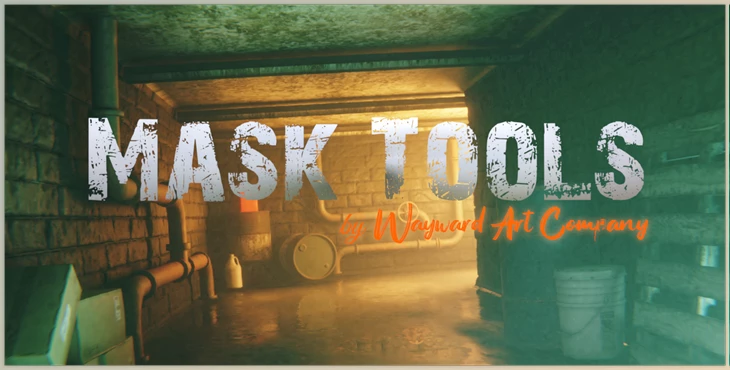
Download Mask Tools - Blender Market v2.0

  • Home
  • /
  • Resources
  • /
  • Blender Market
Download Mask Tools - Blender Market v2.0
Previous Next
Description Comments

Mask Tools - Blender Market v2.0:

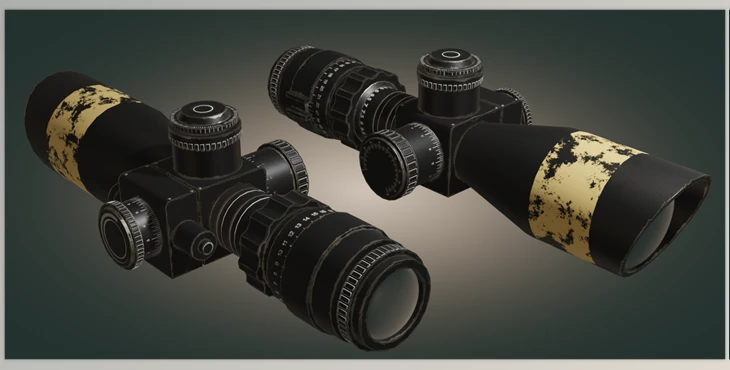
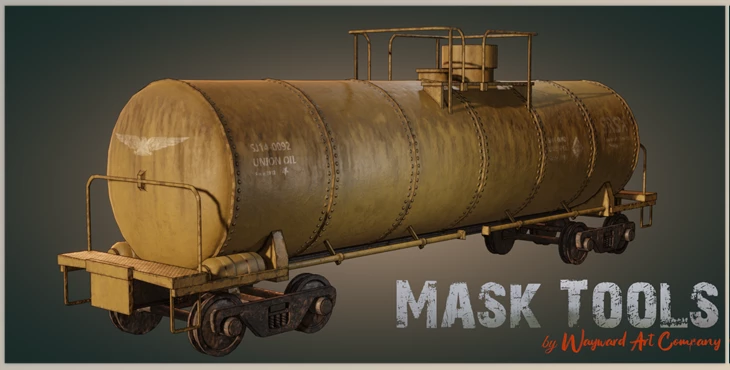
Mask Tools is an add-on that alters the process of creating texturing and complicated materials within Blender. Add the layers of paint and apply effects in order to create stunning models that look professional without needing to export them to any other software.

Gfx plugin details of Mask Tools - Blender Market

The product is in the category from Blender Market, for more information about this post, you can click on the home page link in the sidebar.
To search for similar products to Mask Tools - Blender Market, click here.

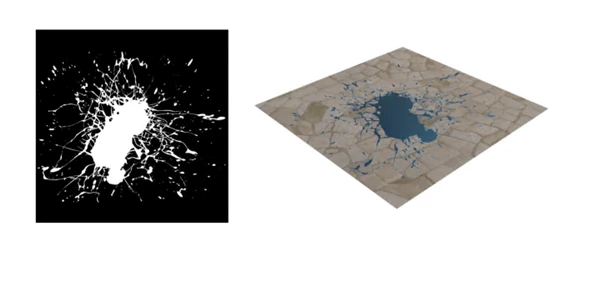
The images below show the mask image (left) used to separate two materials (right). 

After installing Mask Tools, you’ll find the options in the side panel of the Shader Editor. Here, you can click on the icon to open a dropdown menu that will display the different node options.
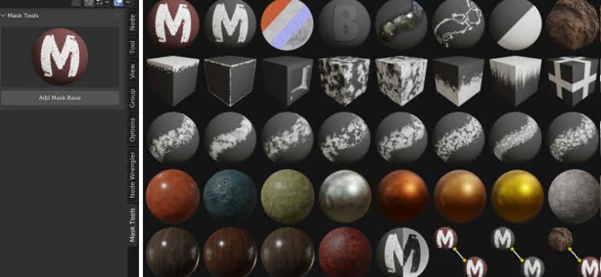
The icon will be visible in the panel window once you select the node you wish to use. Next, click the add button directly below the icon. The node will then follow your cursor until you release it by clicking on the mouse. These nodes can be used to layer and blend textures and materials on your 3D models.
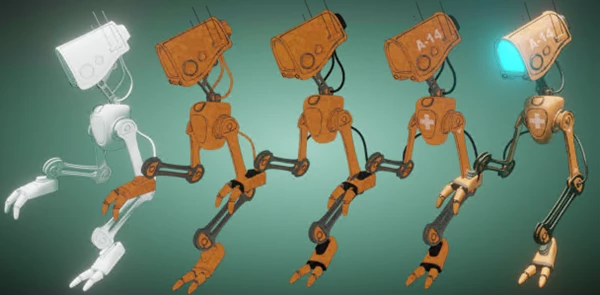

The Mask Base node is set as default and will likely be the node you’ll use most for texturing models. It has two sets of texture inputs which are outlined in red in the image below. These inputs are for the following texture types: color, metallic, roughness, normal, material bump, and displacement. 
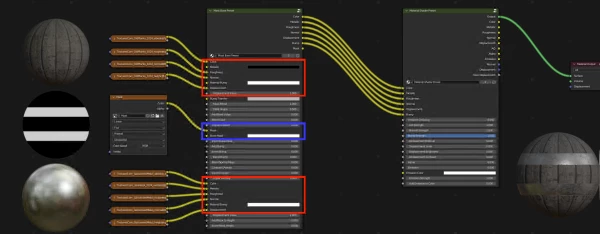

In this example, the top inputs add the wood plank material to the Mask Base node and a metal material for the inputs below. The spheres represent each to the left of the nodes. In the center is a black and white mask separating the two materials. The input for the mask is highlighted in blue. The result is applied to the sphere on the bottom right of the image.

Procedural effects, such as dust, edge detection, and a variety of grunge, are easily used to create amazingly realistic textures.

Make low-poly objects intricate models in only several steps. What could take days or even weeks to design can be accomplished in just a few minutes.

So, let go of the messiness of node trees. Mask Tools helps keep your node configuration clear and organized.

By using Distortion Masks, it is possible to apply an effect of procedural grunge onto your models and then continue to modify the shape, scale, and bump effects after you've painted.

Paint additional effects, such as alpha transparency emission and bump.

Mask Tools is perfect for game designers who want to create precise textures for their low-poly game assets.

You can now easily include a range of materials with this accessory. Each can be customized regarding roughness, scale, and color.

If you're texturing characters or the environment, you'll improve your workflow speed and see amazing results using Mask Tools.

Download Mask Tools - Blender Market v2.0 from the below link now!

Share:
Write your comment!

Dear user, you must first login to your account to write your comment.
Please click here to Log in

VIP For VIP Users
To download this product you need to subscribe to our VIP plan

DOWNLOAD NOW !

Product Attributes

  • Publish Date:about 4 years ago
  • Last Update: about 3 years ago
  • Likes: 2
  • Downloads: 33
  • Visits: 4.22K
  • Categories: Blender Market, Blender Assets
  • Home Page

  • File Type IconBlender Market – Mask Tools v1.9.rar (Size: 451.1 MB - Date: 10/17/2024 6:19:51 AM)
  • File Type IconBlenderMarket – Mask Tools v2.0.rar (Size: 4.8 MB - Date: 10/17/2024 6:19:45 AM)

Files Password : gfxplugin.com OR 123456
Similar cases

Download Blender Market – Procedural Flowmap v2.0
  • 977
  • 2023/12/20
  • 0
Blender Market, Blender Assets

Download Blender Market – Procedural Flowmap v2.0

Gumroad - Download Parallax Strands v2.0 for Blender
  • 236
  • 2025/10/21
  • 0
Gumroad

Gumroad - Download Parallax Strands v2.0 for Blender

Gumroad - Download Motion Node for Blender v2.0
  • 279
  • 2025/06/12
  • 0
Gumroad

Gumroad - Download Motion Node for Blender v2.0

Download Blender Market – Pbr Painter v2.4.11
  • 5.25K
  • 2024/03/09
  • 0
Blender Market, Blender Assets

Download Blender Market – Pbr Painter v2.4.11

Download Blender Market – Lineworks v2.0
  • 1.32K
  • 2023/07/02
  • 0
Blender Market, Blender Assets

Download Blender Market – Lineworks v2.0

Edge Wear - Blender Addon by Superhivemarket (v0.14.0)
  • 52
  • 2026/05/17
  • 0
Blender Market

Edge Wear - Blender Addon by Superhivemarket (v0.14.0)

Download Blender Market - Mudrock v2.0 - 50+ Procedural Mud Materials
  • 289
  • 2025/01/22
  • 0
Blender Market, Blender Assets

Download Blender Market - Mudrock v2.0 - 50+ Procedural Mud Materials

Download Blender Market – Quick Snow v4.0
  • 1.74K
  • 2025/02/11
  • 1
Blender Market, Blender Assets

Download Blender Market – Quick Snow v4.0

  • 32,510Products
  • 1,534,867Downloads
  • 49,458,568Viewers
GFXPlugin.com

Our team started in 2020 and the goal of creating GFXPlugin.com is to help graphic designers all around the world.

PAYMENTS WE ACCEPT

Payment

Links
  • Home
  • Login
  • SignUp
  • Terms & Conditions
  • Contact Us
  • GFX Plugin Blog
Categories
  • After Effects
  • Premiere Pro
  • Photoshop
  • Illustrator
  • LUTS
  • Cinema 4D
  • Final Cut Pro
  • Tutorial
  • 3D-Models
  • Blender Assets
  • SOUND EFFECTS
  • AeScripts
  • VIDEOHIVE
  • Motionarray
  • Software
  • RSS feed

Copyright 2026 GFXPlugin.com, All Rights Reserved.