Downloadable Files
You can download loopFlow for free at the bottom of this page.
Make a Still Image Feel Alive
Have you ever looked at a photo and thought:
“If only the water could flow… the smoke could move… or the fabric could gently wave…” That’s exactly what loopFlow is made for. loopFlow is an After Effects plugin that lets you animate still images into seamless looped videos — often called Cinemagraphs or Plotagraphs.
Instead of doing complex manual animation, you simply define the motion area and direction using masks, and loopFlow generates a smooth loop automatically.
What LoopFlow Does (In Simple Terms)
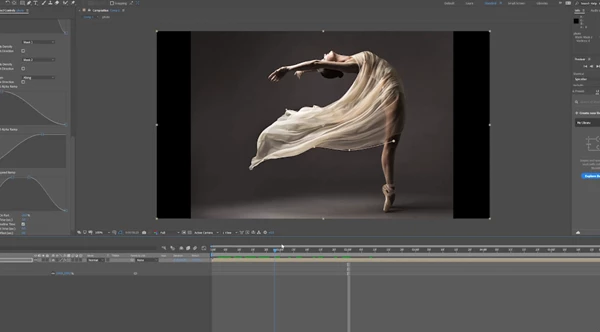
At its core, loopFlow creates motion by sliding a selected part of the image along a mesh that is generated between two masks.
Simple definition
loopFlow is a tool that turns a still image into a looping animation by moving a defined area smoothly between two mask zones.
Where you can use it (real examples)
loopFlow is perfect for creating motion in:
- Flowing water (rivers, waterfalls, fountains)
- Smoke and fog (chimneys, mist, atmospheric haze)
- Flying particles (dust, sparks, embers)
- Fire and flames
- Hair, fur, and fabric
- Patterns and textures (neon designs, abstract surfaces)
Why these features improve your results
Because loopFlow focuses on continuous movement and seamless looping, your animation doesn’t feel like a basic effect.
It looks more like a real moving scene — smooth, natural, and professional.
Introducing loopFlow (A Professional Tool for Cinemagraphs)
loopFlow is designed for creators who want to turn still images into high-quality loops quickly — without heavy setups, 3D work, or frame-by-frame animation.
Basic workflow
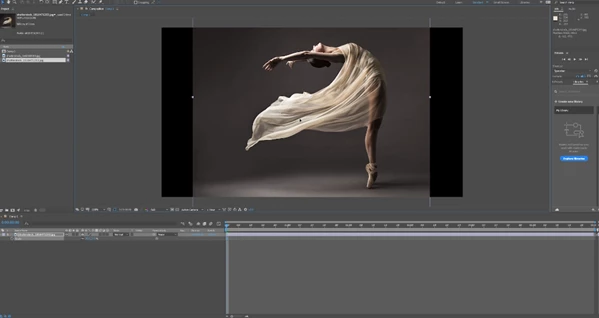
- Add a still image to a composition.
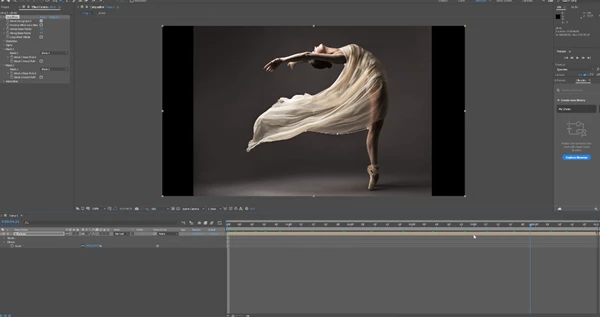
- Draw two masks on the image layer.
(Best results happen when both masks are drawn in the same direction.) - Apply the loopFlow effect and assign your masks in the Mask1 and Mask2 sections.
- Done!
The default loop duration is 3 seconds, and you can adjust it in the Animation settings.
Features
🎭 Two-Mask Based Animation
- The animated area is defined by two masks.
This gives you full control over what moves and what stays still.
🔁 Seamless Looping
- Creates a perfect loop, with options to start or stop the cycle.
This helps you make a smooth, repeating motion without visible jumps.
↔️ Forward and Backward Motion
- Motion can go forward or backward.
Great for creative control and reversing natural effects like smoke or fabric flow.
🌫 Multiple Blend Styles
- Blend can be linear, soft-noised, or wiped.
This controls how smoothly the moving area blends into the still part of the image.
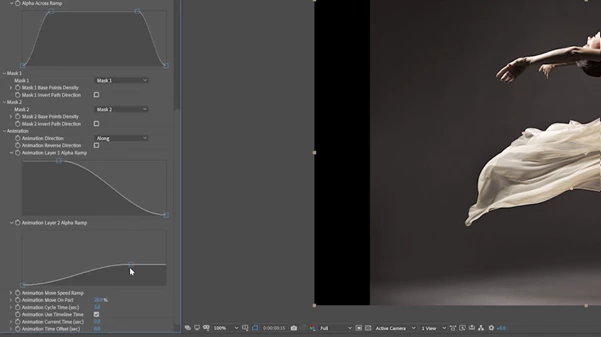
📈 Curve-Controlled Transitions
- Blend transitions can be controlled with curves separately for both layers.
This allows you to shape motion in a more realistic way.
🌀 Optional Distortion
- Add distortion for more natural motion.
This helps avoid the “flat sliding texture” look and makes effects feel organic.
⚡ Speed Ramp
- Dynamically change the flow speed over time.
This is a key feature for making movement feel alive instead of mechanical.
Pro Tips for Better and More Natural Results
loopFlow is easy to use, but these tips will make your work look much more professional:
Draw masks with the same direction
This makes the mesh movement cleaner and prevents weird motion artifacts.
Use loopFlow for continuous motion
loopFlow works best for motion that naturally repeats:
- water
- smoke
- fire
- particles
- fabric waves
Use distortion carefully
Even small distortion makes a huge difference in realism — just don’t overdo it.
Avoid constant speed
Use Speed Ramp so the animation speeds up and slows down naturally.
Pick the right blend mode
If edges look obvious, try different blend types:
- Soft noise = most natural
- Wiped = stylized look
- Linear = clean, but can look artificial for organic motion
Final Thoughts
If you want to create cinematic loops from still images inside After Effects, loopFlow is a powerful and creative solution. It’s fast, easy to learn, and can produce results that look like real video — especially when you combine blending, distortion, and speed ramping. Whether you’re making:
- Cinemagraphs
- Motion posters
- Music visuals
- Social media loops
- Atmospheric animation for video edits
loopFlow can seriously upgrade your workflow and your final output.
 Aescripts - loopFlow v1.3.3 (Mac).rar (Size: 4.0 MB - Date: 2/14/2026 2:18:26 PM)
- Aescripts - loopFlow v1.3.3 (Win).rar (Size: 623.0 KB - Date: 2/14/2026 2:18:24 PM)
- Aescripts loopFlow v1.3.0 (Win, Mac).rar (Size: 13.2 MB - Date: 10/17/2024 4:38:38 AM)
- Aescripts loopFlow v1.3.1 (Win, Mac).rar (Size: 8.0 MB - Date: 10/17/2024 4:38:37 AM)
- Aescripts loopFlow v1.2.1 (Win).rar (Size: 613.9 KB - Date: 10/17/2024 4:38:37 AM)
- Aescripts loopFlow v1.2 (WIN).rar (Size: 81.9 MB - Date: 10/17/2024 4:38:37 AM)
- Aescripts loopFlow v1.1.1 (WIN, MAC).rar (Size: 90.3 MB - Date: 10/17/2024 4:38:37 AM)
- Aescripts loopFlow v1.0 (WIN).rar (Size: 682.8 KB - Date: 10/17/2024 4:38:35 AM)
Files Password : gfxplugin.com OR 123456
4/11/2023 10:01:30 AM
copy file aex to folder: C:\Program Files\Adobe\Common\Plug-ins\7.0\MediaCore
4/11/2023 7:23:07 AM
Crack kaise hoga sir