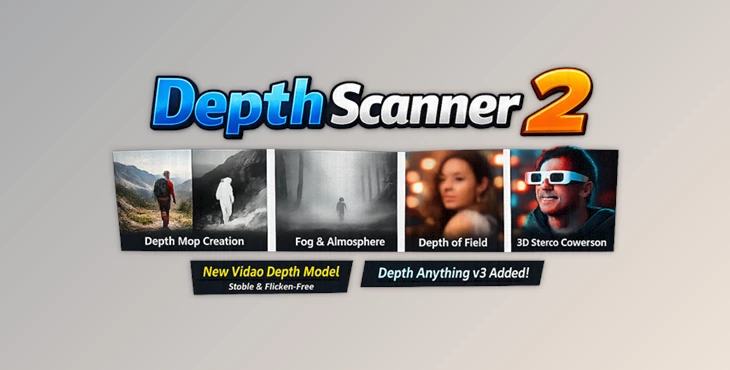
Downloadable Files
You can download Depth Scanner for free at the bottom of this page.
Ever Wanted a “Depth Map Button” for Your Footage?
Sometimes you’re editing a shot, and you just wish you could separate the foreground from the background instantly—without roto, without masks, and without wasting hours. That’s exactly what Depth Scanner 2 does. This AI-based plugin automatically generates depth maps from both images and videos, letting you apply effects based on how near or far each pixel is. And the biggest upgrade in this version is native video depth estimation, which means you get flicker-free results across multiple frames—something older depth tools often struggle with. If you’ve ever tried depth-based effects and ended up with unstable, shimmering depth maps… this is the fix.
Depth Maps Explained (In a Simple Way)
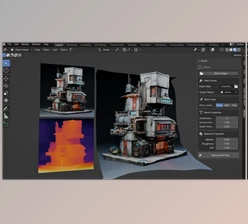
A depth map is a special black-and-white version of your footage where:
- White = closer to the camera
- Black = farther away
- Gray values represent distances between
So what can you actually do with it?
Depth maps can be used in real post-production workflows, like:
- Adding fog that naturally increases in the distance
- Converting footage into stereo-3D
- Depth-based grading (different color or exposure depending on distance)
- Creating depth of field using After Effects blur tools
- Making slicing effects based on pixel depth
Why do these features improve your results?
Because depth maps allow you to control effects based on real spatial depth, not manual masks.
That means:
- smoother transitions
- more realistic visuals
- faster workflows
- fewer time-consuming manual steps
Depth Scanner 2: A Professional Tool for Depth Estimation
Depth Scanner 2 is a professional AI plugin designed to make depth extraction easy, fast, and reliable. It helps you generate depth maps from footage with minimal effort, then use them in post-production for creative or technical effects. It’s available for:
- macOS (11.5+)
- Windows
Features
1) Native Video Depth Estimation
This is the most important feature of Depth Scanner 2. Instead of estimating depth frame-by-frame (which causes flicker), it uses a new video depth estimation model designed to work across multiple frames. Result:
✅ Stable depth maps
✅ Flicker-free output
✅ More usable for real projects
2) 8 Models (Including 4 New Ones)
Depth Scanner 2 now includes 8 different depth estimation models. This matters because different footage types can produce different results. With 8 models, you can choose the one that works best for:
- close-ups
- wide shots
- complex environments
- high-detail scenes
- cinematic footage
3) 20+ Color Maps
Depth Scanner 2 includes 20+ color maps. These are useful for:
- visualizing depth clearly
- checking if the depth is correct
- creating colorful depth-based effects
4) Create Cool Slicing Effects
With Depth Scanner 2, you can slice parts of your footage based on depth. This opens up creative options like:
- layered cut-out looks
- depth transitions
- futuristic scan and slice effects
- stylized motion graphics
5) Depth-Based Grading
You can apply grading effects and control their intensity based on depth. For example:
- brighten the subject while darkening the background
- Add contrast only in the foreground
- desaturate distant areas for cinematic separation
This makes your footage feel more professional and visually deep.
6) Post-Process Depth of Field
Depth Scanner 2 works perfectly with After Effects blur tools. You can generate a depth map and then:
- blur the background naturally
- keep the foreground sharp
- control blur intensity with depth
This is a powerful way to simulate shallow depth of field when you didn’t shoot with a fast lens.
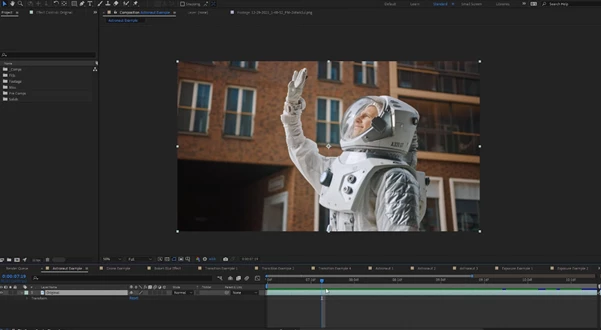
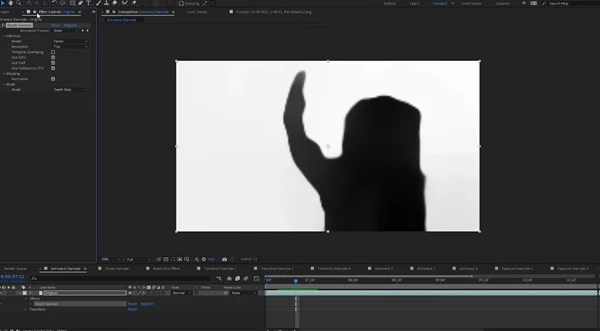
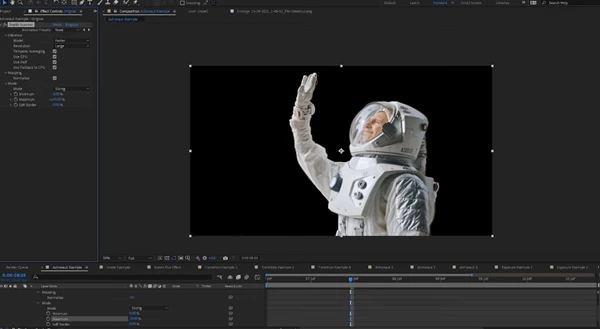
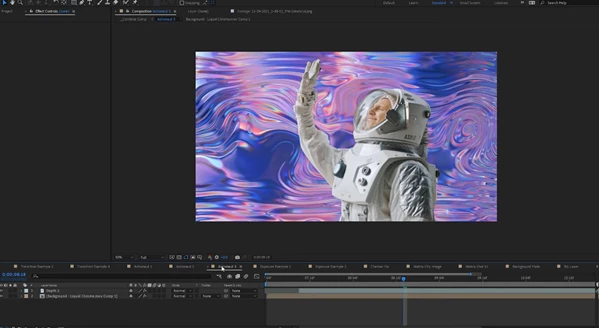
Pro Tips for Cleaner and More Professional Results
To get the best output from Depth Scanner 2, these tips will help:
Try multiple models
If one model produces noisy edges or incorrect depth, switch to another model.
That’s why Depth Scanner 2 includes 8 options.
Keep depth effects subtle
Depth-based effects look best when they’re natural.
Fog and depth of field usually work better when applied gently.
Use color maps to check depth
Before applying effects, preview your depth map with a color map.
It’s the fastest way to see if the AI correctly understands the scene.
Make the depth of field look realistic
Avoid hard blur transitions.
A smooth blur falloff makes the final look much more cinematic.
Slicing effects look better with motion
Depth slicing looks more premium when you animate the slices slowly and combine them with glow or soft light.
Final Thoughts
Depth Scanner 2 is more than just a depth plugin—it’s a serious workflow upgrade. The new native video depth estimation model finally gives you stable, flicker-free depth maps, which makes depth-based editing much more practical for real projects. With:
- 8 AI models
- native video depth
- 20+ color maps
- creative depth slicing
- depth-based grading
- depth of field control
…Depth Scanner becomes a powerful tool for anyone who wants to add cinematic depth effects without spending hours on manual masking. If you want to explore depth-based post-processing, Depth Scanner is absolutely worth trying.
 Depth Scanner (2) Native Video Depth Estimation by Aescripts (Win-v2.6.58).rar (Size: 3.9 MB - Date: 6/11/2026 11:30:58 AM)
- Depth Scanner (2) Native Video Depth Estimation by Aescripts (Win-v2.5.54).rar (Size: 3.7 MB - Date: 4/13/2026 12:27:01 PM)
- Aescripts - Depth Scanner 2 v2.4.47 (Win).rar (Size: 3.7 MB - Date: 2/16/2026 10:21:48 AM)
- Aescripts - Depth Scanner 2 v2.4.46 (Win).rar (Size: 6.6 MB - Date: 1/31/2026 11:57:20 AM)
- Aescripts - Depth Scanner 2 v2.4.45 (Win).rar (Size: 6.4 MB - Date: 1/29/2026 2:20:10 PM)
- Aescripts - Depth Scanner 2 v2.4.42 (Win).rar (Size: 3.9 MB - Date: 11/29/2025 1:49:25 PM)
- Aescripts - Depth Scanner 2 v2.3.40 (Win).rar (Size: 3.9 MB - Date: 10/19/2025 12:14:26 PM)
- Aescripts - Depth Scanner 2 v2.3.39 (Win).rar (Size: 3.9 MB - Date: 10/18/2025 7:13:32 PM)
- Aescripts - Depth Scanner 2 v2.3.35 (Win).rar (Size: 5.1 MB - Date: 8/5/2025 10:54:51 AM)
- Aescripts - Depth Scanner 2 v2.3.31 (Win, Mac).rar (Size: 6.5 MB - Date: 7/19/2025 2:05:55 PM)
- Aescripts - Depth Scanner 2 v2.3.29 (Win).rar (Size: 5.1 MB - Date: 7/15/2025 12:47:11 PM)
- Aescripts - Depth Scanner 2 v1.2.28 (Win).rar (Size: 5.1 MB - Date: 7/2/2025 2:39:39 PM)
- Aescripts - Depth Scanner 2 v1.16.20.rar (Size: 5.1 MB - Date: 5/13/2025 1:41:44 PM)
- Aescripts - Depth Scanner v1.16.19 (Win).rar (Size: 5.5 MB - Date: 4/23/2025 12:13:10 PM)
- Aescripts - Depth Scanner v1.16.16 (Win).rar (Size: 5.4 MB - Date: 4/17/2025 1:21:20 PM)
- Aescripts - Depth Scanner v1.16.15 (Win).rar (Size: 6.5 MB - Date: 4/7/2025 12:50:48 PM)
- Aescripts Depth Scanner v1.16.3 (Mac).rar (Size: 51.9 MB - Date: 1/11/2025 11:59:29 AM)
- Aescripts Depth Scanner v1.16.3 (Win).rar (Size: 6.5 MB - Date: 1/11/2025 11:59:23 AM)
- Aescripts Depth Scanner v1.3.3 – GPU (WIN).rar (Size: 2.9 GB - Date: 10/17/2024 4:10:49 AM)
- Aescripts Depth Scanner 1.14.0 (Win).rar (Size: 7.7 MB - Date: 10/17/2024 4:08:17 AM)
- Aescripts Depth Scanner v1.15.8 (Win).rar (Size: 7.6 MB - Date: 10/17/2024 4:08:16 AM)
- Aescriprs Depth Scanner V1.10.0 (Win).rar (Size: 3.8 MB - Date: 10/17/2024 4:08:16 AM)
- Aescript Depth Scanner 1.7.2 (Win-Cpu-Gpu).rar (Size: 1.9 MB - Date: 10/17/2024 4:08:16 AM)
- Aescriprs Depth Scanner 1.9.5 (Win).rar (Size: 3.8 MB - Date: 10/17/2024 4:08:16 AM)
Files Password : gfxplugin.com OR 123456
10/11/2023 8:20:00 AM
At this time just the Windows version is available.
10/10/2023 10:48:56 PM
Is there any chance to get macOS version, please?