Downloadable Files
You can download SFXLab for free from the bottom of this page.
Generate Sound Effects Directly on Your Timeline
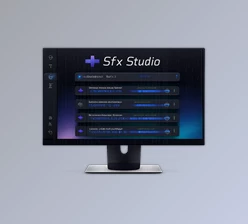
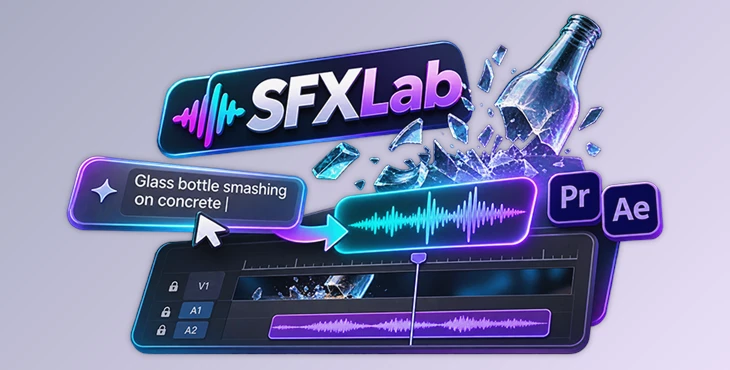
SFXLab is a sound effect generation extension for Adobe Premiere Pro and After Effects. It turns written descriptions into audio files and places them directly on your editing timeline.
Finding the right sound effect often involves searching through audio libraries, downloading files, and importing them into your project. SFXLab offers a different approach. Simply describe the sound you need, set its duration, and generate it inside your editing software.
The extension includes a local AI model that runs on your computer and an optional ElevenLabs model for generating longer sound effects.
How SFXLab Works
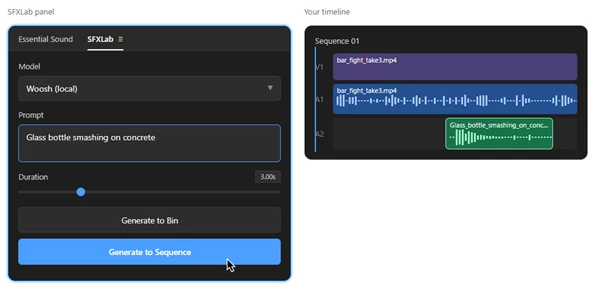
The extension uses a text prompt to understand what kind of sound you want. For instance, if you need the sound of a glass bottle breaking during a scene, you can enter "Glass bottle smashing on concrete" into the prompt field.
The generation process is straightforward:
Open the SFXLab panel.
Select your preferred sound generation model.
Enter a description of the sound.
Set the audio duration.
Generate the sound effect.
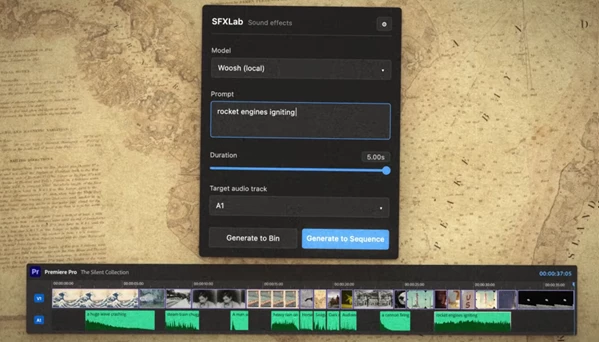
In Premiere Pro, you can generate the audio directly into your project bin or place it on your selected audio track at the current playhead position.
The generated file is also saved in your project's SFX folder and organized inside a dedicated _SFXLab bin.
In After Effects, the generated sound is added as an audio layer inside your composition.
Two Sound Generation Models
SFXLab provides two models within the same panel. Each model has different processing methods, duration limits, and output formats.
Feature | Woosh | ElevenLabs |
|---|---|---|
Processing | Local | Online |
Maximum duration | 5 seconds | 22 seconds |
Audio format | WAV | MP3 |
Internet connection | Not required | Required |
API key | Not required | Required |
Woosh – Local Sound Generation
Woosh, developed by Sony AI, generates sound effects directly on your computer. It works offline and does not upload your prompts or project information to an external service.
The model generates WAV audio files with a maximum duration of five seconds. There is no generation limit when using the local model.
The Advanced section includes three additional settings:
Steps: Controls the number of processing steps during generation.
Seed: Controls the starting variation used to generate the sound.
Guidance: Controls how closely the generated sound follows your written description.
Local processing is particularly useful when working on confidential or unreleased projects where descriptions of scenes need to remain private.
ElevenLabs – Longer Sound Effects
The optional ElevenLabs model supports sound effects lasting up to 22 seconds. You can specify the duration yourself or let the model determine a suitable length.
To use this model, connect your ElevenLabs API key through the extension's Settings panel. Unlike Woosh, this model produces audio in MP3 format.
It is suitable for sounds that need more time to develop or continue beyond the local model's five-second limit.
Where SFXLab Fits into Your Editing Workflow
SFXLab is useful for editors and motion designers who need specific sounds that are difficult to find in existing audio libraries.
Some possible uses include:
Film and video editing: Generating sounds that match actions within a scene.
Motion graphics: Adding sound effects to animated text, shapes, and visual elements.
Social media videos: Producing short audio effects for visual changes and transitions.
Sound design: Generating different sound variations from written descriptions.
Confidential projects: Producing sound effects locally without sending prompts to an online service.

Files Password : gfxplugin.com OR 123456