Downloadable Files
You can download Balloonify for free from the bottom of this page.
Turn Flat Designs into Inflatable Balloons
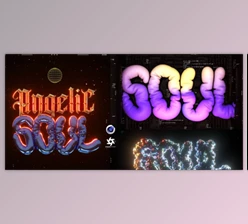
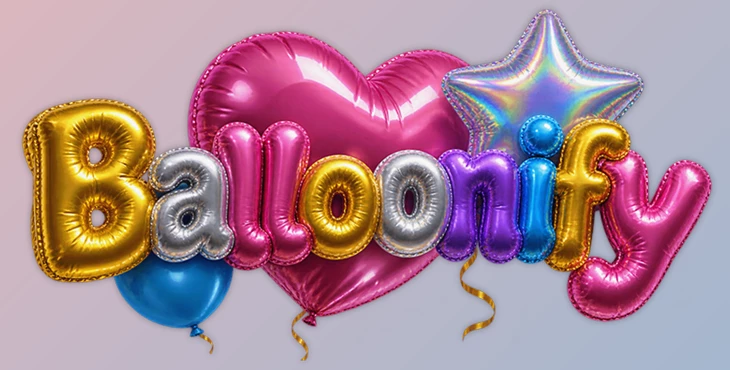
Balloonify is an After Effects effect that turns text, shape layers, and logos into realistic balloons. It gives flat graphics a rounded surface with reflections, wrinkles, seams, and soft shadows.
The effect provides controls for changing how full a balloon looks, what material it is made of, and how light reflects from its surface. These settings can be animated to make balloons inflate, deflate, or change their appearance over time.
12 Ready-to-Use Balloon Presets
Balloonify comes with 12 presets that change all the effect settings at once. Each preset provides a different surface finish or balloon shape.
Preset | Appearance |
|---|---|
Default | Standard balloon appearance |
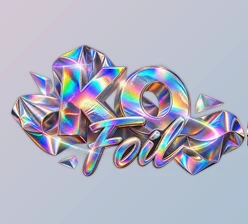
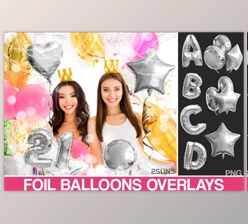
Foil | Reflective metallic surface |
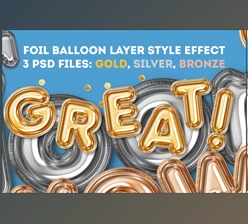
Foil Gold | Golden metallic finish |
Foil Rose Gold | Rose gold metallic finish |
Foil Silver | Silver metallic finish |
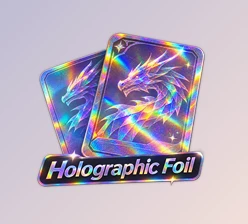
Holographic | Colorful, reflective surface |
Glossy Latex | Smooth and shiny latex |
Matte Latex | Latex with reduced shine |
Satin | Soft satin finish |
Clear | See-through balloon |
Tight Jumbo | Fully inflated balloon |
Half Deflated | Partially inflated balloon |
Each preset serves as a starting point. All its settings remain adjustable after it is applied.
Control Balloon Inflation and Shape
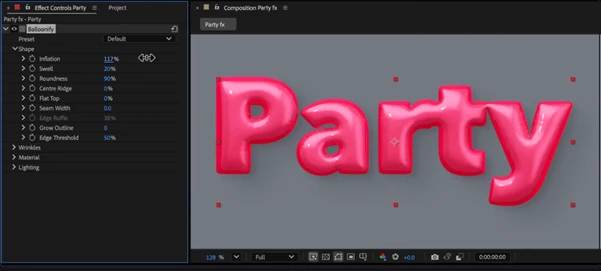
The Inflation setting controls how much air the balloon appears to contain. Lower values produce a nearly flat shape, while higher values give it a fuller appearance.
The Swell control changes the outline of the balloon, moving its edges inward or outward as it fills.
Both settings are useful for animated typography and graphics. For instance, animating Inflation from 8% to 130% produces the appearance of a balloon filling with air until it becomes overinflated.
Wrinkles and Surface Details
Real balloons often have small folds, dents, and creases around their edges. Balloonify includes separate controls for these details.
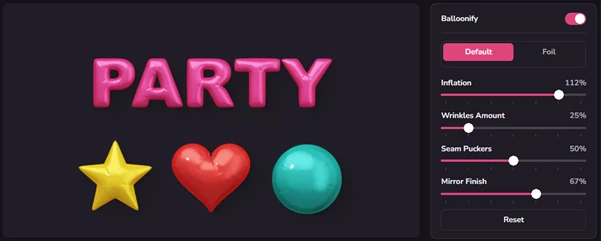
Wrinkles Amount: Changes the overall strength of surface wrinkles.
Seam Puckers: Adjusts the small folds around the seams.
Dents: Controls dents on the balloon surface.
Crinkle: Adjusts the crinkled appearance of the material.
Random Seed: Generates a different pattern of creases.
The wrinkle settings can produce anything from a smooth balloon to a heavily creased foil surface.
Customize Materials and Lighting
The material controls determine how the balloon surface looks and reacts to light. Mirror Finish changes the surface from latex to reflective metallic foil.
Roughness adjusts the surface finish, while Rainbow Sheen, See-Through, and Glitter provide additional material options.
The lighting settings include:
Control | Function |
|---|---|
Light Direction | Changes the position of the main highlight |
Sparkle | Adjusts the bright reflection |
Tilt Left-Right | Turns the balloon horizontally relative to the light |
Tilt Up-Down | Turns the balloon vertically relative to the light |
Vary Per Piece | Gives individual letters slightly different lighting |
Shadow | Controls the strength of the soft shadow |
Animating Light Direction through 360 degrees moves the highlight around the balloon. The tilt controls produce a different effect by making the balloon appear to turn toward or away from the light.
Working with Individual and Connected Shapes
Balloonify detects shapes based on the transparent areas of a layer. When applied to a text layer, each separate letter inflates as an individual balloon.
The Grow Outline control connects shapes that are close to each other, allowing them to form a single balloon.
To combine several layers into one inflatable shape, precompose the layers and apply Balloonify to the resulting precomposition.
Simple, bold graphics generally produce the best results. Thick fonts, rounded logos, and solid icons have enough surface area to develop a rounded appearance. Small text, thin lines, and detailed graphics are less suitable because they have limited space to expand.
When applied to fully opaque footage, the effect treats the entire frame as one shape.
Where Balloonify Fits into Motion Design
The combination of animated inflation, reflective materials, and adjustable lighting is suitable for projects such as:
Birthday titles with golden foil letters.
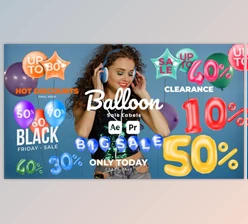
Promotional banners with colorful latex balloons.
Animated numbers for celebrations.
Inflatable logos and brand graphics.
Playful typography and decorative icons.
Party and event motion graphics.

Files Password : gfxplugin.com OR 123456