Downloadable Files
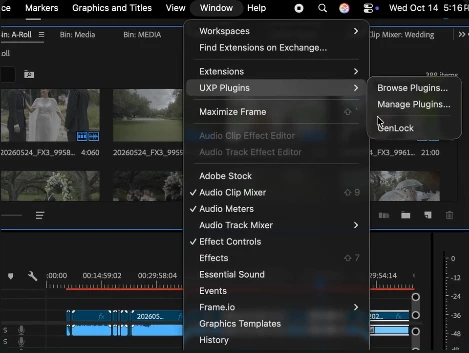
You can download GenLock for free from the bottom of this page.
Sync Multiple Cameras and Audio Recordings in One Click
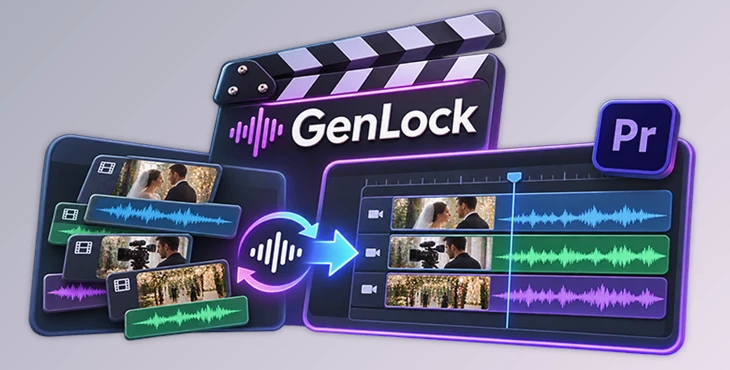
GenLock is an audio synchronization plugin for Adobe Premiere Pro. It matches video clips and audio recordings by analyzing their sound, then places them in sync on your timeline. It is built to handle recordings that Premiere's standard Synchronize feature may struggle to match.
You can put clips from different cameras and audio recorders on a single track. GenLock identifies which recordings belong together, moves them to separate layers, and lines them up automatically.
The plugin is designed for wedding videographers, event editors, and run-and-gun shooters who often work with many cameras and audio sources.
How GenLock Handles Audio Synchronization
GenLock uses the sound recorded in each clip to find matching sections. It can work with recordings that have poor audio quality or only share a short period of overlapping sound.
Its main synchronization capabilities include:
Quiet recordings: Matches audio captured in quiet rooms where there may be very little sound to compare.
Muddy or distant audio: Finds matches even when recordings have unclear or distant sound.
Partially overlapping recordings: Syncs clips that share only part of their recorded audio.
Mixed frame rates: Handles footage from cameras recording at different frame rates.
Long audio recordings: Matches shorter camera clips against a recorder that has been running throughout an event.
Multiple sources: Processes dozens of clips from different cameras and recorders.
If two clips have no matching audio, GenLock leaves them in their original positions. It reports these recordings as solo rather than moving them without a reliable match.
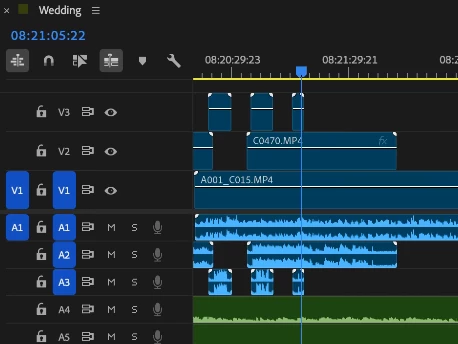
Sync Selected Clips or the Entire Timeline
The GenLock panel includes three main commands:
Command | What it does |
|---|---|
Sync | Synchronizes the selected clips. |
Sync All | Processes the entire timeline in one operation. |
Revert | Returns clips to their original positions. |
GenLock can organize clips that have been placed together on a single track. After analyzing the audio, it moves each source to its own layer and arranges matching recordings into synchronized sections.
The result is a series of synced groups that you can start editing.
Unlike workflows that require a separate multicam sequence, GenLock rebuilds the sequence directly in the Premiere timeline. Its matching engine runs in the background, so there is no need to export clips to another application or import synchronized files back into the project.
Working with Large Projects
Wedding and event projects can contain hundreds of clips recorded across several cameras and audio devices. GenLock is designed to process these larger timelines without requiring clips to be sorted before synchronization.
According to the developer, GenLock can synchronize a wedding project containing 406 clips in approximately one minute on an M4 Max MacBook Pro. Actual processing time may vary depending on the computer and project.
The ability to match long recordings with shorter clips is particularly relevant when a separate audio recorder runs continuously while cameras start and stop throughout an event.

Files Password : gfxplugin.com OR 123456