Downloadable Files
You can download Real Lenses for free from the bottom of this page.
Add Realistic Glass and Optical Effects to Your Footage
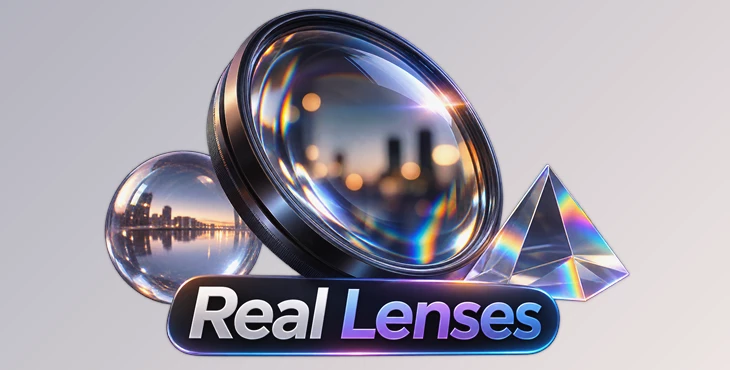
Real Lenses is a GPU-accelerated plugin that creates realistic glass effects, lens distortion, depth of field, and bokeh in video footage. It uses ray tracing to simulate how light passes through real glass and camera lenses.
The plugin works with After Effects, Premiere Pro, DaVinci Resolve, and Nuke. You can place objects like crystal balls, magnifying glasses, and prisms in front of your footage. Real Lenses calculates refraction, reflections, and color fringes based on the glass material and shape.
One important feature is its support for depth passes. This helps the plugin understand how far objects are from the camera and apply blur or distortion based on their distance.
Glass Objects and Optical Materials
Real Lenses includes different glass shapes, such as biconvex, biconcave, plano, meniscus, and ball lenses. Each object has controls for its diameter, curvature, distance, position, and rotation.
You can choose from five optical materials:
Crown glass
Flint glass
Fused silica
Diamond
Water
Each material bends and separates light differently. The plugin traces individual wavelengths to produce realistic color separation along edges and bright areas.
Other controls include glass coatings, housing finishes, surface wear, Fresnel reflections, and total internal reflection.
Depth of Field and Real Camera Lenses
Real Lenses can use a depth pass to apply focus and blur based on the actual distance of objects in a scene.
For example, a person can remain in focus while an object closer to the camera becomes blurry. The amount of blur changes with the distance between objects.
Supported depth sources include 3D render Z passes, Quick Depth in After Effects, and Depth Map in DaVinci Resolve Studio. The plugin accepts different depth directions and disparity maps, with near and far distances measured in metres.
For camera simulation, Real Lenses offers several lens designs:
| Lens model | Optical characteristics |
|---|---|
| Ideal Thin Lens | Basic lens simulation |
| Double-Gauss | Realistic optical aberrations and flares |
| Cooke Triplet | Three-element lens design |
| Petzval | Characteristic swirl and optical distortion |
| Retrofocus | Wide-angle lens characteristics |
| Telephoto | Long-focal-length lens characteristics |
The camera controls include focus distance, defocus amount, aperture settings, distortion, and vignetting.
Bokeh, Lens Flares, and Aperture Controls
Bright points in footage can turn into bokeh shapes based on the selected camera lens and aperture.
Real Lenses supports round bokeh, hexagonal shapes, anamorphic ovals, soap-bubble edges, and cat-eye bokeh near the frame edges.
You can change the number of aperture blades, iris rotation, roundness, and bokeh rim appearance. Highlight Boost targets isolated bright areas without affecting large bright regions in the same way.
The plugin creates lens flares using reflections between glass surfaces. The selected lens design affects the flare pattern, while starburst effects follow the aperture shape.
Presets and Lens Browser
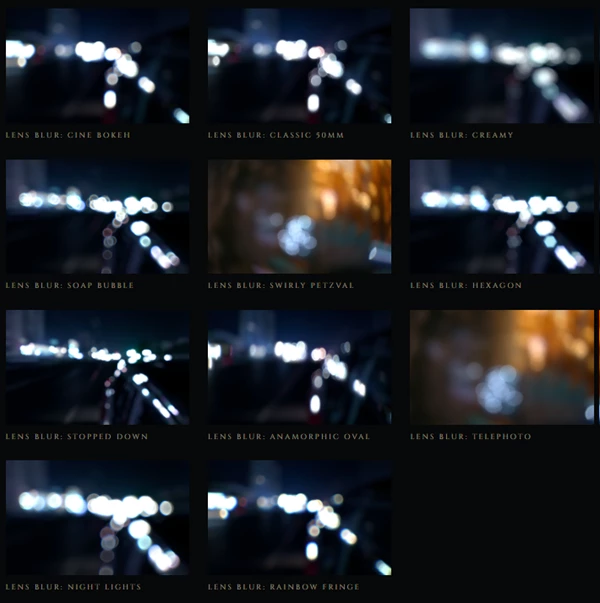
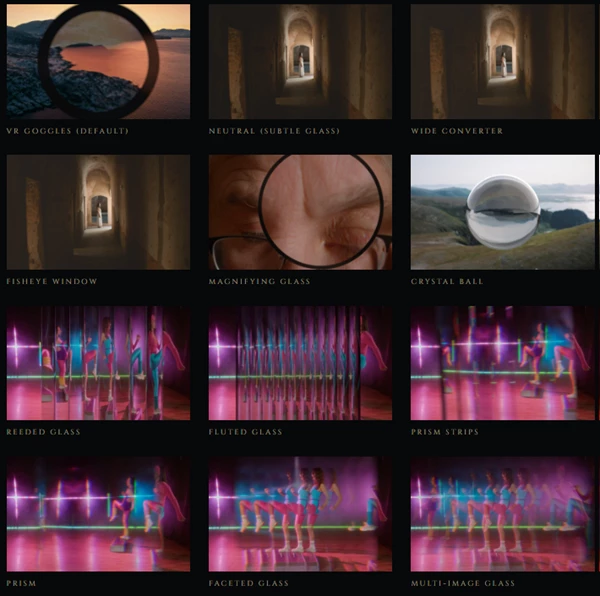
Real Lenses includes 29 presets, divided into 15 glass looks and 14 lens blur looks.
Glass presets include Crystal Ball, Magnifying Glass, VR Goggles, Fisheye Window, Reeded Glass, Fluted Glass, Prism Strips, and Faceted Glass.
Lens blur presets cover different styles, including Cine Bokeh, Creamy, Soap Bubble, Swirly Petzval, Anamorphic Oval, Night Lights, and Rainbow Fringe.
The Lens Browser displays each option with a rendered thumbnail and short description. You can search for a lens or filter the available glass and camera designs.
A live Lens Preview shows the selected object's shape, glass material, curvature, housing, and coating.
Animation and Rendering Controls
In After Effects, Real Lenses provides on-screen controls for moving, resizing, tilting, and changing the distance of glass objects. The distance range extends from 1 cm to 100 m in front of the camera.
In Premiere Pro and DaVinci Resolve, position, distance, and rotation controls can be animated with keyframes.
The Mix to Original slider gradually removes the optical effect and returns the footage to its original appearance.
Real Lenses also includes motion blur for animated glass, adjustable render samples, and a built-in denoiser. Lower preview sample counts help keep playback responsive, while higher sample counts are available for final rendering.
Reflections can come from the footage itself or a separate 360-degree environment layer.

Files Password : gfxplugin.com OR 123456