Downloadable Files
You can download Light Flares for free from the bottom of this page.
Add Realistic Lens Flares to 2D and 3D Scenes
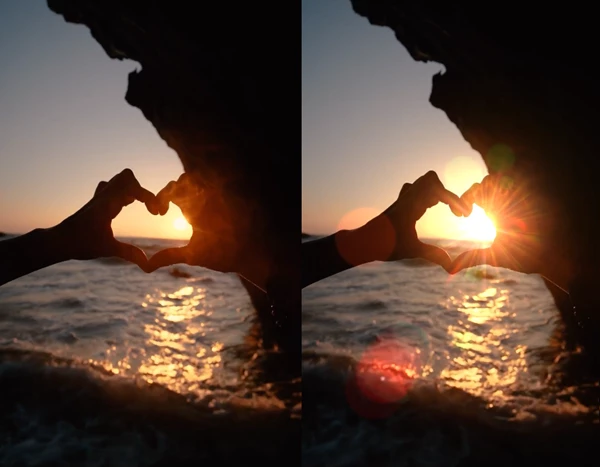
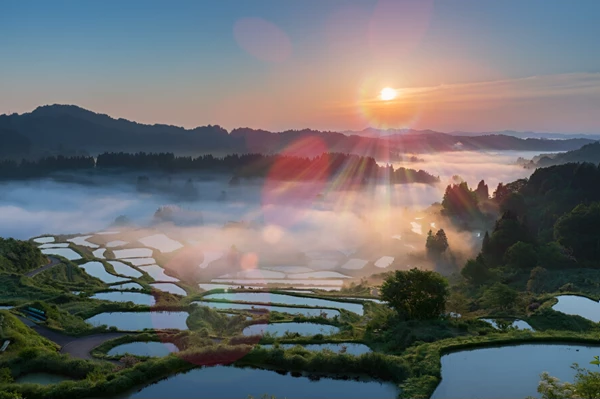
Light Flares is an After Effects tool for creating realistic lens flare effects in 2D and 3D scenes. It produces light streaks, rings, spots, and other optical effects that appear when bright light enters a camera lens.
The effects are layer-based, work quickly, and can be reused in other projects. Light Flares includes 49 ready-made presets and an editor for creating custom effects. You can use it to add sunlight, enhance vehicle headlights, or give a scene a more cinematic look.
Lens Flare Types and Lighting Effects
Light Flares supports different lens flare styles, including anamorphic and veiling flares. Each creates a different lighting effect.
Anamorphic Lens Flare
Anamorphic flares appear as long horizontal streaks of light, often blue. They form when a bright light source hits an anamorphic lens.
This style works well for scenes with strong light sources, such as car headlights or bright lights in cinematic footage.
Veiling Flare
Veiling flare creates a soft lighting effect that lowers the contrast of an image without producing clearly defined rings or streaks.
It often appears when a strong light source is just outside the camera frame. This effect can give footage a softer and more natural look.
49 Presets and Custom Flare Controls
Light Flares comes with 49 ready-made presets for adding different lighting effects to your scenes. You can start with an existing preset or build a custom flare in the editor.
The editor supports several options:
Combine presets: Mix existing flare effects to create different looks.
Add objects: Include additional elements in your flare.
Type: Choose the type of flare element.
Color: Change the colors of the light effects.
Size: Control the size of flare elements.
Position and offset: Move and arrange the elements.
Rotation angle: Adjust the direction of the flare.
These settings help you match the flare to the light source and the visual style of your footage.
Layer-Based Effects and Reusable Flares
Light Flares uses a layer-based system. Once you create a flare, you can keep it and reuse it in future projects without rebuilding the effect.
The tool is designed for fast performance, including when working with 2D and 3D scenes. You can edit existing flares in the editor when you need a different color, position, size, or arrangement.
Where to Use Light Flares
Light Flares can be used in different types of video and animation projects, including:
Films: Add realistic sunlight, sunset effects, or cinematic lighting.
Commercials: Highlight products, vehicles, or bright light sources.
Music videos: Add colorful streaks and dramatic lighting.
Motion graphics: Include animated-looking optical light effects in compositions.
CGI: Add lens effects to computer-generated scenes.
Social media videos: Give short videos a more stylized appearance.
Beyond visible light streaks, flares can help blend scene elements and create a more consistent color tone. They can also add a dreamy or magical atmosphere when used with soft lighting and bright highlights.

Files Password : gfxplugin.com OR 123456