Downloadable Files
You can download Color Precision Fujifilm Lightroom Profiles Presets for free from the bottom of this page.
Recreate Fujifilm Film Colors in Lightroom
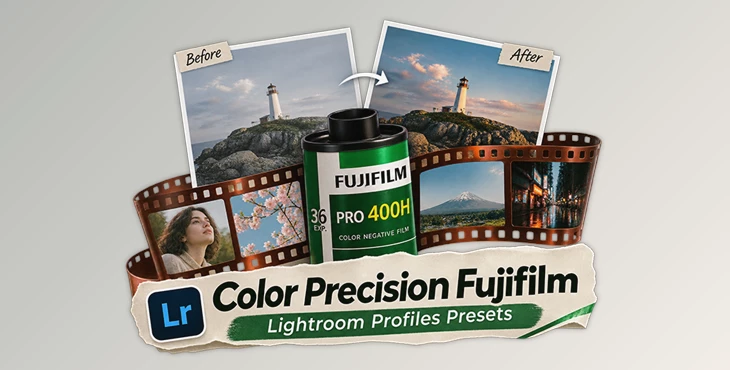
Color Precision Fujifilm is a collection of film emulation profiles and presets for Adobe Lightroom and Adobe Camera Raw. It recreates the colors, contrast, and tones of classic Fujifilm film stocks using profiles developed from real film scans.
The collection includes 96 profiles, 33 presets, and 2 Photoshop actions. It covers 12 Fujifilm film stocks, including Pro 400H, Velvia 50, Provia 100F, Superia 400, and Natura 1600.
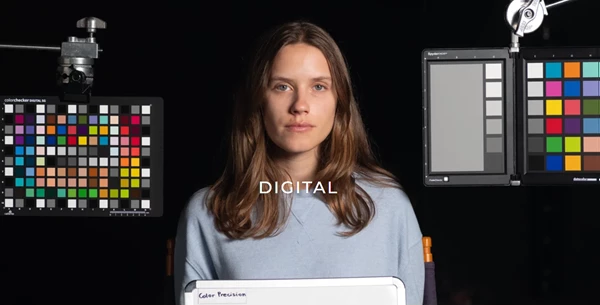
Each film emulation is created by comparing a digital photo with a film scan captured using the same lens and lighting conditions. This process helps match the digital colors to the original film.
Fujifilm Film Stocks and Scanner Variants
The collection contains emulations of these 12 film stocks:
Pro 400H: Includes standard and pushed-film variations.
Pro 160S
NPS 160
Provia 100F
Velvia 50
Fuji 200
C200
Superia 400
Fuji 400
Natura 1600
NHG II 800
Each film stock comes with different exposure variations, generally ranging from -1 EV to +2 EV. Fuji 200 includes options from -2 EV to +1 EV.
The profiles also offer two scanner styles:
Noritsu: Emulates the color and contrast characteristics of Noritsu film scans.
Frontier: Recreates the different color and contrast response of Frontier film scanners.
These scanner options matter because the scanner used to process film affects the final appearance of a photograph.
How Profiles and Presets Work Together
Color Precision Fujifilm uses two methods to reproduce film colors.
Lightroom and ACR profiles change the image's color response, including hue, saturation, and contrast. They provide more precise color transformations than Lightroom's standard editing sliders.
Lightroom presets adjust individual editing settings. They work on top of the profiles to change the final appearance of an image.
The workflow starts with selecting a film profile to establish the main colors. Additional presets can then be applied to adjust grain, contrast, highlights, or other film characteristics.
Film Effects and Editing Tools
The 33 included presets cover several editing effects:
Preset | Available options |
|---|---|
Film Grain | Levels 1–5 |
Film Blur | Levels 1–5 |
Soft Highlights | Levels 1–5 |
Fade | Levels 1–5 |
Contrast | Levels 1–5 |
Expired Film | Levels 1–5 |
AI Masking | Portrait, Sky Highlight Recovery, Subject Pop |
The grain presets use luminance masking to distribute grain differently across bright and dark areas of an image.
Soft Highlights presets use curves to lower the white point and produce smoother highlight rolloff. This adjustment is kept separate from the film profiles to avoid permanently clipping bright image details.
Photoshop Halation Effects
The collection includes two Photoshop actions:
Halation: Automatically detects areas where film halation would naturally appear and applies the effect.
Paint-on Halation: Provides an additional method for applying halation to selected areas.
Halation requires Photoshop and cannot be applied through the included Lightroom profiles alone.
Camera Sensor Support
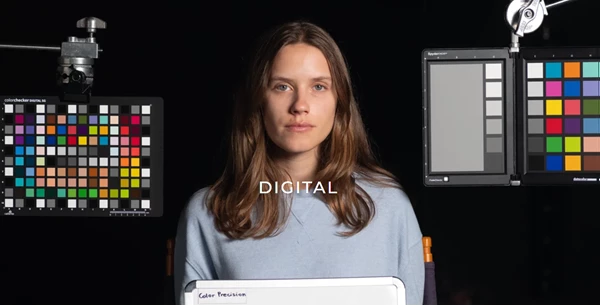
Different cameras record colors differently, so Color Precision provides separate emulations for various camera sensors rather than using one profile for every camera.
The supported camera families include Fuji, Sony, Leica, Ricoh, Hasselblad, Lumix, OM System, iPhone, Canon DSLR and mirrorless, and Nikon DSLR and mirrorless.
This sensor-specific approach is intended to keep film colors more consistent across photographs captured with different cameras.
Package Contents and Compatibility
The package contains 96 Lightroom/ACR profiles, 33 Lightroom presets, and 2 Photoshop actions.
The profiles include film exposure variations, Noritsu and Frontier scanner emulations, and a pushed-film option for Pro 400H.
Color Precision Fujifilm works with Adobe Lightroom and Adobe Camera Raw for film emulation and editing adjustments. Adobe Photoshop is required for the included halation actions.
The collection can be used for portraits, studio photography, daylight scenes, interiors, landscapes, and night photography. Its profiles establish the film color, while the editing presets provide separate control over the finishing effects.

Files Password : gfxplugin.com OR 123456