Downloadable Files
You can download Smart Text Split & Merge for free from the bottom of this page.
Split and Merge Text Without Losing Its Style or Animation
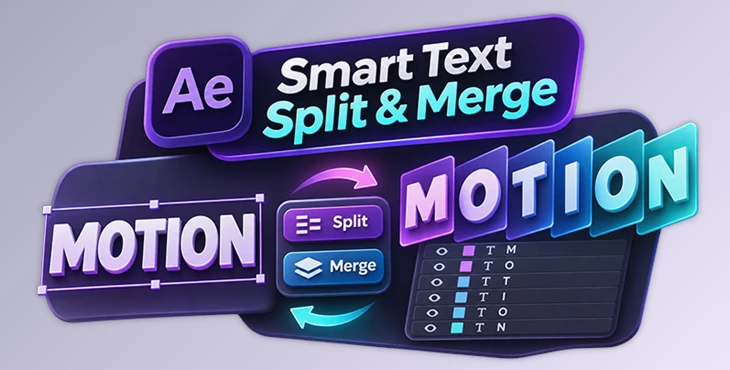
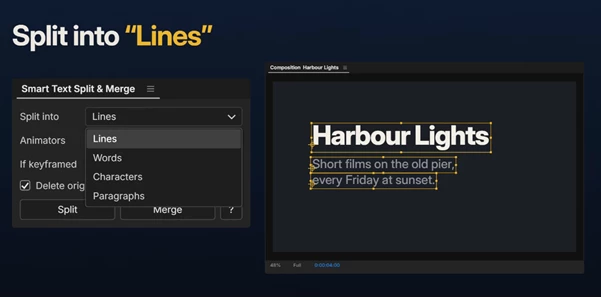
This After Effects panel lets you split a text layer into separate lines, words, characters, or paragraphs. You can also merge multiple text layers back into one. The original text style and animation stay the same, so you can work with each part without changing how your text looks.
Split Text Without Losing Its Original Look
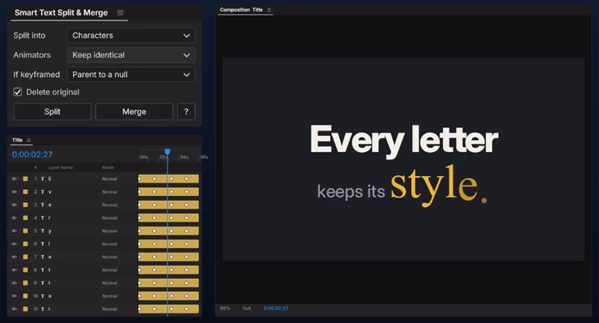
Smart Text Split & Merge gives you more control over text layers in After Effects. You can turn a full sentence into individual word layers or separate a title into letters for animation.
The tool keeps important text properties, including fonts, sizes, colors, spacing, and alignment. It also supports mixed text styles, box text, justified paragraphs, tracking, and leading.
Each new layer is automatically named after its text. Its anchor point is placed on its own baseline, making it ready for further animation.
Split and Merge Options
The panel offers two main actions:
Split: Separate a text layer into individual lines, words, characters, or paragraphs.
Merge: Combine separate text layers back into a single text layer.
You can split text with one click and continue editing or animating the new layers. The merge option lets you bring them together again when you need a single layer.
Keep Your Text Animations
One of the main features of Smart Text Split & Merge is its ability to preserve existing animations.
When you split animated text, the tool keeps its original timing and appearance. A text reveal that moves across a complete sentence can continue across the separate pieces in the same order.
It also preserves important animation properties:
Keyframes and expressions
Effects and masks
Scale and rotation animations
Anchor point animations
Original animation timing
For animated transformations, each piece can keep the original pivot point, or a single Controller null can hold the keyframes.
This is helpful when creating kinetic typography, animated titles, and other text animations that need individual control over letters or words.
Support for Different Languages
Smart Text Split & Merge works with text in different languages and writing directions, including Arabic, Persian, Hebrew, Chinese, Japanese, Hindi, and Thai.
It handles several important details when splitting multilingual text:
Right-to-left text keeps its correct order.
Accents and vowel signs remain attached to their letters.
Emoji stay together instead of being separated into individual parts.
The tool has also been tested with languages such as Greek, Korean, Bengali, and Urdu.

Files Password : gfxplugin.com OR 123456