Downloadable Files
You can download WPM Text Timer for free from the bottom of this page.
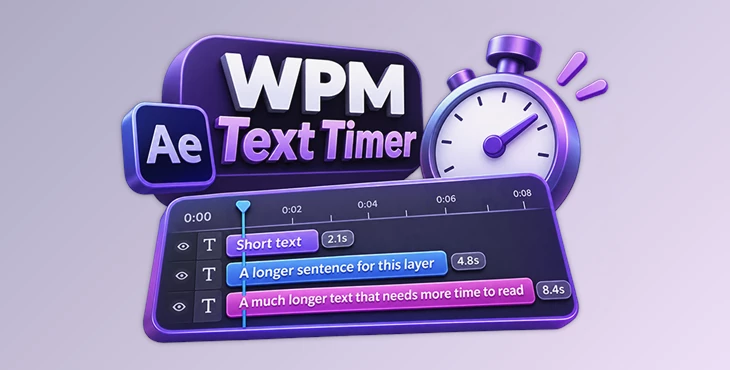
Automatically Set Text Timing Based on Reading Speed
This After Effects script helps you set the duration of text layers based on reading speed. It calculates how long viewers need to read each text layer and adjusts its duration automatically. You can also control reading speed, punctuation delays, and layer timing to match your video.
Set Text Duration Based on Reading Speed
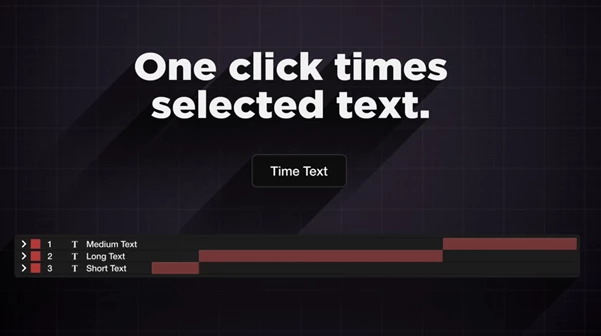
WPM Text Timer is a ScriptUI panel for Adobe After Effects. It uses words per minute (WPM) to calculate how long each text layer should stay on screen.
For example, a short sentence may only need a few seconds, while a longer paragraph needs more time. The script adjusts the duration based on the amount of text and your selected reading speed.
Using the tool is simple:
Select the text layers you want to adjust.
Choose your preferred timing settings.
Click Time Text.
The script sets the duration of each selected layer.
This is helpful when working with text-heavy videos, subtitles, or animated explanations where viewers need enough time to read the content.
Customize Text Timing Settings
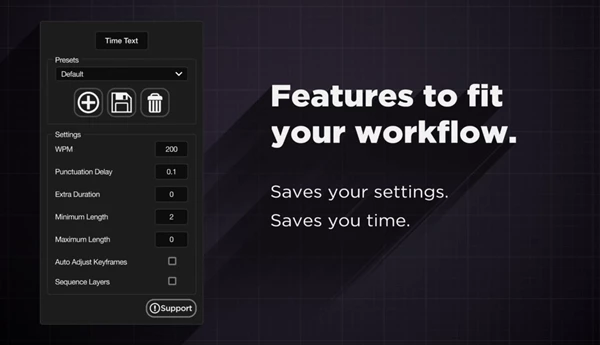
WPM Text Timer includes several settings that give you more control over how text appears in your project.
WPM Reading Speed: Set how fast viewers are expected to read the text.
Punctuation Delays: Add extra reading time for punctuation marks.
Extra Layer Duration: Keep text visible for additional time after the calculated reading duration.
Minimum Layer Length: Prevent short text layers from disappearing too quickly.
Maximum Layer Length: Limit how long a text layer can remain on screen.
Auto-Adjust Keyframes: Move animation keyframes to match the beginning and end of each layer.
Layer Sequencing: Arrange layers one after another without manually setting their positions.
These options help you control both the reading time and the timing of text animations.
Save and Switch Between Timing Presets
Different videos may need different reading speeds. A fast social media video might use shorter text durations, while a corporate explainer may need more time for each sentence.
WPM Text Timer lets you save your timing settings as presets. You can create separate presets for different projects and switch between them using a dropdown menu.
For example, you can save one preset with a faster WPM setting and another with slower reading speed and longer punctuation delays.
Keep Text Animations in Sync
Changing a layer's duration can affect the timing of its animations. WPM Text Timer includes an option to automatically adjust keyframes when layer lengths change.
This keeps entrance animations at the beginning of a layer and exit animations at the end.
The script also supports layer sequencing, which places text layers end to end. This is useful when displaying several sentences in order, without needing to position every layer manually on the timeline.
WPM Text Timer is a practical tool for After Effects projects that contain multiple text layers. It combines reading-speed calculations, customizable timing, presets, and animation adjustments in one panel.

Files Password : gfxplugin.com OR 123456