Downloadable Files
You can download LayerSeer Plugin for free from the bottom of this page.
See How Animation Layers Change Your Work in Maya
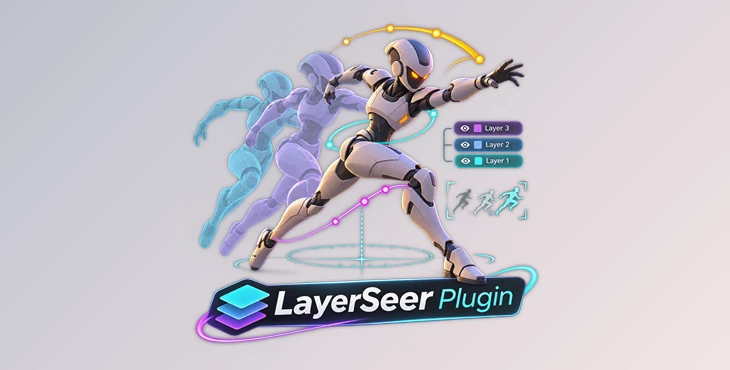
Animation layers in Maya help you work on different parts of an animation, but seeing how each layer changes the final movement is not always easy. LayerSeer solves this problem by showing the effect of animation layers directly in the Maya viewport.
The plugin includes three tools: LayerArc, LayerGhost, and LayerLens. Each one shows different information about your animation, from motion paths and character poses to objects affected by a particular layer.
See How Animation Layers Affect Movement
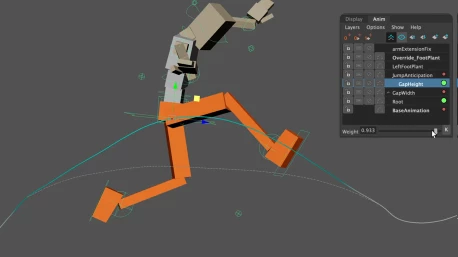
LayerArc draws a motion trail for the selected object in the viewport. This trail shows the object's path through space and how the active animation layer changes its movement.
The curve updates as you animate or switch between layers, so you can see the changes without leaving the viewport.
One helpful feature is Ghost Curve. It displays a dashed arc showing what would happen if you muted or unmuted a layer. You can compare the movement without actually changing the layer's state.
LayerArc also includes several display options:
Weight Color: The arc color fades when the active layer's weight decreases.
Velocity Mode: Shows movement speed through different colors, with adjustable units and speed limits.
Influence Colors: Gray arcs show objects that belong to a layer but are not affected by it. Red arcs show objects driven by external connections, constraints, or other layers.
Display Settings: Change the drawing range, curve thickness, smoothness, colors, ghost opacity, and frame markers. X-Ray mode and key display options are also available.
These controls help you understand not only where an object moves, but also how its motion is affected by the animation layers.
Compare Character Poses with LayerGhost
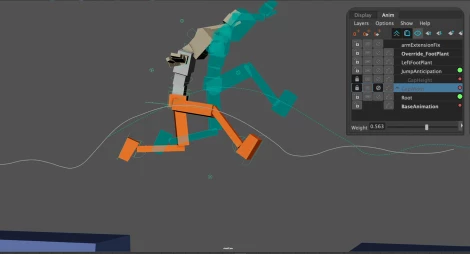
LayerGhost focuses on the character's pose rather than its motion path.
It displays a deforming ghost mesh that shows how the selected animation layer changes the character's pose. You can see the difference between the muted and unmuted states of the layer.
The ghost can appear as a solid mesh or wireframe. Its color and opacity are adjustable, helping you separate it visually from the actual character.
LayerGhost also includes a configurable frame cache. This keeps the ghost visible while you scrub through the timeline, making it easier to compare poses across different frames.
Focus on Specific Layers with LayerLens
Large animation scenes may contain many objects, even when you only need to work on a few of them.
LayerLens provides a custom viewport isolation mode that displays only the members of the animation layer you are working with.
It supports two types of isolation:
Keyed Members: Display objects that have keys on the selected layer.
Non-Keyed Members: Display objects that do not have keys on that layer.
You can also choose to display LayerArc curves, LayerGhost meshes, and scene geometry alongside the isolated objects.
A toggleable HUD (Heads-Up Display) shows the active animation layer and the current isolation mode directly in the viewport.
This helps you identify which objects belong to a layer and which ones have animation keys without searching through the entire scene.
Compatibility
LayerSeer Plugin supports the following Maya versions and operating systems:
| Requirement | Compatibility |
|---|---|
| Software | Autodesk Maya |
| Maya Versions | 2022–2027 |
| Windows | Supported |
| macOS | Supported |
| Linux | Supported |
A Clearer View of Animation Layers
LayerSeer brings information about animation layers into the Maya viewport. LayerArc shows how a layer changes movement, LayerGhost reveals differences in character poses, and LayerLens helps you focus on specific layer members.
For animators working with several animation layers, these three tools provide a clearer way to inspect motion, compare poses, and understand how each layer affects the scene.

Files Password : gfxplugin.com OR 123456