Downloadable Files
You can download AE Diff for free from the bottom of this page.
See Exactly What Changed in Your After Effects Project
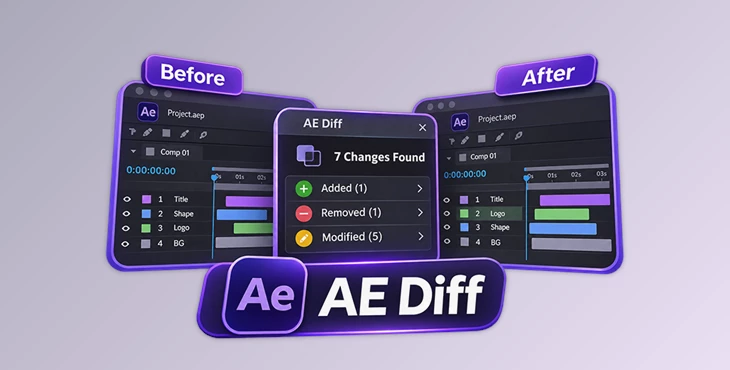
This After Effects tool compares different versions of a project and shows exactly what has changed. It checks compositions, layers, and properties, then displays the results in a clear list.
AE Diff is useful when you have several saved versions of an After Effects project and need to know what was edited. It can show changes to layer positions, text, timing, effects, and other properties. You can inspect the old and new values without checking every composition yourself.
The tool also supports local project references and lets you export comparison results as a text report.
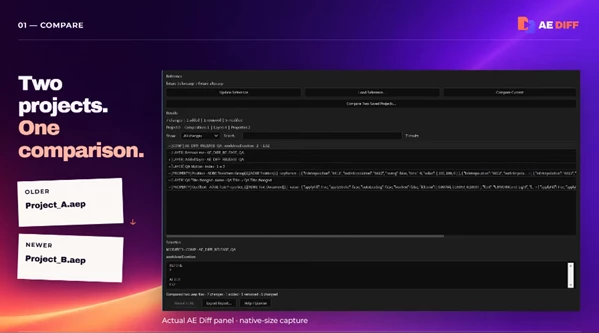
Find Changes Between After Effects Projects
Two After Effects project files may look almost identical, even when their settings are different. A layer might have moved, a title might have changed, or a composition might have a shorter work area.
AE Diff checks the saved project data and identifies these differences. It works with .aep files and organizes the results into three types:
Added: A new composition, layer, or other supported item appears in the newer project.
Removed: An item from the older project is no longer present.
Modified: An existing item has different settings or property values.
The results appear in a native After Effects panel. Each entry identifies the affected item, so you can focus on the parts of the project that have changed.
What Can AE Diff Compare?
AE Diff examines several parts of an After Effects project.
Category | Changes AE Diff can detect |
|---|---|
Compositions | Added or removed compositions and changes to composition settings |
Layers | Layer names, order, timing, sources, switches, and added or removed layers |
Properties | Property values, text, expressions, effects, and supported keyframe data |
For keyframes, AE Diff compares recorded times, values, interpolation types, and roving flags.
The comparison depends on the information available through the After Effects scripting API. Some changes, such as temporal-ease and spatial-tangent adjustments, are not detected.
How to Compare Two Saved AEP Files
AE Diff has a simple three-step workflow for comparing saved projects.
Choose the project files
Select Compare Two Saved Projects and choose the older and newer
.aepfiles.Review the differences
AE Diff scans both files and displays the changes. Use Search or filters to narrow the results, then select an item to see its previous and current values.
Export the report
Click Export Report to save the comparison as a plain-text file.
After Effects opens and scans the two files one at a time without saving them. Once the comparison is complete, AE Diff restores the project that was open before the process started.
You should save your current work before starting a comparison.
Inspect Before-and-After Values
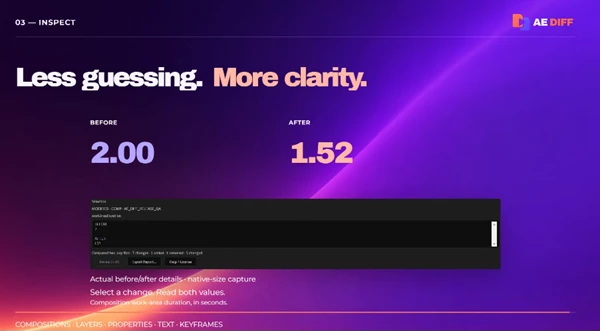
Selecting a change opens its details inside the panel. This view shows what the value was before and what it became in the newer project.
Here are a few examples of the information AE Diff can display:
Property | Before | After |
|---|---|---|
Position | 100, 540 | 180, 540 |
Text | First draft | Final title |
Work area duration | 2.00 seconds | 1.52 seconds |
These are illustrative revision examples. The actual results depend on the changes in your projects.
Long property values may appear shortened inside the panel. However, the exported report keeps their complete serialized values.
Track Changes with Local References
AE Diff can also compare your current After Effects project against a saved reference. This is a different workflow from selecting two .aep files.
When you open the AE Diff panel, it automatically creates or recalls a local reference for the current project. You can compare the current state against that reference to identify changes.
The reference tools include:
Update Reference: Sets the current project state as the new reference.
Load Reference: Opens a portable
.aediff.jsonreference file.Reveal in AE: Selects the relevant composition and layer inside After Effects when comparing the current project.
Reveal in AE is not available when comparing two saved AEP files.
This reference system is helpful when you want to track edits within a project without manually choosing two saved files for every comparison.

Files Password : gfxplugin.com OR 123456