Downloadable Files
You can download Group Therapy for free from the bottom of this page.
Group Layers Without Losing Control
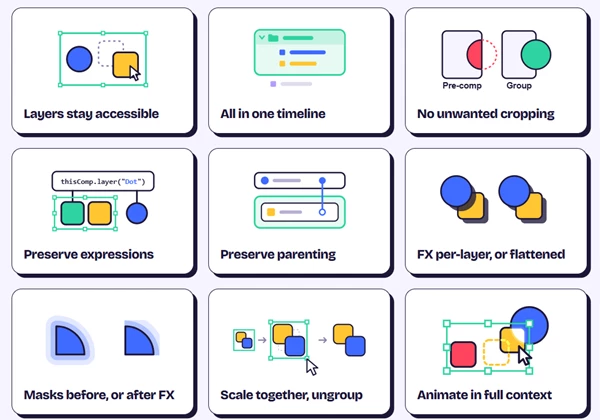
This After Effects plugin lets you organize layers into groups without creating precompositions. All layers stay in the same timeline, so you can edit them without switching between compositions.
Unlike precomposing, Group Therapy keeps expressions and parenting connections working. It also prevents unwanted cropping when grouping layers.
Organize Layers Directly in After Effects
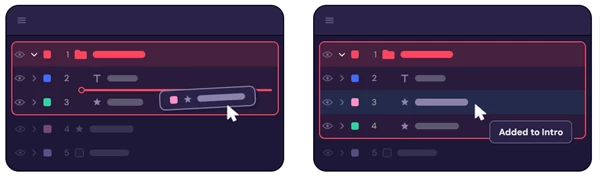
Group Therapy adds real layer groups to the After Effects timeline. Groups appear with colored outlines and indented layers, making them easy to find.
Press Cmd/Ctrl + G to group selected layers. You can also drag layers into or out of groups without using a separate panel.
Clicking a layer in the Composition panel selects its entire group. Double-clicking lets you select an individual layer inside it.
Key Features
Real layer groups: Organize layers without hiding them or creating precompositions.
Preserved connections: Keep existing expressions and parenting relationships.
Group transformations: Move, scale, and animate layers together.
Flexible effects: Apply effects and opacity per layer or in flattened form.
Mask controls: Use masks before or after effects.
Track mattes: Connect track mattes using the standard pick whip.
Anchor points: Use the average layer position as the group's anchor and move it without changing the group's position.
Native controls: Duplicate, copy, paste, delete, and ungroup using familiar After Effects operations.
Effects, Masks, and Animation Controls
Group Therapy is not limited to keeping layers organized. It also supports different ways of working with effects, masks, opacity, and animation.
Feature | How it works |
|---|---|
Effects | Apply effects per layer or use flattened effects |
Masks | Process masks before or after effects |
Opacity | Use opacity per layer or flattened opacity |
Track mattes | Connect track mattes using the standard pick whip |
Animation | Animate grouped layers together |
Anchor points | Use the average position of grouped layers as the anchor |
Anchor adjustment | Move the anchor point while keeping the group's position |
The ability to control effects and opacity at different levels is an important part of Group Therapy.
For instance, you can keep effects on individual layers when they need separate treatment or use flattened effects when working with the group as a whole.
Group Therapy also supports stacking effects, animations, and track mattes within the grouping workflow.
Anchor Points and Group Transformations
When layers are grouped, Group Therapy places the group's anchor point at their average position.
You can move this anchor point without changing the group's position. This is helpful when adjusting the point around which grouped elements are transformed or animated.
You can also scale layers together without turning them into a precomposition.
When to Use Group Therapy
Group Therapy is useful for motion graphics projects with many layers, especially when those layers use expressions, parenting, or effects.
It keeps related elements together while leaving every layer accessible in the original composition. This makes it an alternative to precomposing when you need better timeline organization without changing how your layers work.

Files Password : gfxplugin.com OR 123456