Downloadable Files
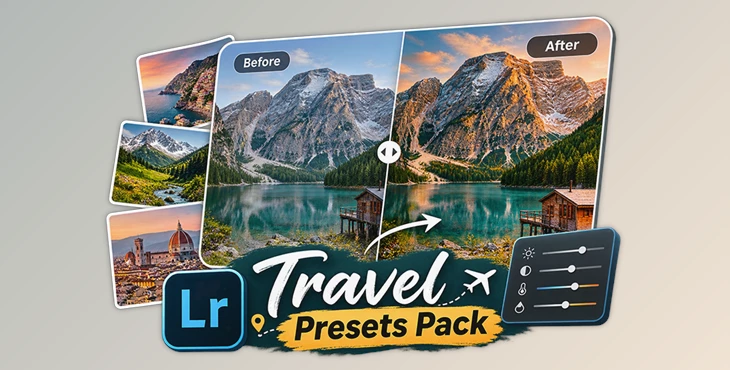
You can download Travel Presets Pack for free from the bottom of this page.
Edit Your Travel Photos with 20 Lightroom Presets
Created by Lou Imagin, this pack includes 20 Lightroom presets designed for travel, landscape, cityscape, and outdoor photography.
If you take a lot of photos on the same trip, editing them can be time-consuming. With these presets, you can have a uniformly styled photo without starting each one from scratch.
With a click, you can use each preset. You can save it or use it as a base to make additional edits in Lightroom.
Additionally, some presets come with automatic masks that are applied to your photos. Even without paying for Lightroom Mobile, you can use this feature.
This collection works with photos taken on phones and cameras, both JPG and RAW.
What's Included in the Travel Presets Pack?
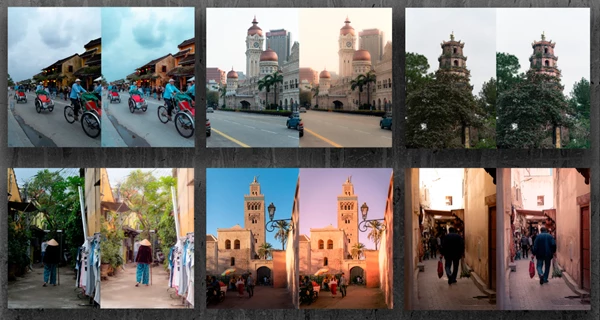
The pack contains presets, sample photos, and a video guide to help you understand how everything works.
Content | Details |
|---|---|
20 Lightroom Presets | XMP files for editing travel and outdoor photos |
24 RAW Images | RAW photos included with the pack |
Video Installation Guide | Instructions for Lightroom, Lightroom Classic, and Lightroom Mobile |
Preset Explanations | The creator explains how the presets were built and how to use them |
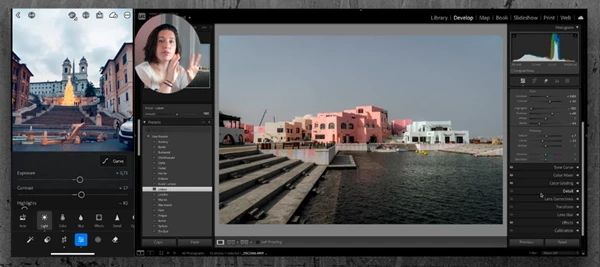
The video guide is especially helpful for beginners. Along with installation instructions, Lou Imagin explains the settings used to build the presets. You can follow the guide to learn more about Lightroom and understand how the editing styles were created.
One-Click Editing and Dynamic Masks
The main purpose of Travel Presets Pack is to give your photos a ready-made look that you can still change.
After applying a preset, you can continue editing the image to match your preferences. This is helpful when different photos need slightly different adjustments, even if you want them to share a similar style.
One feature worth mentioning is the use of dynamic masks in some presets.
These masks are applied automatically to your images. You don't have to create them yourself before using the preset.
What Types of Photos Work Best?
Travel Presets Pack is mainly designed for outdoor photography. It covers several types of images:
Travel photography: Edit photos from your trips and keep a consistent look across different locations.
Landscape photography: Apply the presets to natural scenery and outdoor environments.
Cityscape photography: Edit urban scenes, streets, and city views.
Outdoor photography: Work with different subjects photographed outside.
Important: These presets are not designed for portrait photography. If you mainly edit portraits, this pack may not be the right choice.
A Starting Point for Your Own Editing Style
Beyond looking good in your photos, you can also use the 20 presets as a foundation to edit your own photos if you enjoy the overall look but would like to make some modifications.
Based on what you would like to create, you can use the preset settings as a foundation and edit from there.
Additionally, if you are just learning more about Lightroom, using Lou Imagin's presets along with watching the video to see how these were created will give you a better idea.
If you primarily capture travel photos, cityscapes, and landscapes, Travel Presets Pack offers several pre-made styles that you can still edit yourself.

Files Password : gfxplugin.com OR 123456