Downloadable Files
You can download News Broadcast Pack for free from the bottom of this page.
Build News-Style Videos with Ready-Made Broadcast Elements
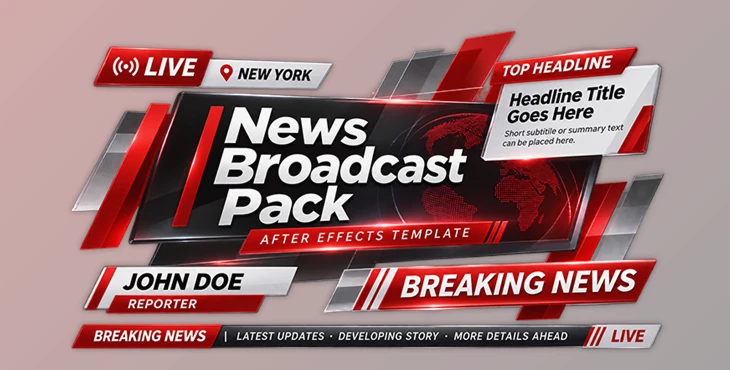
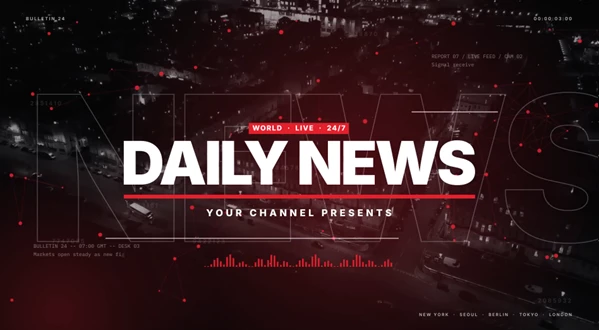
This After Effects template includes 15 elements for creating news-style videos, from opening sequences and headlines to lower thirds, transitions, and closing animations.
Elements are styled similarly with scrolling lines, typewriter text, big headlines, and sliding bars. Both elements are available in two aspect ratios: 16:9 for widescreen video and 9:16 for vertical video. Both will have the same text and media content and be filmed at 60 fps. Because of this, you can create your content once and reuse it in either aspect ratio.
What's Included in the News Broadcast Pack?
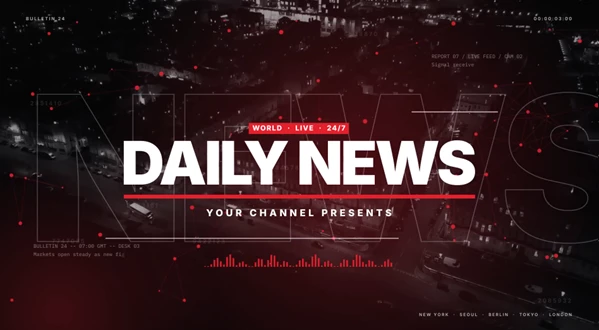
The pack contains 15 broadcast elements for different parts of a news video.
Element | Description |
|---|---|
Opener Long | A 13.4-second opening animation |
Opener Short | A shorter, 7.85-second opening |
Bars Transition | A transition using animated bars |
Slash Transition | A slash-style scene transition |
Streak Transition | A streak animation between scenes |
Name Lower Third | Displays a person's name |
Location Lower Third | Shows location information |
Live Lower Third | Adds a live broadcast label |
Source Lower Third | Identifies the source of footage or information |
Breaking News | A graphic for important news updates |
Headline Title | Displays the main news headline |
Ticker Bar | Shows news text along the screen |
Quote Card | Presents a quote |
Logo Sting | A short logo animation |
Outro | A closing animation |
The elements cover the main parts of a news broadcast. You can use the two openers at the beginning of a video, place lower thirds over footage, and add transitions between different news segments.
Edit Text and Media in One Place
News Broadcast Pack keeps its editable content organized in shared compositions.
The Edit Texts composition contains 51 text fields, while 10 separate media compositions hold the visual content.
Both the widescreen and vertical versions use these same compositions. When you change a headline, name, or media item, the shared content is used in both formats.
This setup is helpful when preparing the same news video for different screen sizes. You don't have to enter all your text and media separately for each format.
Change the Colors
The template has three main color controls:
Accent: Controls the accent color used in the design.
Dark: Controls the dark color.
Light: Controls the light color.
The default design uses black, white, and red, but these controls let you change the color scheme to match your project.
The animations include moving bars, outlined copies of headlines, typewriter-style text, trim-path lines, and duotone media.
Control Animation Timing
Every element includes four animation controls.
Control | Function |
|---|---|
Animate In | Controls the entrance animation |
In Speed % | Changes the entrance animation speed |
Animate Out | Controls the exit animation |
Out Start | Sets when the exit animation begins |
Each layer extends to 120 seconds. This gives you room to hold a headline, lower third, or other graphic on screen for longer without being limited to a short animation duration.
The transitions also have a CUT marker to help you position the scene change.
Transitions have transparent backgrounds, as do the lower thirds and ticker. You can place these elements over your own footage without adding a solid background behind them.
Where Can You Use This Pack?
News Broadcast Pack is designed for projects that need the visual style and structure of a television news program.
It can be used for news reports, breaking news videos, interviews, and social media news updates.
One example would be to use a long opener, then a Name Lower Third to present a person, then a Location Lower Third to show where something is happening. A Ticker Bar could be on top during the transition between different news clips.
Another way to present something shorter would be to use the same vertical format with a short opener, as it does not require any overall alterations to the overall design.
Overall, by offering shareable text and visuals in this pack, users can create news-style videos in After Effects using the same visuals with shareable colors and per-person animations.

Files Password : gfxplugin.com OR 123456