Downloadable Files
You can download TurboMosaic Pro Plus for free from the bottom of this page.
Turn Hundreds of Small Photos into One Large Picture
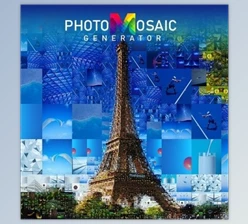
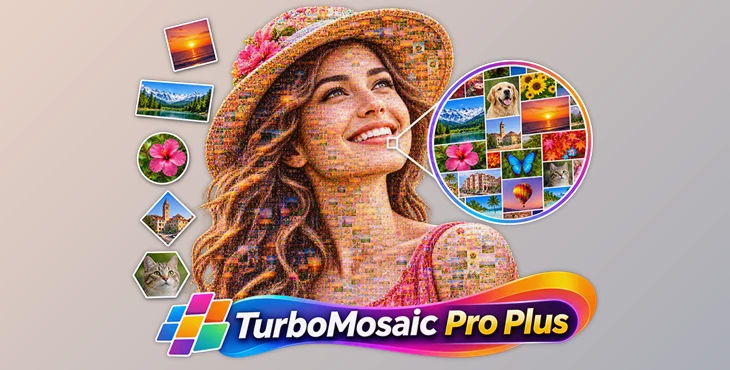
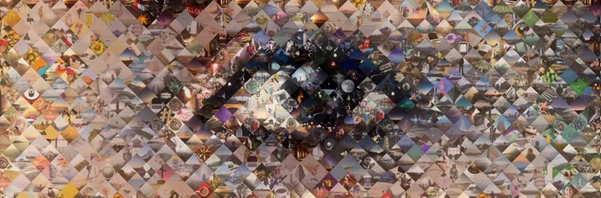
TurboMosaic Pro Plus is a solution that allows users to create a photo mosaic on both Windows and Mac. A photo mosaic is a big image composed of multiple smaller ones. People can see the complete image from a distance while being able to observe all the smaller images that compose that image up close.
To create a photo mosaic in TurboMosaic Pro Plus, users will need to select a main image and multiple smaller ones. No design skills are required as the program is simple to use and users can select to create tiles in various shapes based on their desired final image.
Additionally, this program can create large mosaics and save images in multiple formats. This makes it appropriate for use with both digital and printed media.
How to Make a Photo Mosaic
Creating a mosaic in TurboMosaic Pro Plus takes three steps:
Select the Main Picture: Choose the photo you want people to see when they look at the finished mosaic from a distance.
Select Small or Tile Pictures: Add the collection of photos that will make up the main image. These smaller pictures become the tiles of your mosaic.
Generate the Mosaic: Let the software put the smaller pictures together to create the final image.
You can use this method to make a large portrait from a collection of family photos or combine pictures from an event into one image.
Choose Different Tile Shapes
Photo mosaics don't always have to use square tiles. TurboMosaic Pro Plus supports five tile shapes, each giving the finished picture a different appearance.
| Tile Shape | Description |
|---|---|
| Square | Uses traditional square photo tiles. |
| Rectangular | Arranges photos into rectangular tiles, including a 3:2 aspect ratio. |
| Hexagonal | Builds the mosaic using six-sided tiles. |
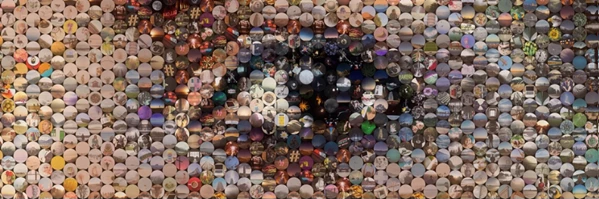
| Circular | Creates a mosaic from round photo tiles. |
| Diamond | Uses diamond-shaped tiles instead of standard squares. |
The main image stays the focus of the mosaic, while the selected tile shape changes how the smaller photos are arranged.
Create Ultra-Large Photo Mosaics
TurboMosaic Pro Plus can create mosaics up to 13 feet 4 inches by 13 feet 4 inches (approximately 4.06 × 4.06 meters).
This size is suitable for projects that need a large printed image, such as event displays, exhibitions, and decorative wall pictures.
A large mosaic also gives viewers two ways to experience the image. They can see the complete picture from across the room and move closer to look at the smaller photos.
Export Your Mosaic for Printing
After creating a mosaic, you have the option to save it in one of three formats:
JPEG - This is a popular format to save and share images
PNG - You can also save your completed mosaic in this image format
TIFF - Finally, you can also choose to save your mosaic in this format if needed
After saving, you can choose to send your mosaic to a local or online printing store or print it yourself.

Files Password : gfxplugin.com OR 123456