Downloadable Files
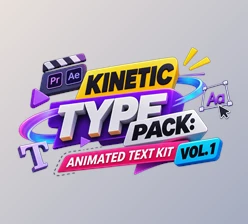
You can download KINETIC TYPE PACK: ANIMATED TEXT KIT VOL. 3 for free from the bottom of this page.
Add More Movement to Your Text Animations
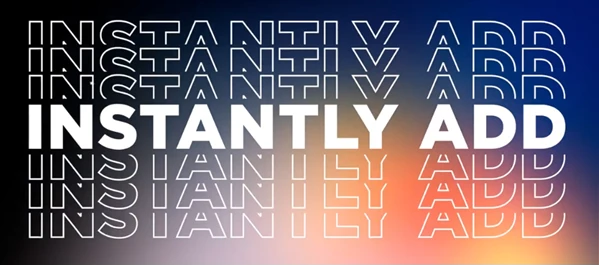
While animated text can definitely add some extra flavor to any video, each piece has to be individually created to be what it needs to be. Sickboat's KINETIC TYPE PACK: ANIMATED TEXT KIT VOL. 3 includes more than 30 pieces of animated text in After Effects and Adobe Premiere Pro that you can modify, style, and time to perfectly fit your video needs. This animated text can be used for social media, web videos, and commercials as being part of the overall design is often important.
What's Included in the Pack?
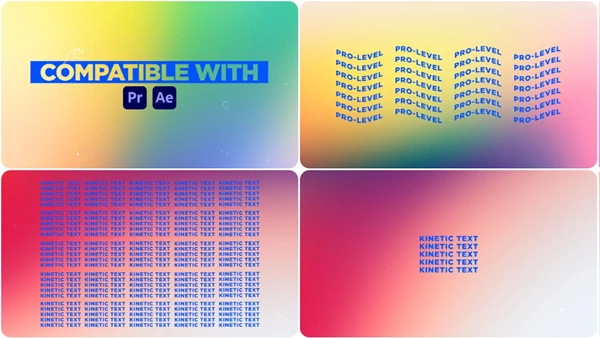
The kit contains more than 30 kinetic typography animations, with support for 4K resolution. You can work with the templates in Premiere Pro or use the included After Effects project.
Here's what you get:
30+ Kinetic Type MOGRT Files: Ready-made animated text templates for Premiere Pro.
After Effects Project Template: An alternative way to edit and export the animations.
4K Resolution: Supports high-resolution video projects.
Customizable Text: Change the font, color, size, stroke width, and kerning.
Timing and Position Controls: Adjust when and where the animated text appears.
Drag-and-Drop Workflow: Add the templates to your video without building the animations yourself.
All the text animations can be customized, so you're not limited to their original appearance.
Customize the Text to Match Your Video
The pack gives you control over several parts of each animation. You can keep the original motion while changing the text design to fit your project.
| Setting | What You Can Change |
|---|---|
| Font | Choose a different typeface |
| Color | Change the text color |
| Size | Make the text larger or smaller |
| Kerning | Adjust the spacing between letters |
| Stroke Width | Change the thickness of the text outline |
| Timing | Adjust the animation timing |
| Position | Move the text to another area of the frame |
These controls let you use the same animation with different text styles. You could use large, bold lettering for a commercial or smaller text for a social media video.
You don't need to recreate the movement every time you change the words or their appearance.
Using the Templates in Different Editing Software
KINETIC TYPE PACK VOL. 3 is designed for Adobe Premiere Pro and After Effects, but the animations aren't limited to projects edited in those programs.
Adobe Premiere Pro
The included .MOGRT files are made for Premiere Pro. You can add the templates to your timeline using the drag-and-drop workflow and customize the animated text for your video.
Adobe After Effects
The pack includes an After Effects project template. You can edit the titles in After Effects, customize their appearance, and export the finished animations.
Final Cut Pro and DaVinci Resolve
The pack doesn't provide native templates for these editors. However, you can prepare the text animations in After Effects and export them for use in Final Cut Pro, DaVinci Resolve, or another video editing program.
This means After Effects is needed if you want to use the pack's animations in editing software outside Premiere Pro.
Where Can You Use These Text Animations?
This set is for when you want animated text in your video, not just static text.
Some ways to use this in your videos:
Commercials - Use animated text to explain what you are selling in a commercial
Social Media Videos - Add animated text to emphasize your point in a short video
Web Videos - Use animated text in any video created online
This is best used when you want to include animated text as a visual component of your video. You can choose to use one of the animations and modify the timing and look as needed.
KINETIC TYPE PACK VOL. 3 offers over 30 animations alongside an After Effects project so individuals using After Effects and Premiere Pro can use many editable animated text options without having to create them from scratch.

Files Password : gfxplugin.com OR 123456